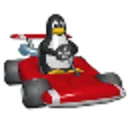
Where TrackMania United Forever leans on time trials and track building, SuperTuxKart is a plain arcade kart racer with a cast of characters. Version 1.5 for Windows is free, and the download links to github.com, the official host. We do not host the file.
Extracting the archive and running run_game.bat
The Windows build comes as an archive. Extract it, then start the game with run_game.bat inside the folder.
If you see the error "Not all assets found - aborting", re-download, since the faulty packages were fixed. You can also copy the contents of the stk-assets folder into the data folder.
Characters, tracks and modes in one 3D racer
SuperTuxKart is an arcade 3D racer with a variety of characters, tracks and modes. It is listed under sports and action games and tagged cross-platform. The package is 689.7 MB, and the license is GPL 3.0 or later.
When Pixel Wheels or Extreme TuxRacer fit better
Alternatives include Pixel Wheels, Extreme TuxRacer, xmoto, ManiaPlanet and TrackMania United Forever. Pick based on the style you want, and check each one's page for details.
What's new in 1.5
Version 1.5 is released with separate archives for Linux and Windows, plus a source package for building it. The notes say the packages causing the missing-assets error have been fixed.
SuperTuxKart pros and cons
Pros
- Free to download
- Open source under GPL 3.0 or later
- Variety of characters, tracks and modes
- Download links to github.com
- Windows archive runs through run_game.bat
Cons
- Large download at 689.7 MB
- Possible missing-assets error requires re-download or manual copying
- Visual previews are limited
Is SuperTuxKart safe?
SuperTuxKart is published by the SuperTuxKart Team under the GPL 3.0 or later license, so its source is open for anyone to inspect. The Windows build is a 689.7 MB archive that you extract and start with run_game.bat. If the game stops with a "Not all assets found - aborting" error, download the archive again, since the faulty packages have been fixed.
How to install SuperTuxKart
- Press the download button to get the official file.
- Run the installer you saved and confirm the Windows security prompt if the publisher matches.
- Follow the setup steps, then start SuperTuxKart from the Start menu.