
Knotwork suits people who already tinker with Tasker, Obsidian, Home Assistant or a local model and want to see what an assistant does with their data. It is a free, ad-free app by Aleksei Volodin, released under the Apache-2.0 licence, with its source published on GitHub. Version 0.12.2 weighs 61.6 MB and needs Android 14 plus about 2 GB of free RAM, which is the real limit on older hardware. The APK is stored unmodified, and its SHA-256 checksum is listed so you can verify the file.
Why an agent you can open up
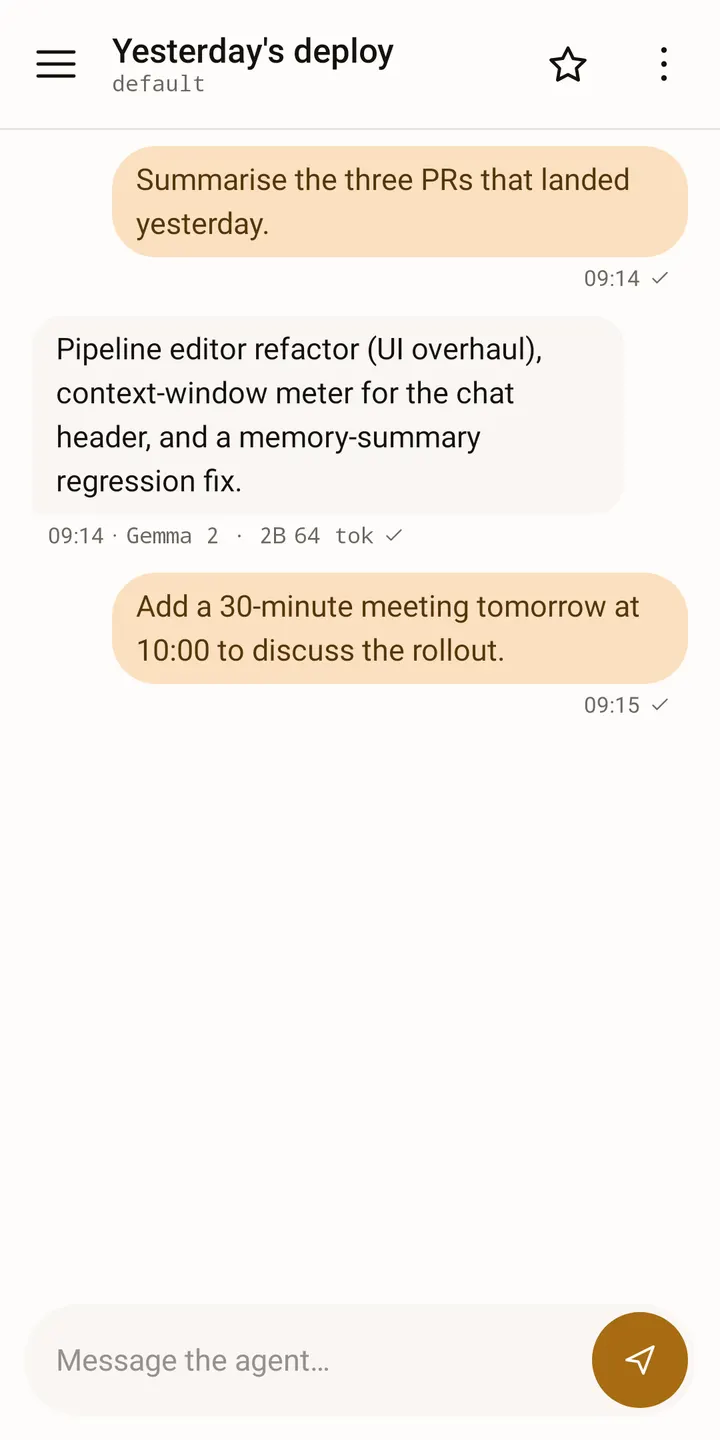
Most chat apps send your text to a remote service and show the answer. Knotwork takes a different route: the model runs on the phone, and each conversation passes through a pipeline that you can inspect and change.
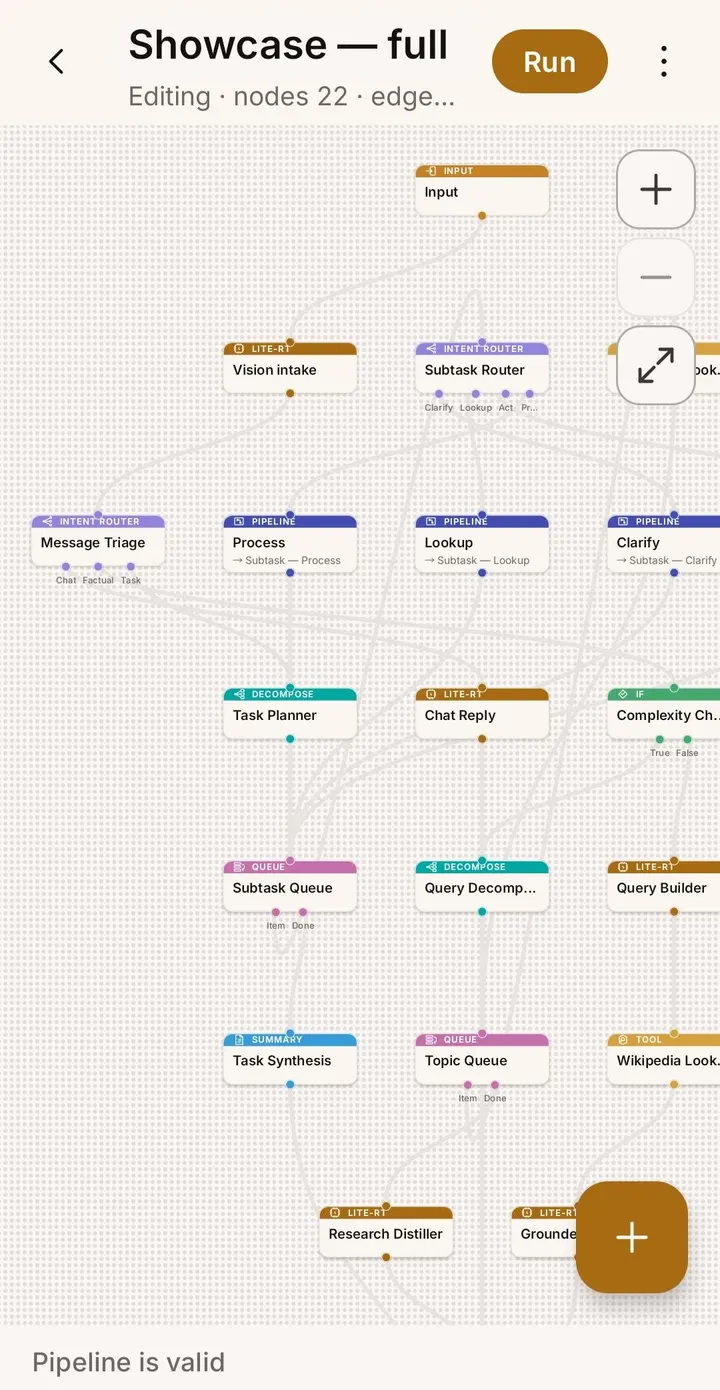
The pipeline is a graph of typed nodes, covering input, a local language model, an optional cloud model, tool calls, routing, evaluation, clarification and output. The developer's description puts the editor at 14 node types, with drag-and-drop, auto-layout and a run-trace overlay.
Confirmations, triggers and memory
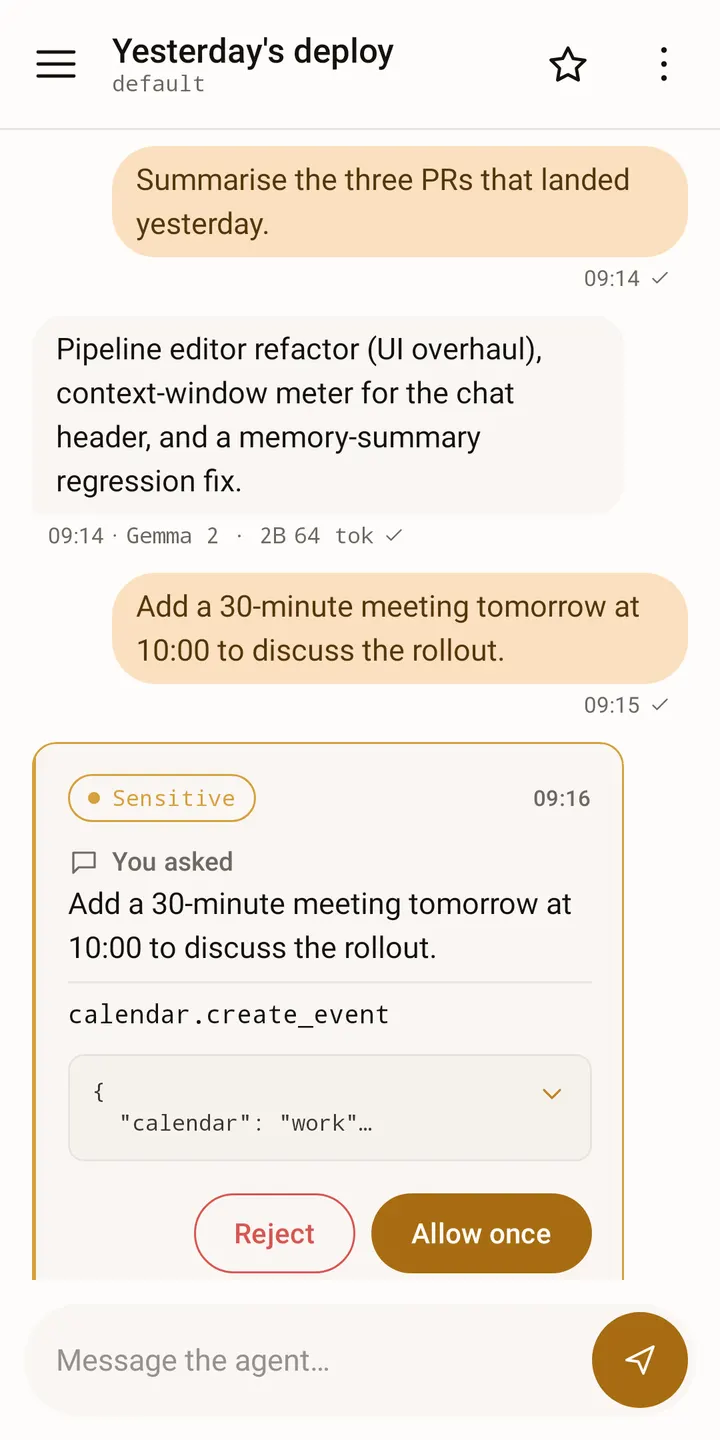
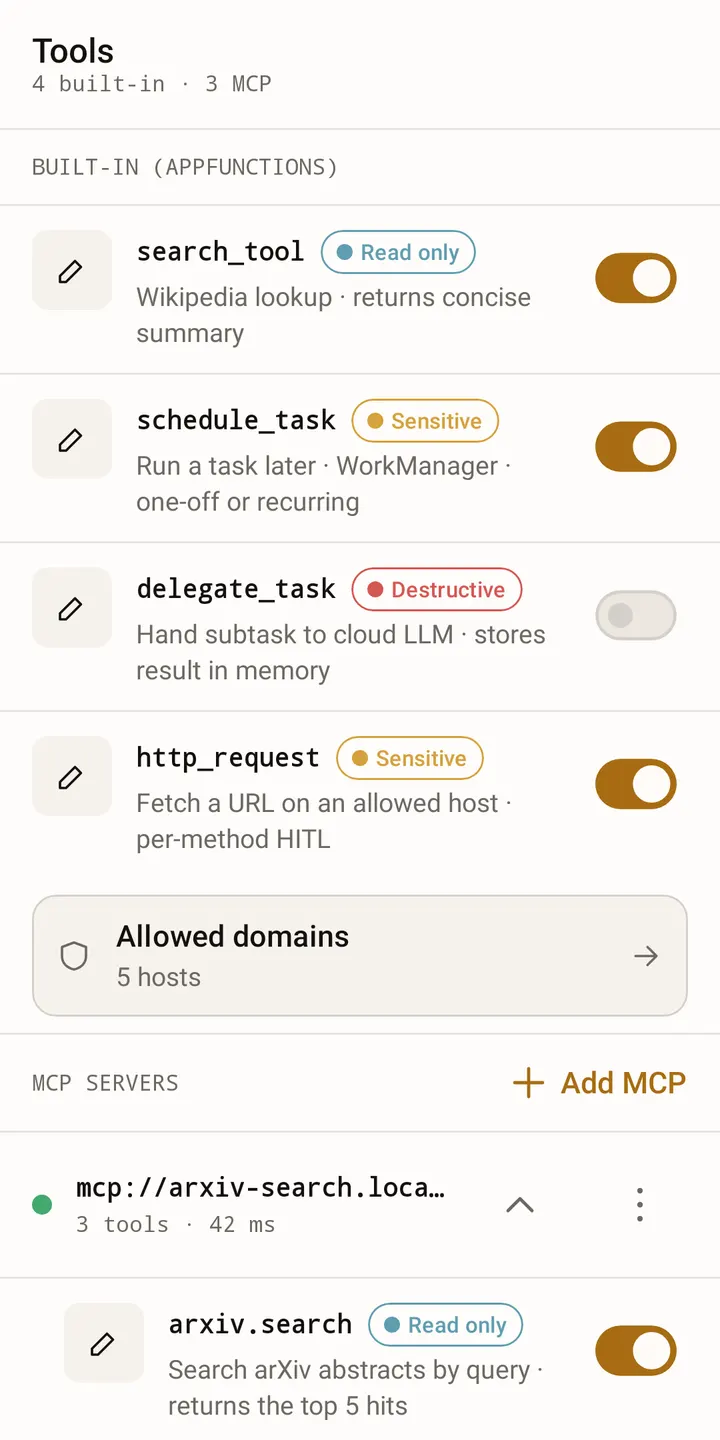
When a step would do something destructive or sensitive, it pauses and asks first. In the background the question arrives as a notification. The developer says this check is enforced at the point where the tool runs, so it does not depend on the model behaving.
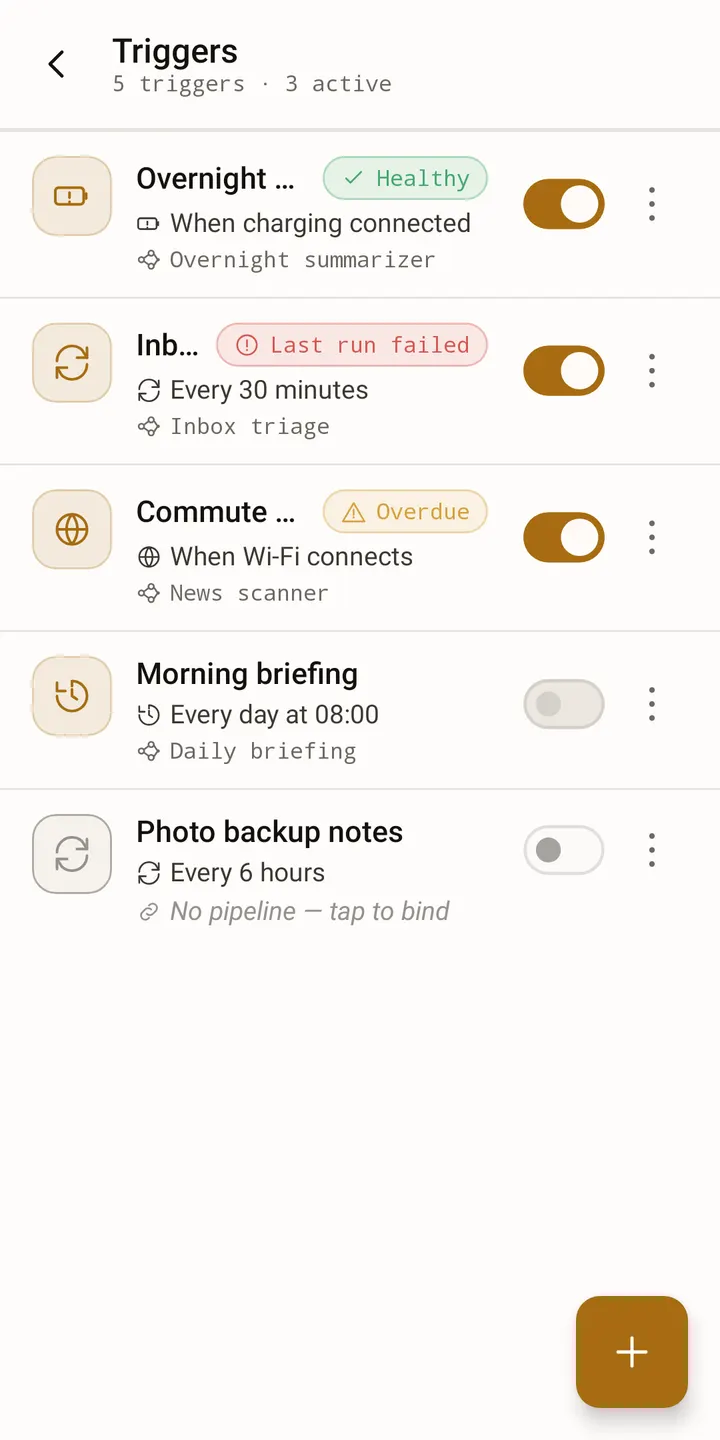
You can start a pipeline from a share target, launcher shortcuts or a Quick Settings tile. Triggers based on time, charging, Wi-Fi or network can also fire one, but each entry point stays inactive until you bind a pipeline to it.
Long-term memory retrieves past conversations by meaning, extracts facts automatically, and supports search and export. Cloud providers such as OpenAI, Anthropic, Google Gemini, DeepSeek, OpenRouter and Groq are optional and use your own key. An Ollama server or another OpenAI-compatible one works as well.
Limits to check before installing
Memory is the main constraint: plan on Android 14 and roughly 2 GB of free RAM. On some phones the screen freezes while the model runs on the GPU, and the fix is to switch to CPU, which is slower.
The interface is English only. Pipeline files you share are not guaranteed to work across versions before 1.0, so keep your original. Apps' AppFunctions are out of reach, because Android reserves that permission for system apps. What you get is the local tool catalogue plus anything you connect over MCP.
Cloud failure handling also differs by provider. Detection of a stream that dies mid-answer is switched on only where it was measured.
What's new in 0.12.2
Version 0.12.2 was updated on November 1, 2026. The developer calls the app a pre-release, so settings layout and storage formats can still change.
Knotwork pros and cons
Pros
- Model runs on the phone, so normal conversations stay local
- Free, no ads, Apache-2.0 licence with public source code
- Sensitive or destructive tool calls need your confirmation by default
- Editable node graph with 14 node types and a run-trace overlay
- Long-term memory with search and export
Cons
- Needs Android 14 and about 2 GB of free RAM
- GPU mode can freeze the screen on some phones
- English interface only, and pre-release formats may change before 1.0
Is Knotwork safe?
TopDown APK hosts the unmodified APK for Knotwork, and a SHA-256 checksum is provided for verification. The app is open source under Apache-2.0, with code at github.com/alexeyw/knotwork, and shows no ads. Per the developer, the database is encrypted and data leaves the device only along paths listed in the privacy policy, though the built-in Wikipedia lookup is on by default. It is a pre-release, so expect changes.
How to install Knotwork
- Download the APK with the button on this page and wait for it to finish.
- Compare the file with the SHA-256 checksum shown here if you want to confirm it arrived intact.
- Open the file on your phone and allow installs from this source when Android asks.
- Finish the install, then open Knotwork from your app drawer.