
After a few drinks at dinner, you want a rough idea of whether driving home is realistic. DriveSoberly takes your drinks, your body details and your country's legal limit, then returns one of three statuses. This page covers the project, what the app calculates and what your phone needs to run it.
A small open-source project by Johan Py
DriveSoberly is published by the developer Johan Py, with the code on GitHub at JohanPy/DriveSoberly. The licence is Apache-2.0, so anyone can read the source. The package ID is com.johanpy.drivesoberly, and the app sits in the apps category with tags for calculator and health manager.
It costs nothing and shows no ads. Version 1.2.5 was updated on June 13, 2026, and the first release dates to May 28, 2026.
Three statuses and two sobriety times
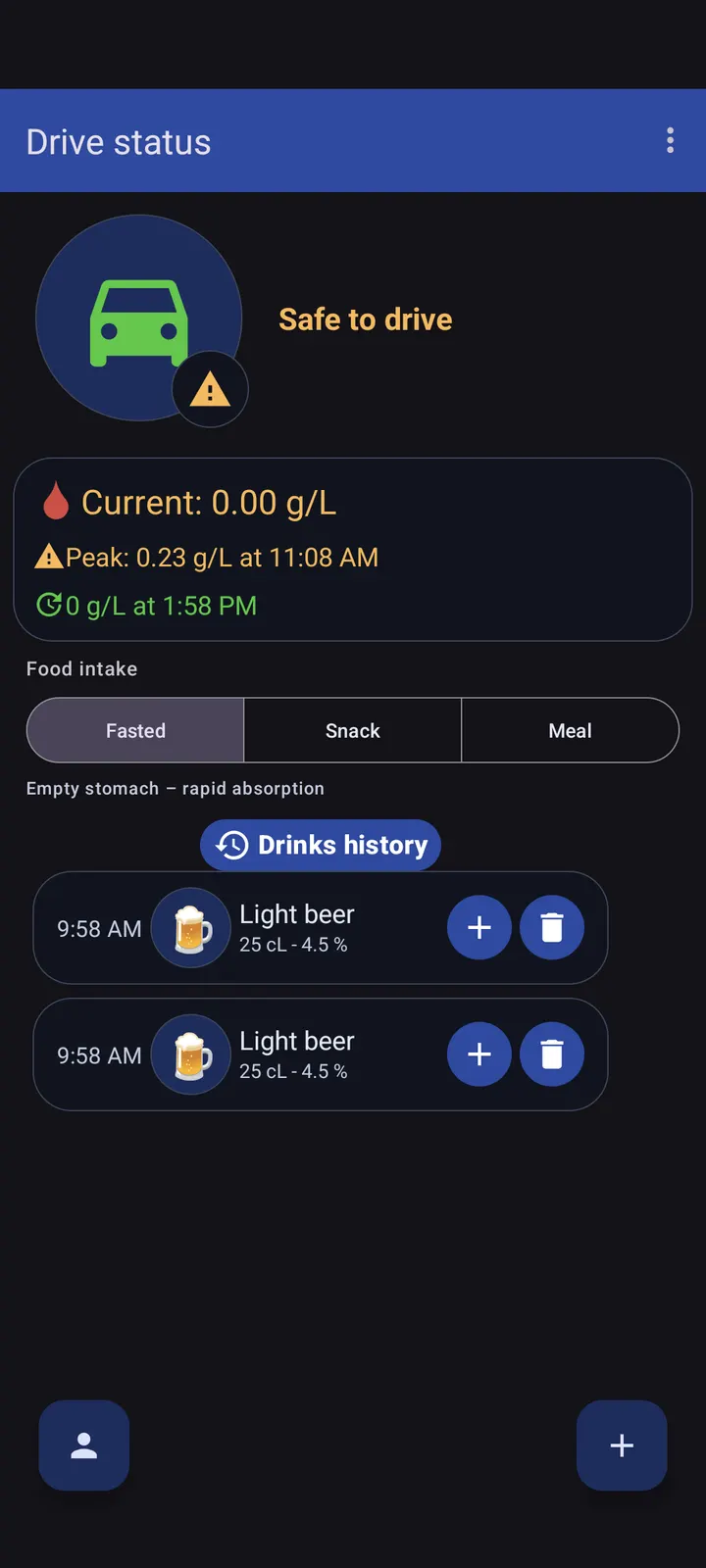
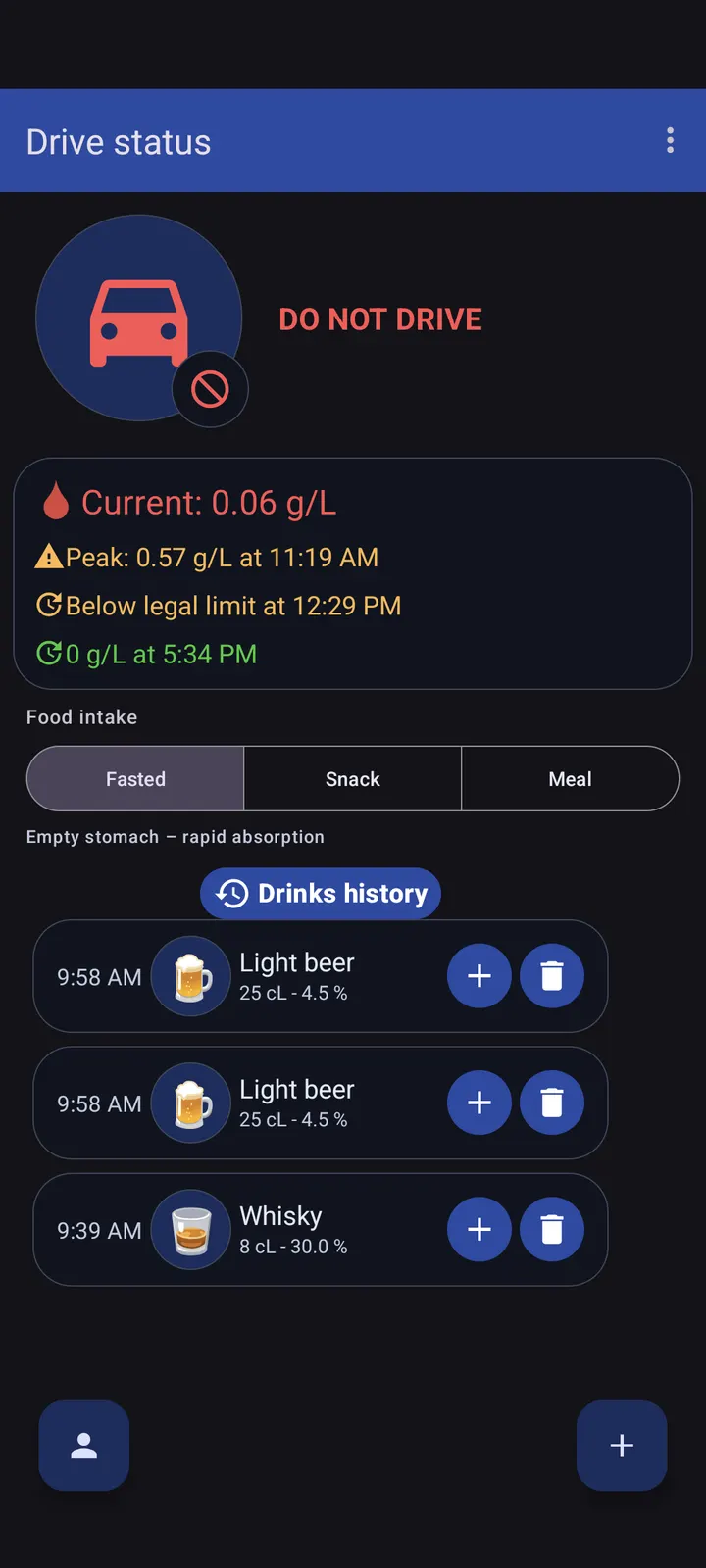
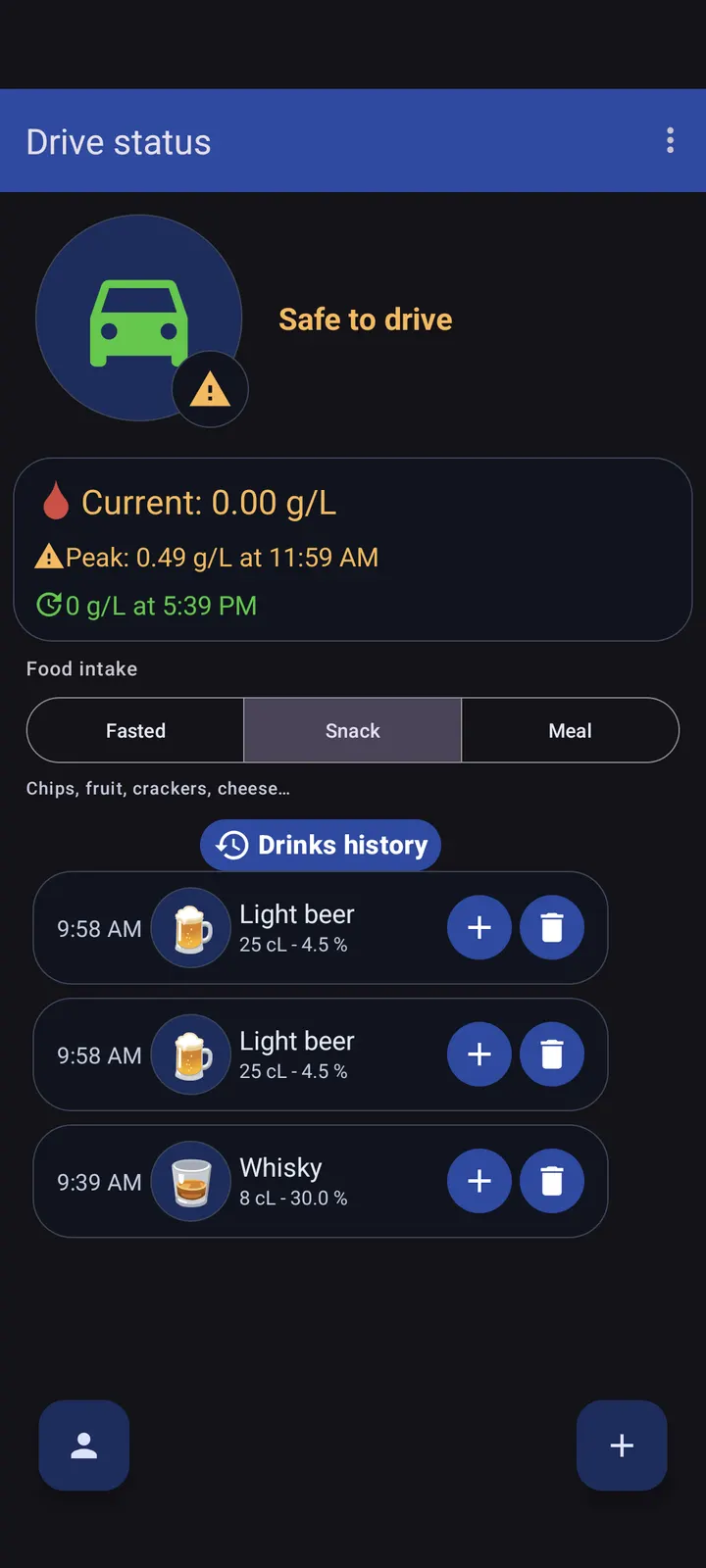
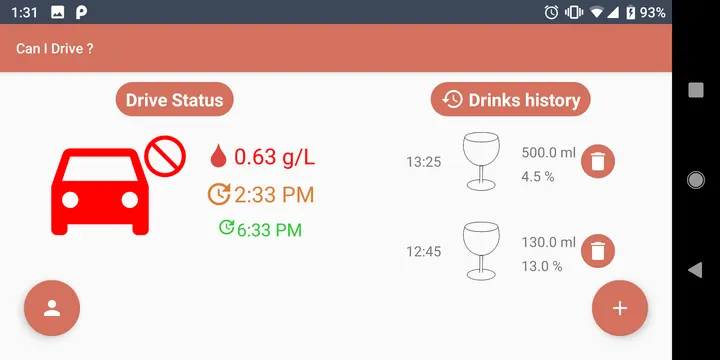
The result screen shows a status: OK, OK but not sober, or NO GO. Alongside it you get your estimated blood rate, the time you can drive again and the time you reach 0.0 g/L.
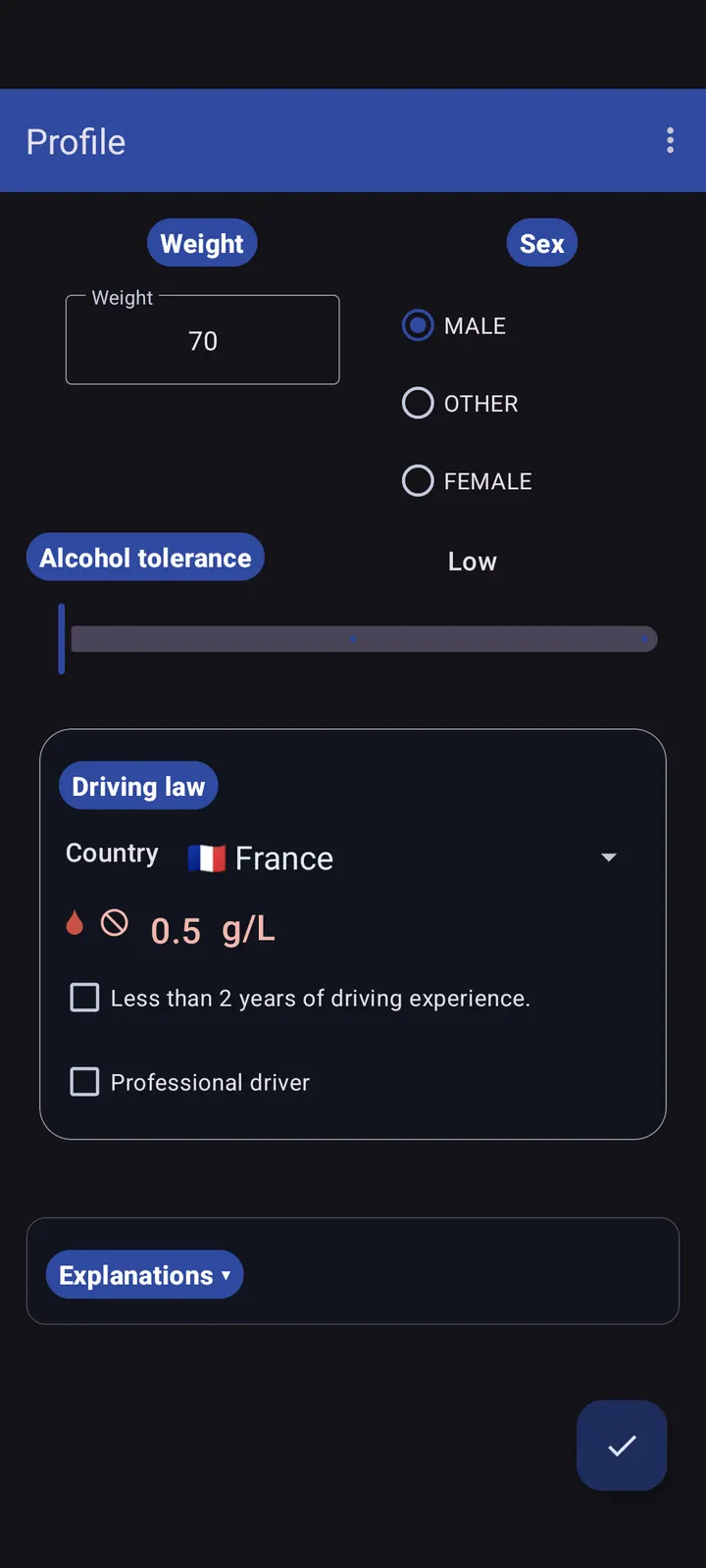
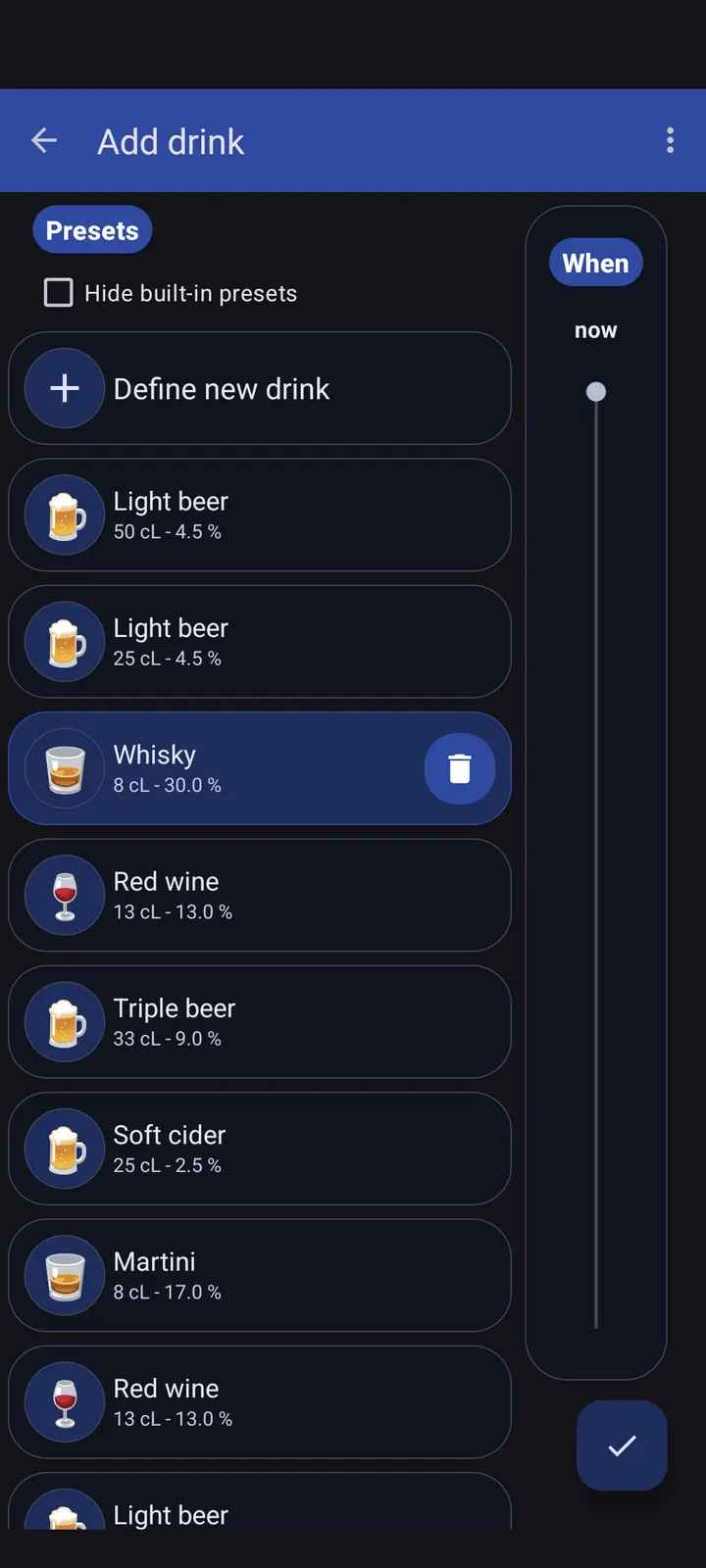
The calculation uses the drinks you log, meaning how much alcohol and when you had it. It also takes a rough health indication and a driver legal status covering country, young driver or professional. If your country is not listed, you can choose OTHER and enter your own threshold value.
The store text also names weight and sex as inputs. Treat the output as an estimate.
Android 5.0 and a 2.3 MB install
The app needs Android 5.0 or newer, which covers most phones still in use. The download is 2.3 MB, so storage is hardly a concern.
We host the unmodified APK for this version. The SHA-256 checksum is f66a05cf1bba4fe5bb73d8fc9d5bd2f82a5f1a456edf2f3e9e46ea3e13be30db, which you can compare against your downloaded file.
DriveSoberly pros and cons
Pros
- Free, with no ads
- Open source under Apache-2.0, code on GitHub
- Only 2.3 MB and runs on Android 5.0 or newer
- Lets you set a custom threshold with the OTHER country option
- Shows both the time to legal driving and the time to 0.0 g/L
Cons
- Results are estimates, and the formula is not described
- Version 1.2.5 comes without release notes
- Needs manual entry of every drink and its timing
Is DriveSoberly safe?
The SHA-256 checksum f66a05cf1bba4fe5bb73d8fc9d5bd2f82a5f1a456edf2f3e9e46ea3e13be30db is listed so you can verify the APK you download. DriveSoberly is open source under Apache-2.0 from developer Johan Py, with its code on GitHub, and it carries no ads. Its blood rate figure is only an estimate based on weight, sex, drinks and local limits, so it cannot replace your own judgment about driving.
How to install DriveSoberly
- Download the APK with the button on this page and wait for it to finish.
- Compare the file with the SHA-256 checksum shown here if you want to confirm it arrived intact.
- Open the file on your phone and allow installs from this source when Android asks.
- Finish the install, then open DriveSoberly from your app drawer.


