
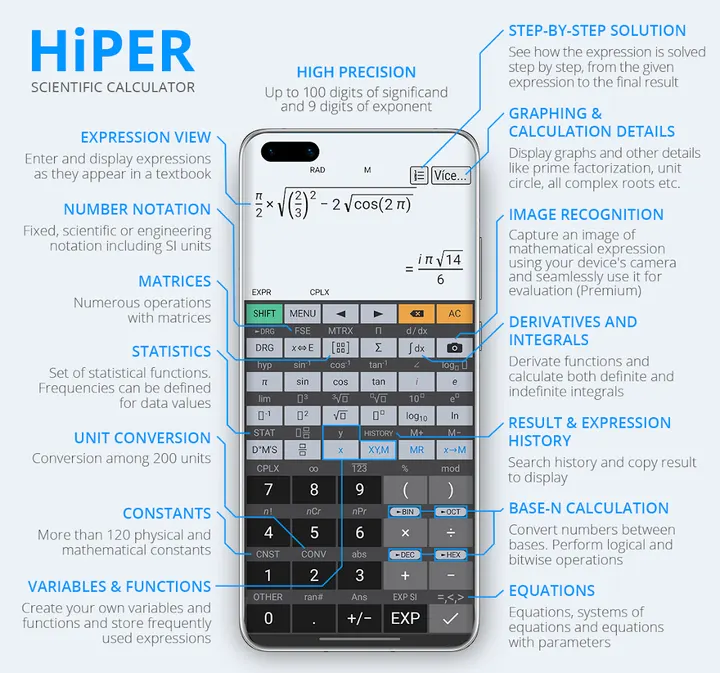
Samsung Calculator covers everyday sums, but HiPER Scientific Calculator is the one to try when the work turns to algebra, graphs and equations. It comes from HiPER Labs and first appeared on April 8, 2015. Its layouts adapt to the screen: pocket, compact and expanded for tablets, and numbers can reach 100 digits of significand.
Who the 991-style function set suits
The listing names the Casio-style 991 line (991ES Plus, 991EX, 991MS, 991CW) plus the 570, 82 and 100MS models as the functions it mirrors. That makes it a natural fit for students who already know those keys and want the same tools on a phone.
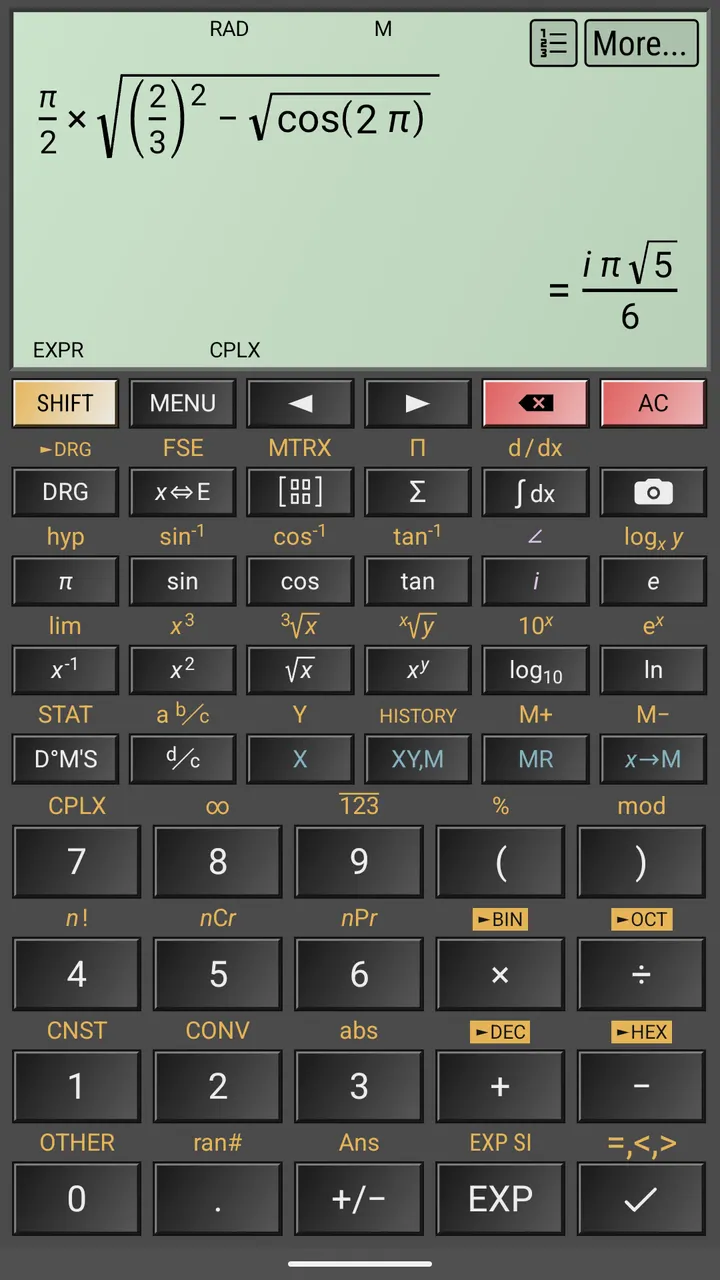
Three layouts cover different screens: pocket for small devices, compact for smartphones in portrait and landscape, and expanded for tablets. Tablets also get a multiline display with the full calculation history.
Symbolic algebra, 3D graphs and 100-digit precision
Numbers can run to 100 digits of significand and 9 digits of exponent. Fractions, mixed numbers and periodic numbers are supported, and periodic numbers convert to fractions.
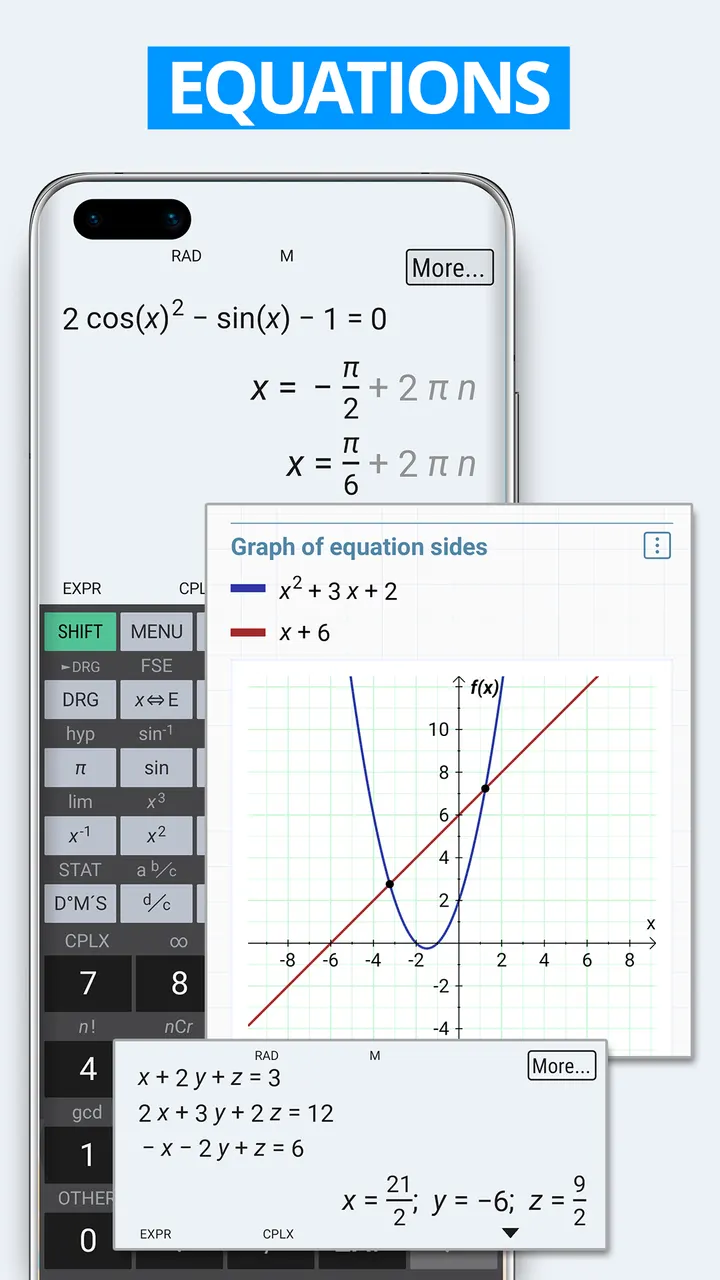
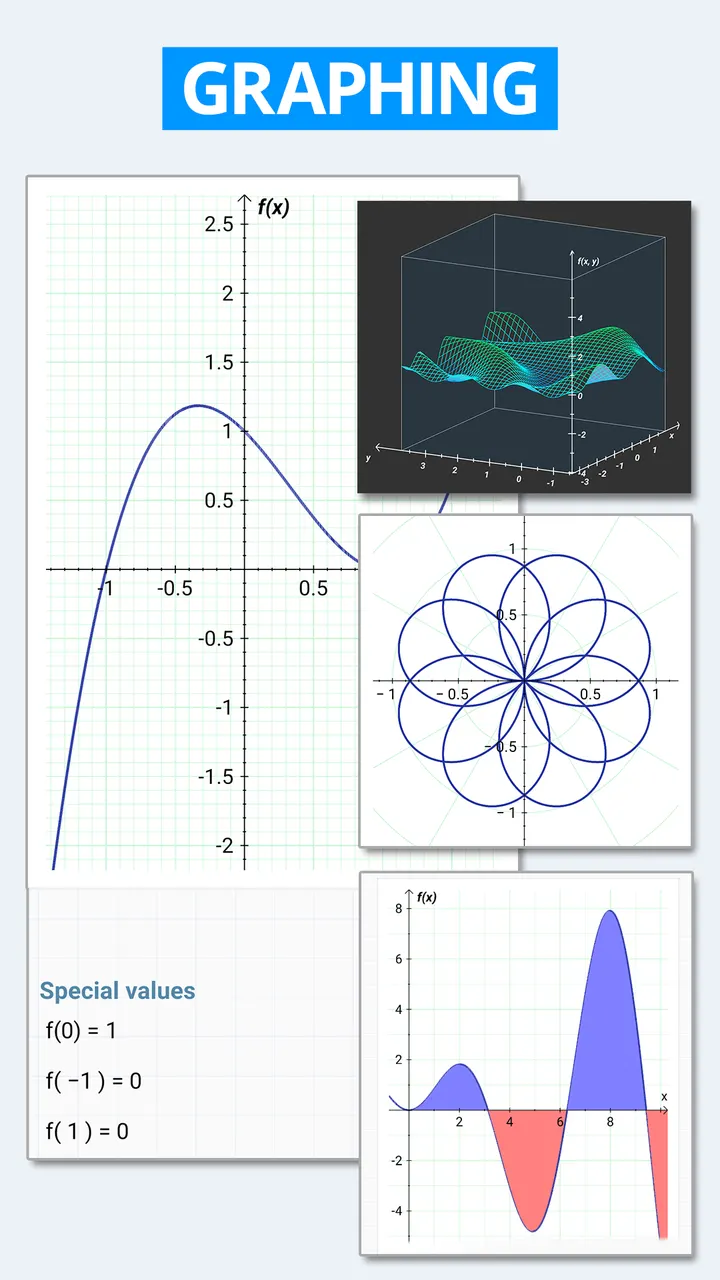
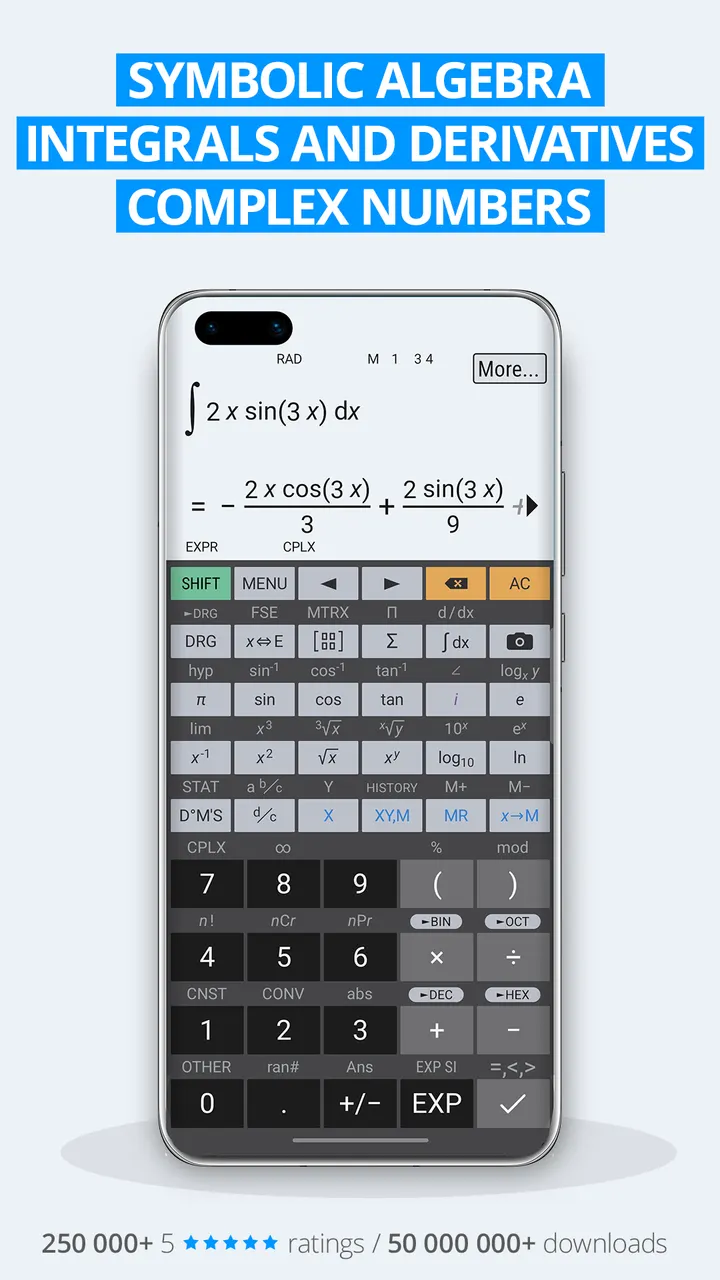
The algebra side covers equations with one or more variables, systems of equations, derivatives, integrals and limits. Graphs include functions, equations, integral areas and 3D plots. Matrices, vectors, statistics, regression analysis and complex numbers are also listed.
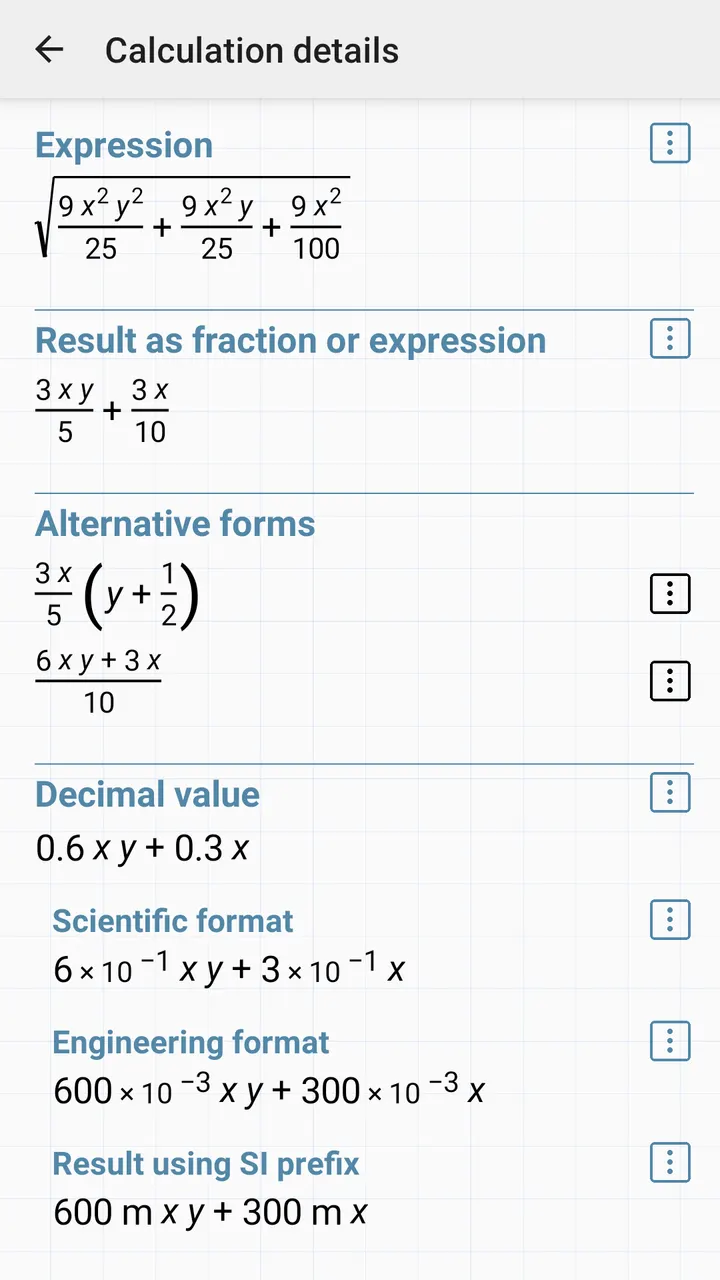
A calculation details view adds alternative forms of a result, all complex roots and the unit circle. You can also select part of an expression and apply operations to just that selection.
Premium steps, photo input and ads
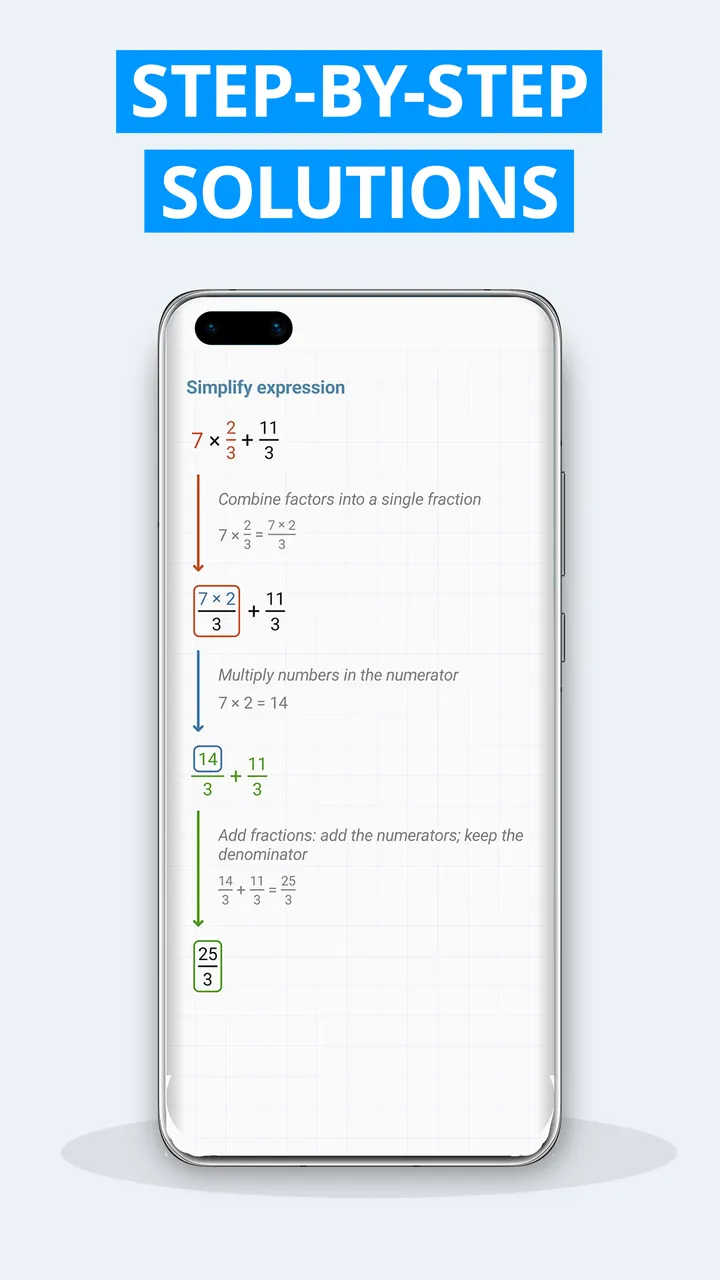
The app is free and shows ads. No in-app purchases are listed, yet the store text marks photo entry of expressions and the more detailed solution steps as premium, so check the listing before counting on those two features.
It needs Android 7.0 or newer. Version 12.1.4 was last updated on November 1, 2026.
HiPER Scientific Calculator pros and cons
Pros
- Symbolic algebra, integrals, derivatives and limits in one free app
- Precision up to 100 digits of significand and 9 digits of exponent
- Separate pocket, compact and expanded layouts, including tablets
- Covers functions familiar from 991, 570, 82 and 100MS calculators
- Graphs include 3D plots and integral areas
Cons
- Contains ads
- Photo input and more detailed solution steps are marked premium
- Very long feature list may be more than basic arithmetic users need
Is HiPER Scientific Calculator safe?
HiPER Scientific Calculator is published by HiPER Labs, which runs hiperlabs.eu. The content rating is Everyone. The app shows ads but has no in-app purchases, so nothing inside it asks for payment.
How to install HiPER Scientific Calculator
- Press the Google Play button on this page.
- Check the listing in the Play Store and press Install.
- Open HiPER Scientific Calculator when the install finishes. Updates arrive through Google Play.


