
Auto Profiles is for people who run LineageOS and are tired of toggling silent mode by hand. It applies a System Profile for you when you reach a place or when a time window starts. The app is free, carries no ads, and the APK is 4.7 MB.
Built only for the LineageOS System Profiles feature
The one thing that defines this app is its dependency. It does not create profiles of its own. It uses the System Profiles feature already built into LineageOS, found under Settings, System, Profiles, and that feature must be enabled for the app to do anything.
The developer, The-First-King, says it brings the idea of Handy Profiles, a Nokia app from SymbianWare, to Android. The package ID is com.mine.autoprofiles, and the minimum Android version is 8.0.
On a phone without LineageOS it is unlikely to be useful.
Setting up a cell tower rule or a schedule
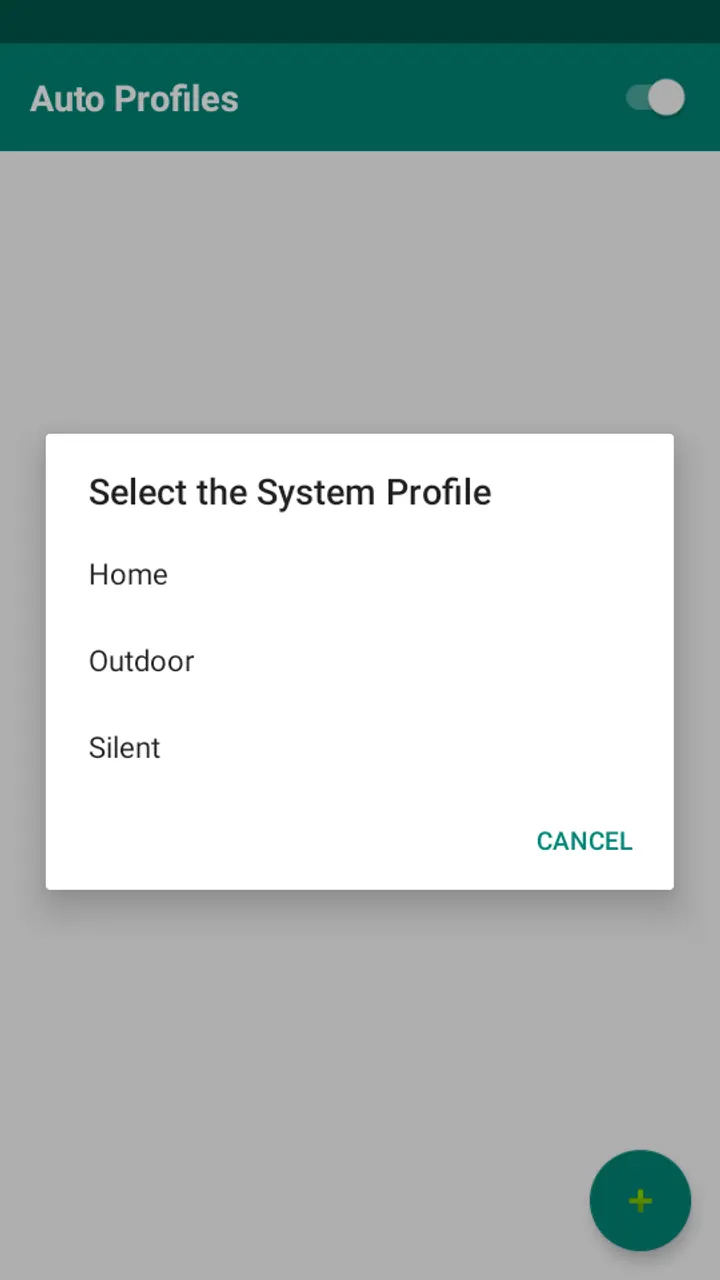
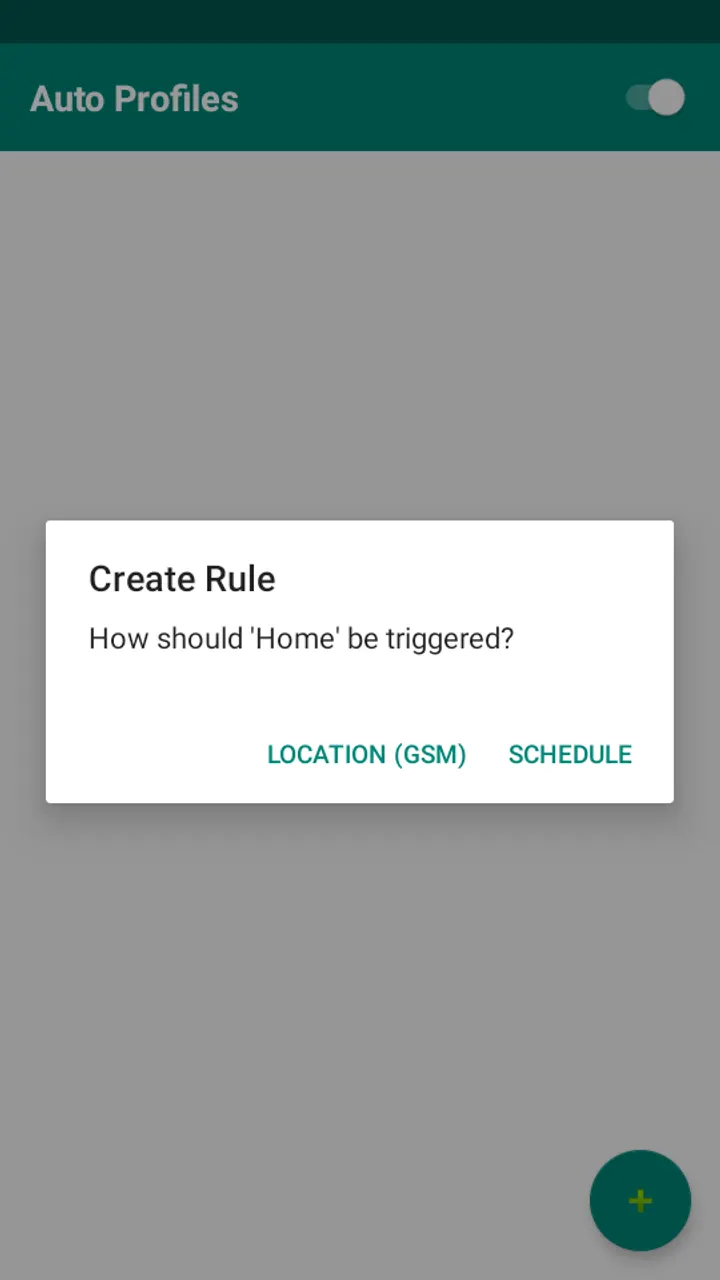
A session starts with the + button. You pick an existing system profile, then choose a trigger: Location (GSM) or Schedule.
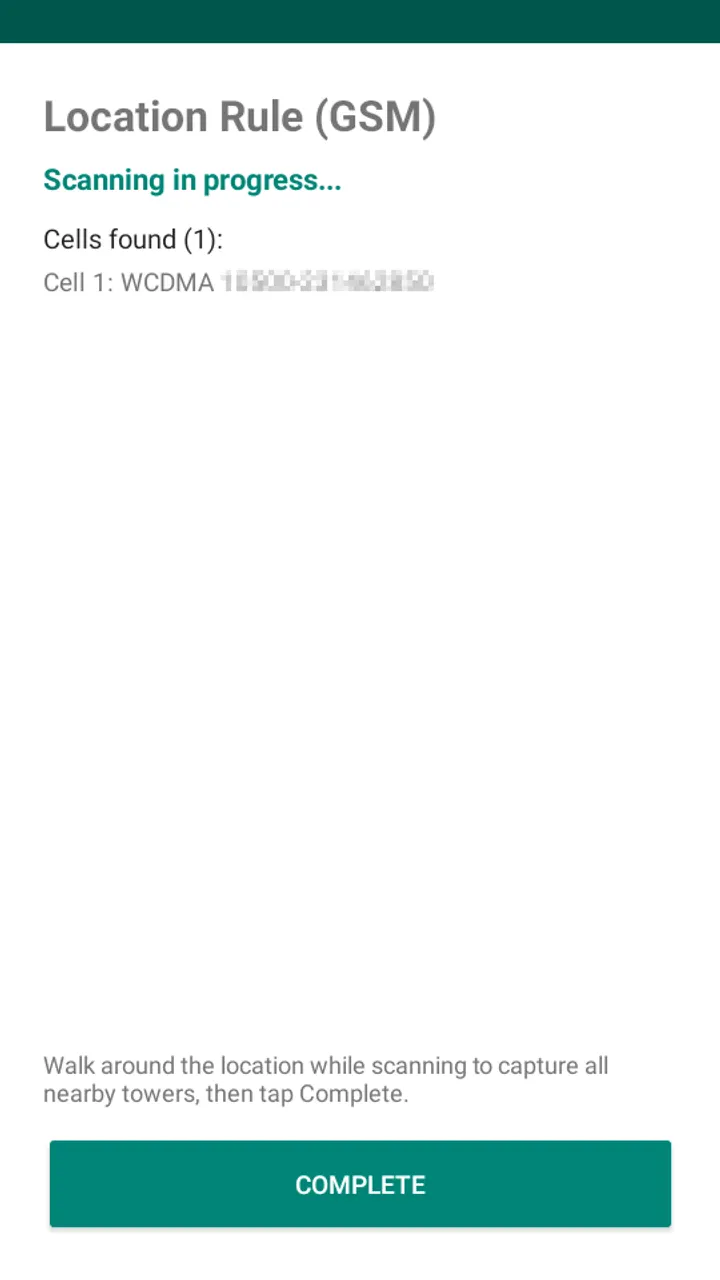
For a location rule, the app scans nearby GSM and LTE cell towers instead of using GPS. You walk around the place to collect the towers, tap Complete, and name the rule. When any saved cell comes into range, the profile is applied and the previous one is remembered. Leaving the area restores it.
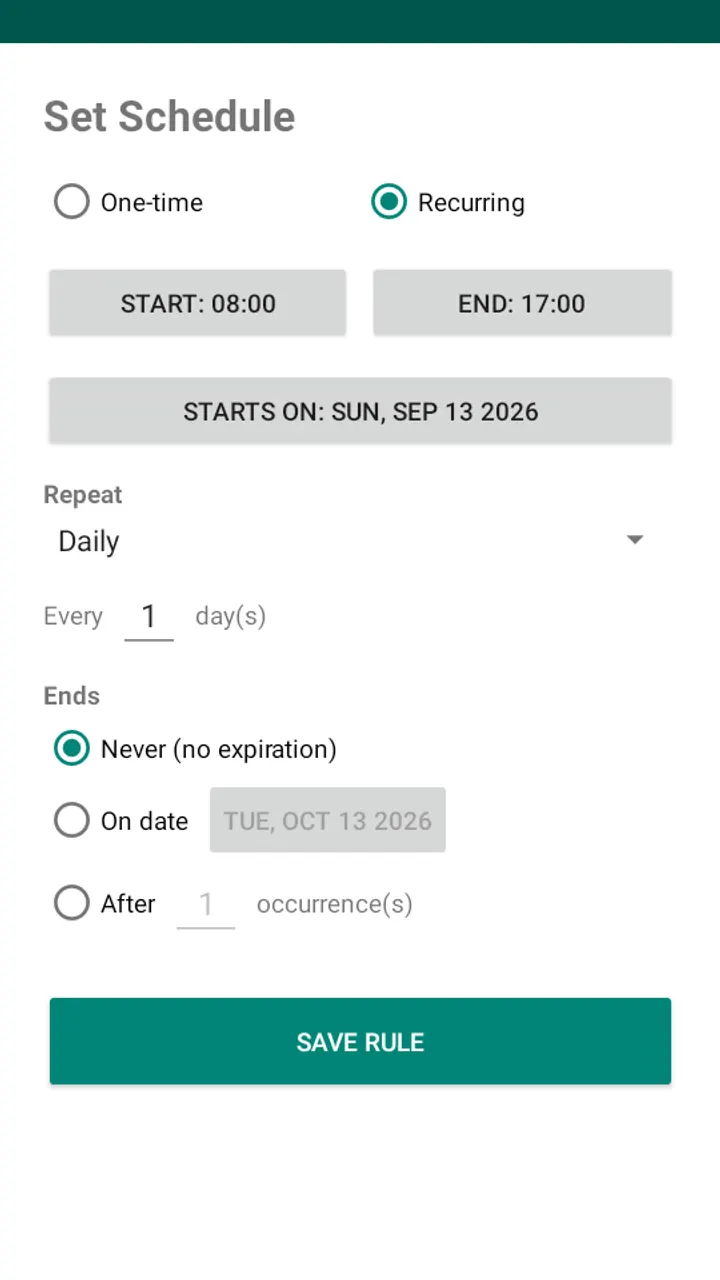
A schedule rule works on a time interval, such as midnight to 7 o'clock. The profile applies at the start and the earlier one returns at the end.
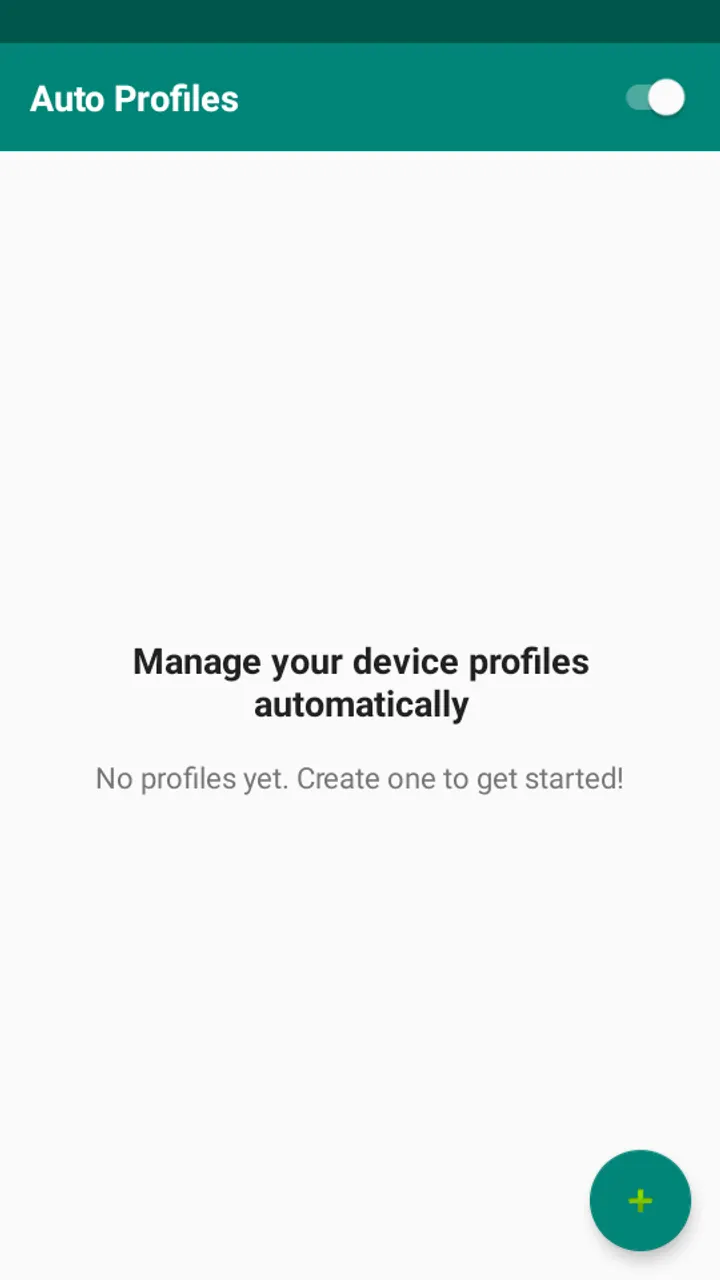
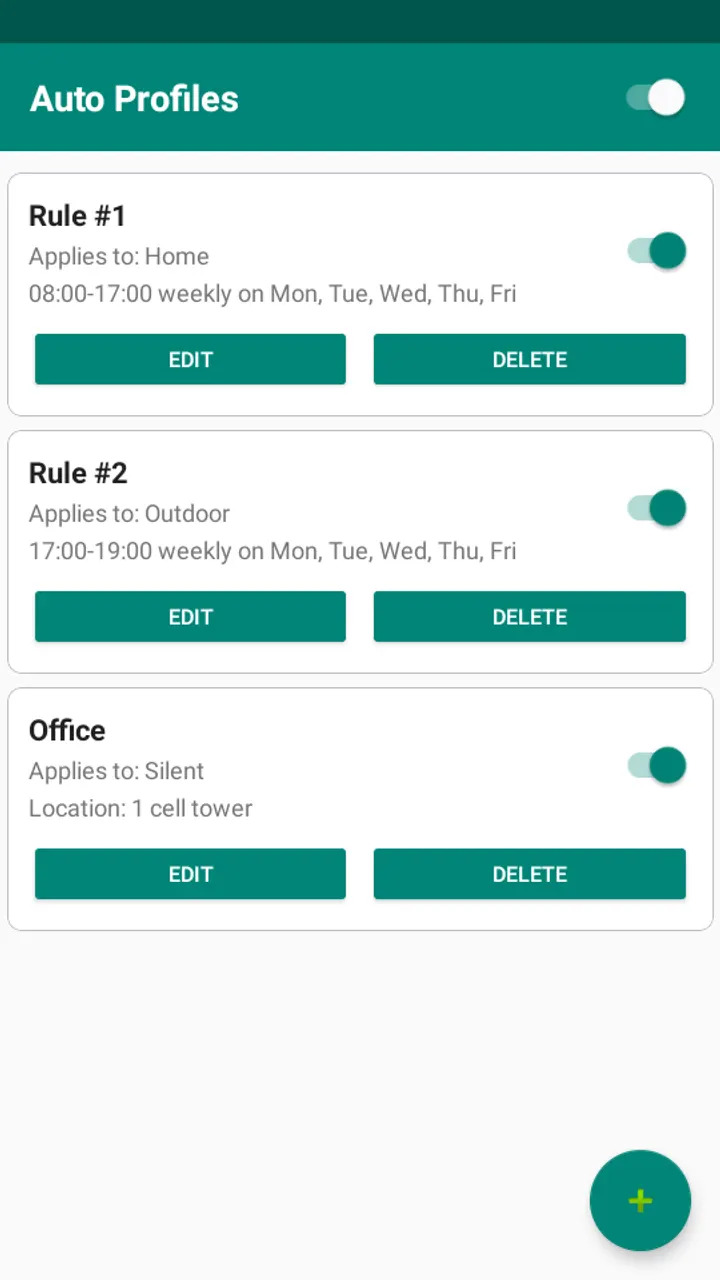
All rules appear in the main window, where each can be edited, deleted, or switched off. A master switch in the app bar turns everything off and reverts any applied profile. A foreground service watches for tower changes and survives reboots.
Permissions, and why Location must stay on
Android treats cell tower identities as location data. For that reason the app asks for precise and coarse location, and the store text says GPS is never used. If the system Location toggle is off, the app asks you to turn it on.
On Android 10 and later it also requests background location, asked separately after precise location is granted. This lets the service detect towers right after a restart. Other permissions cover phone state, network state, run at startup, and foreground service access.
Alternatives such as WhatsApp, Google Photos and Aegis Authenticator do different jobs. None of them is a profile switcher, so there is no direct comparison.
What's new in 1.0
Version 1.0 is the first release, published on October 31, 2026.
Auto Profiles pros and cons
Pros
- Switches System Profiles automatically by cell tower or time interval
- Cell tower detection avoids GPS and works indoors
- Master switch reverts any profile the app applied
- Free, no ads, GPL-3.0-only with public source code
- Small 4.7 MB download
Cons
- Requires LineageOS with System Profiles enabled
- Needs the system Location toggle on, plus background location on Android 10+
- Version 1.0 is a first release with no update history
Is Auto Profiles safe?
We host the unmodified APK for this Tier A listing, and a SHA-256 checksum is published for the file: 02cc60a0de524744be599b043a23361e231e242608176dd546b92862430802a4. The code is licensed GPL-3.0-only and the source is on GitHub under The-First-King. The app has no ads. Review the location permissions before you install.
How to install Auto Profiles
- Download the APK with the button on this page and wait for it to finish.
- Compare the file with the SHA-256 checksum shown here if you want to confirm it arrived intact.
- Open the file on your phone and allow installs from this source when Android asks.
- Finish the install, then open Auto Profiles from your app drawer.


