
CairnGPS is a free, open-source Android app that reads your phone's raw GNSS data and works fully offline, with no ads and no account. Developer Matthieu Tinnes released it on October 15, 2026, and version 1.3.0 was updated on November 4, 2026. We host the unmodified APK, and the file is verified against a SHA-256 checksum. It needs Android 8.0 or later and takes about 3 MB.
First steps after installing the 3 MB APK
The app asks for precise location, and it also needs that permission in the background while a session is recording. That is what lets it follow your route with the screen off. Recording never starts by itself. You begin it with an explicit action, and a persistent notification stays visible while it runs.
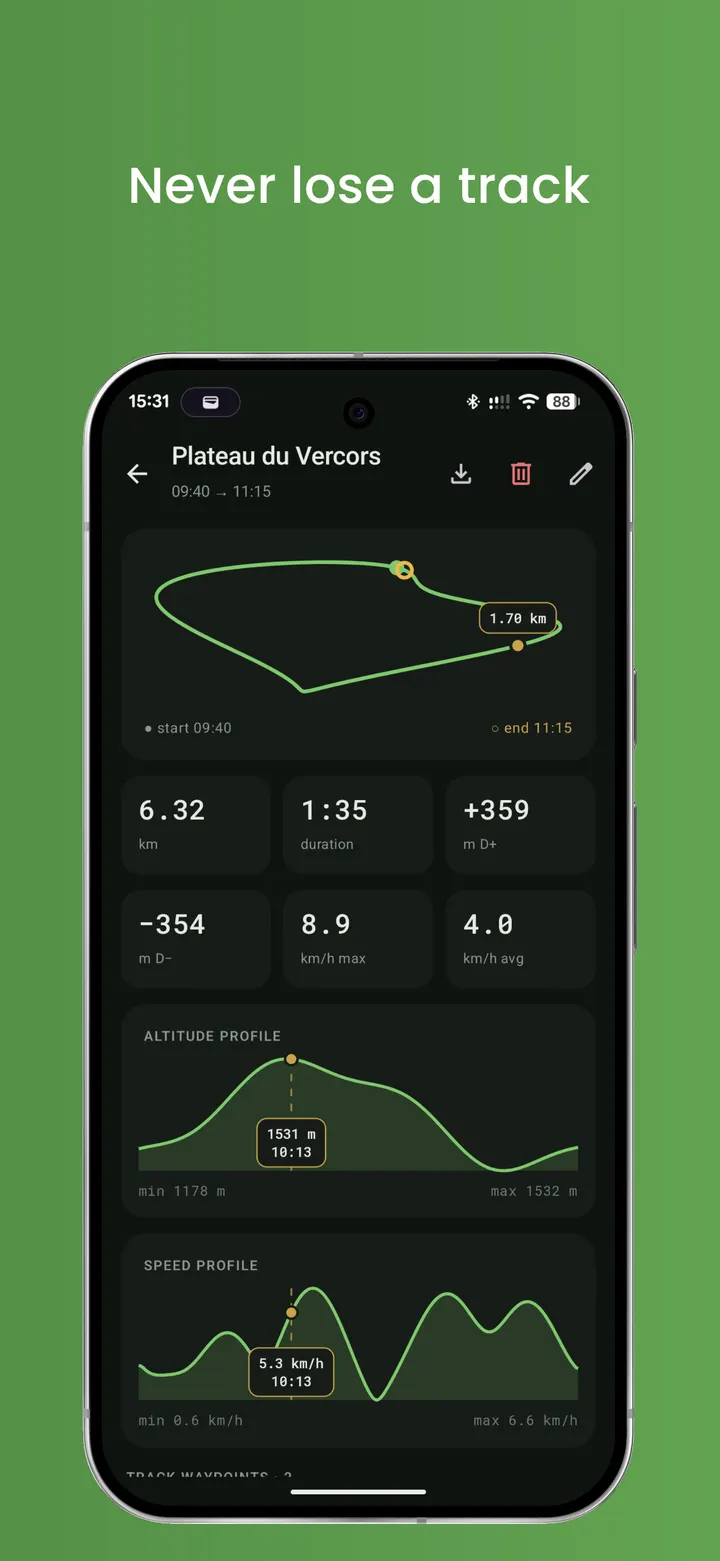
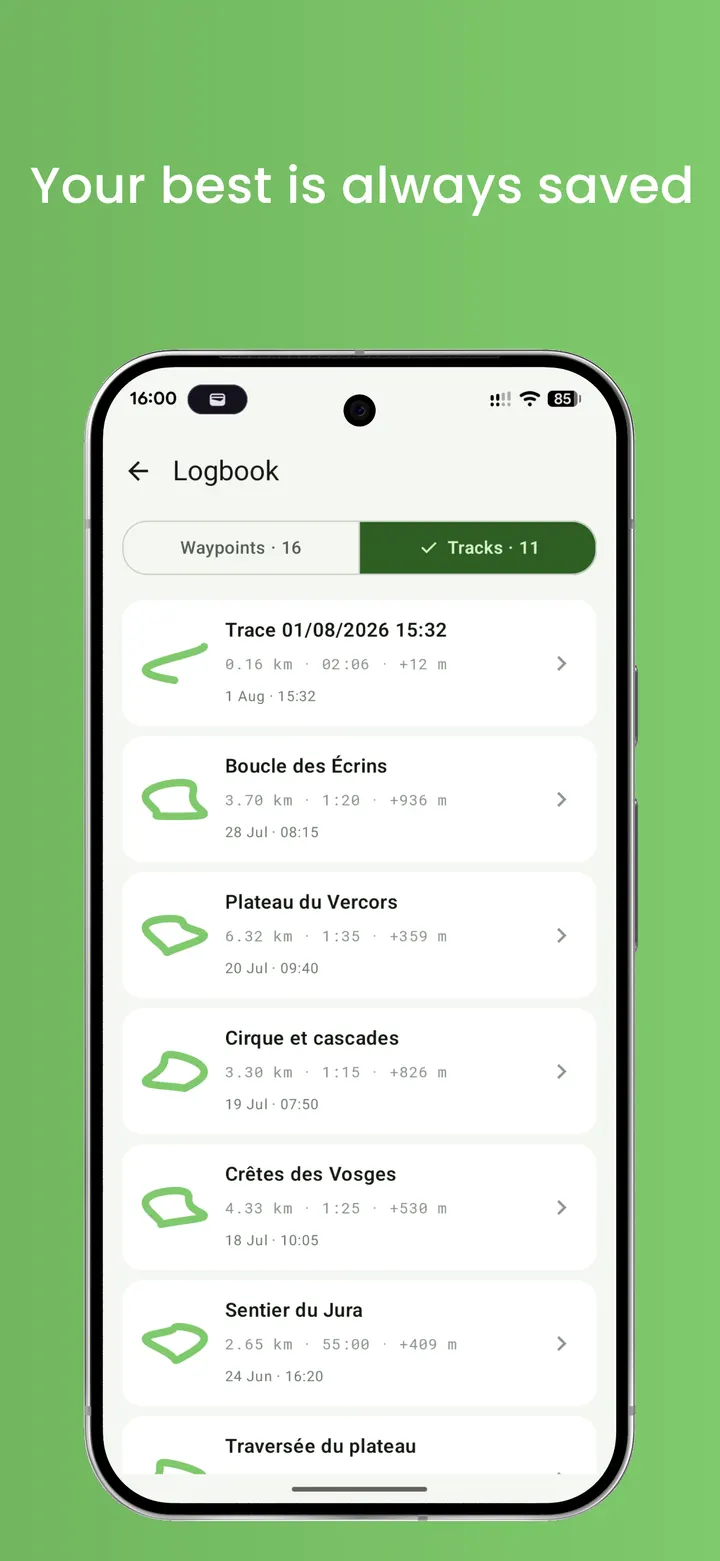
Once a session is going, you can put the phone in your pocket. Afterward the trip log shows the elevation profile, the route trace and full statistics, and it can export tracks as GPX.
Satellite sky plot, 3D globe and 25 achievements
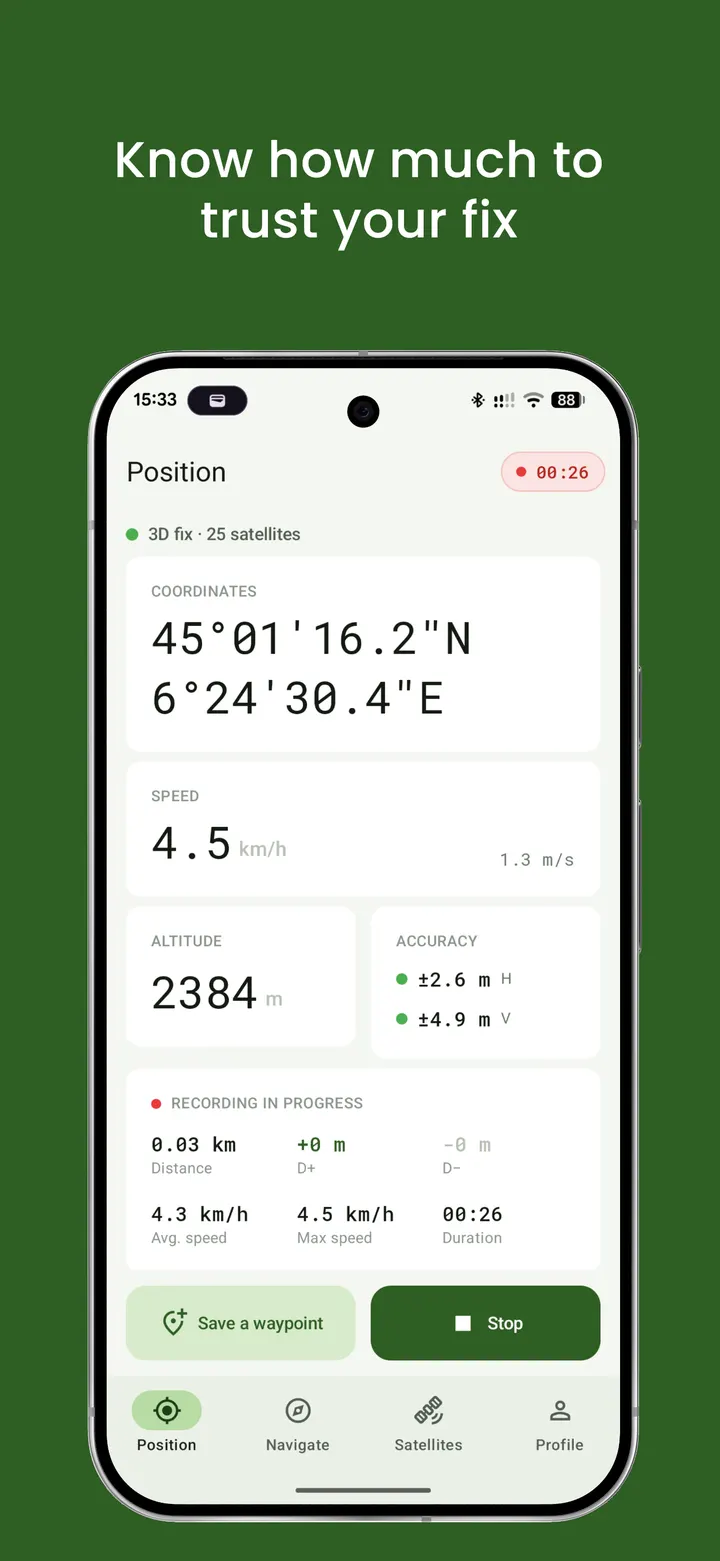
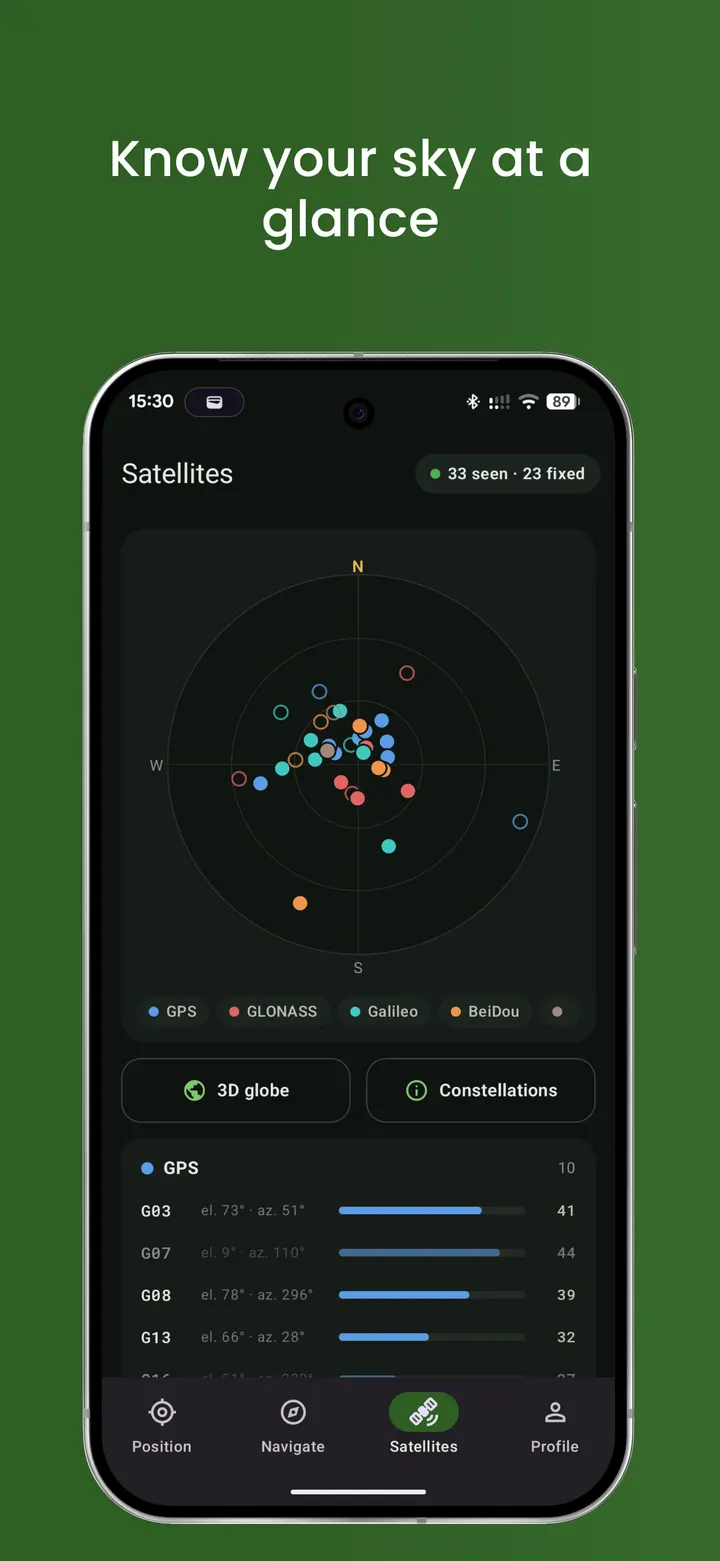
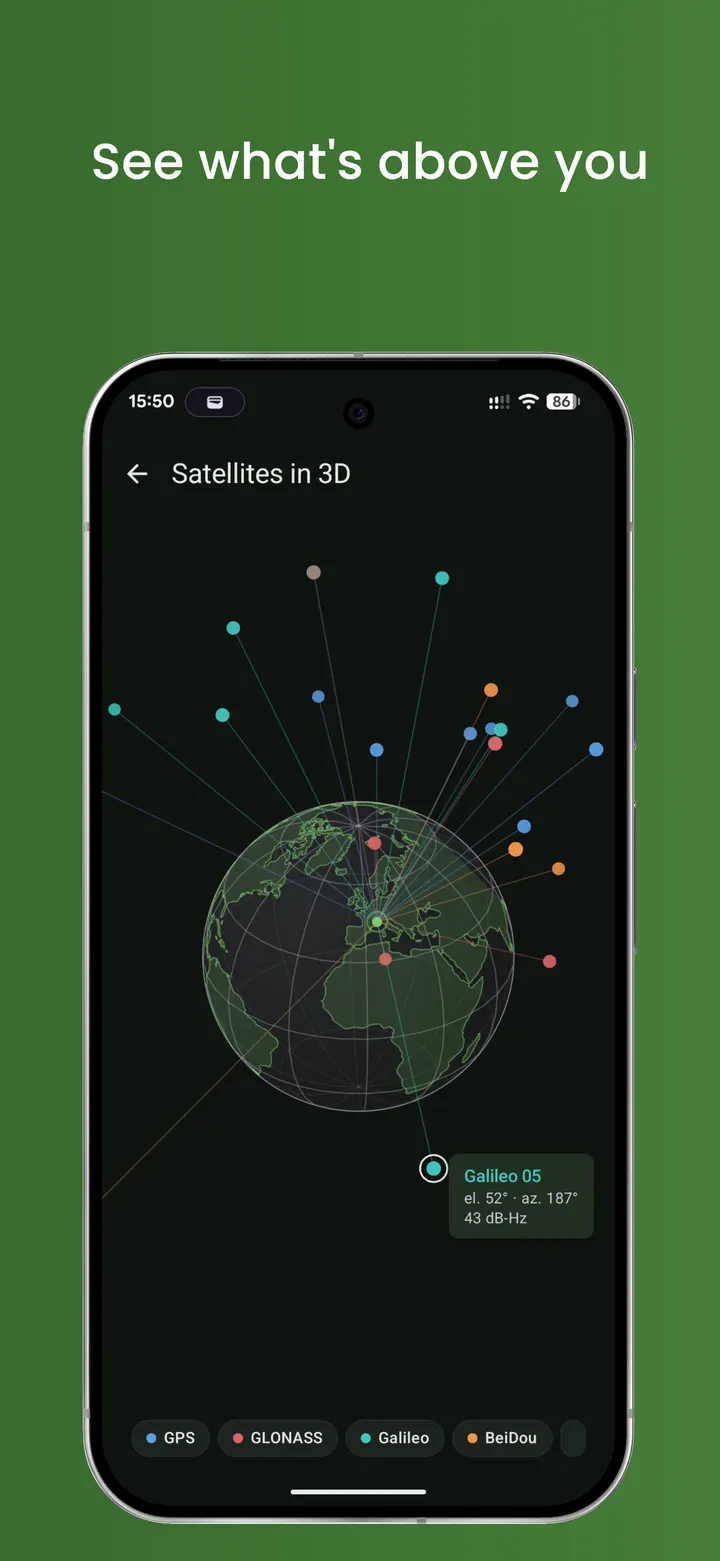
The core of CairnGPS is the satellite view. It lists every visible satellite by constellation, draws an azimuth and elevation sky plot, and shows a custom 3D globe of the constellation geometry above you. Position data includes decimal degrees or DMS, altitude corrected with the EGM96 geoid model, speed in km/h and m/s, and accuracy with a colour indicator.
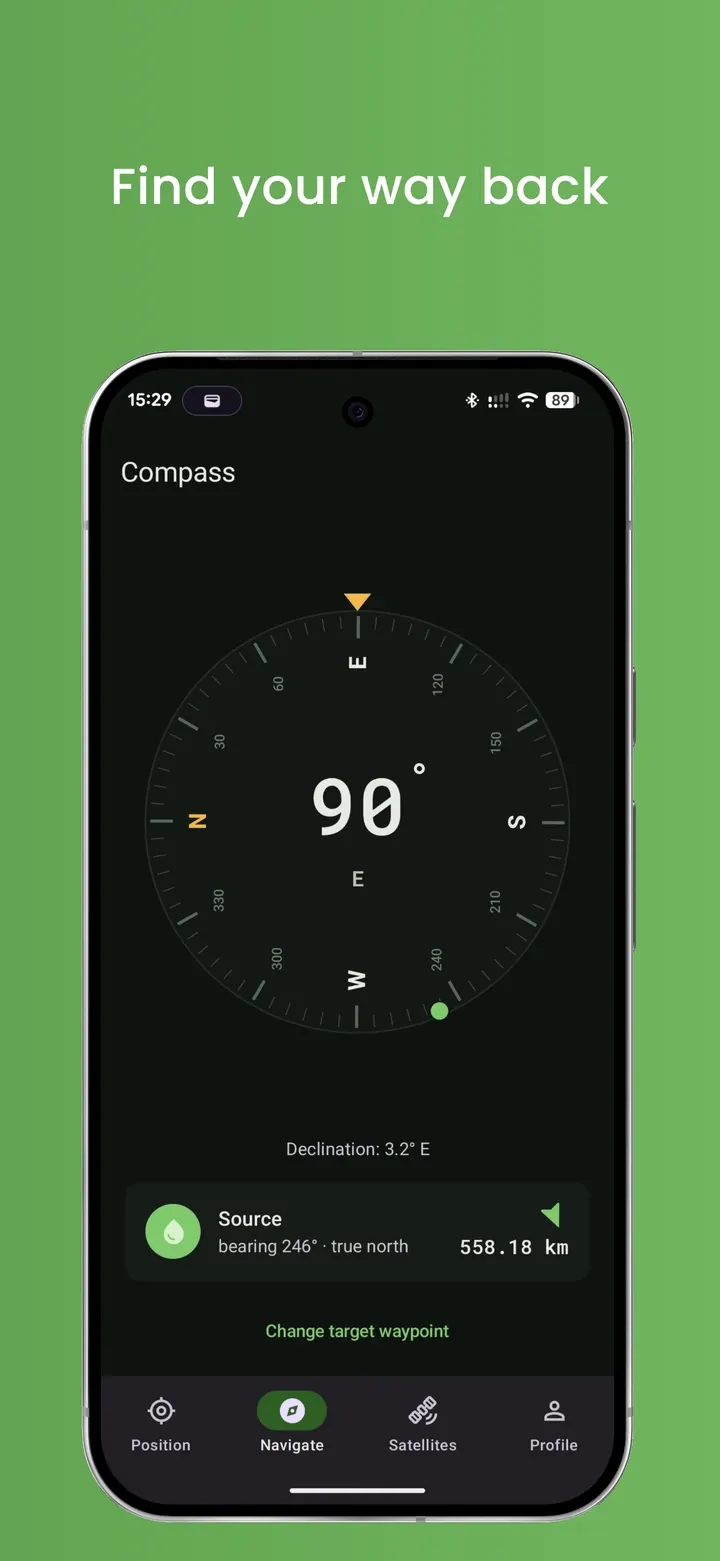
The compass can reference magnetic or true north and gives arrow, distance and bearing to any waypoint you choose. Waypoints take customizable icons and stay linked to the session where you dropped them. Recorded stats cover distance, average and maximum speed, elevation gain and loss, and minimum and maximum altitude.
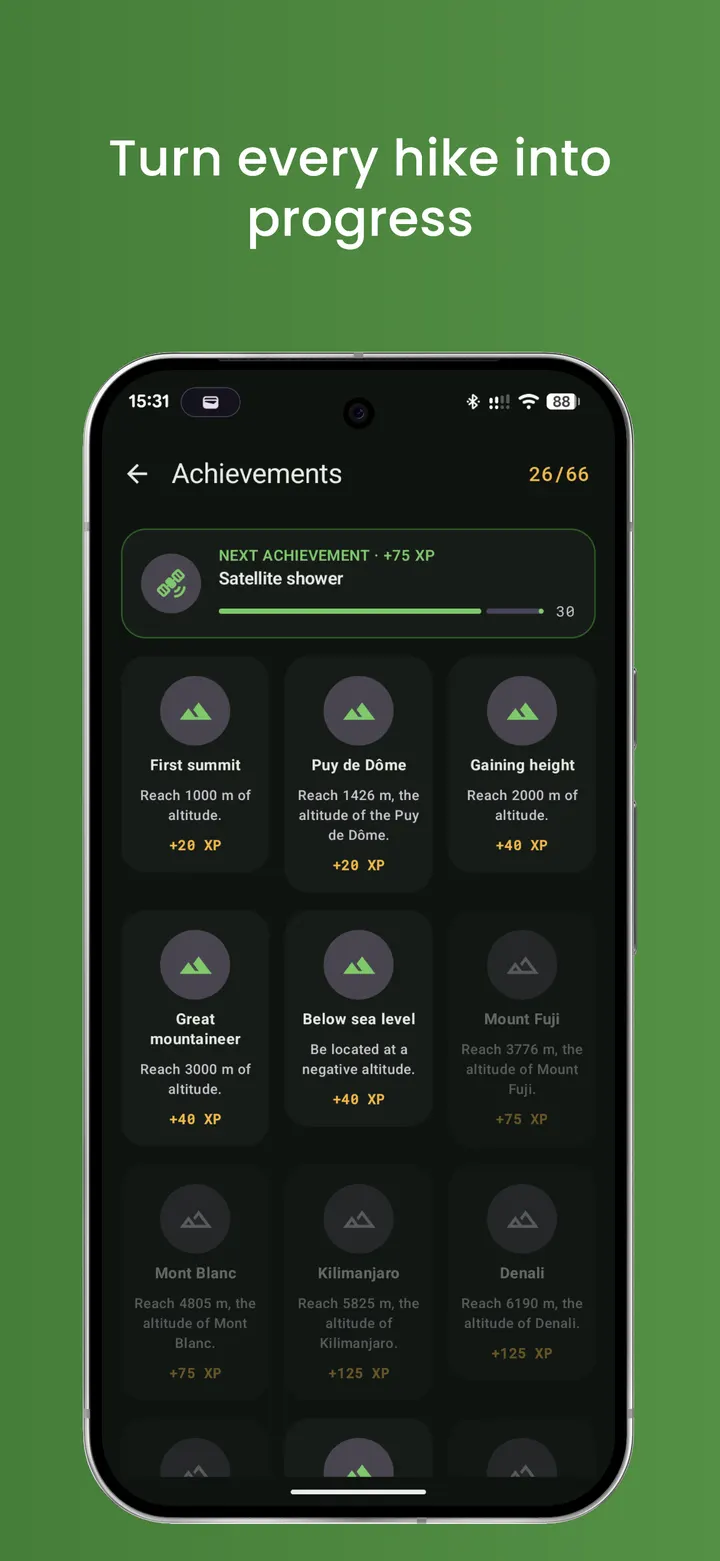
There are over 25 achievements, grouped by altitude, speed, simultaneous satellites, total distance and number of trips. A few are special, such as crossing the 45th parallel north or dropping a waypoint before 6 a.m. Each one earns XP and levels you up. The app also has light and dark themes, metric or imperial units, and backup and restore of your data.
When a mapping app fits better than CairnGPS
The developer states plainly that CairnGPS is a GNSS tool and trip log, not a mapping app. It shows no base map and calculates no routes. If you want turn-by-turn directions or live traffic, Waze Navigation & Live Traffic is a listed alternative.
For map browsing, Google Earth, CoMaps and Foggy Maps appear among the alternatives, and Colota and Life360 are also listed. The developer describes CairnGPS as a complement to a map app, so many people would run it alongside one.
What's new in 1.3.0
Version 1.3.0 is the current release.
CairnGPS pros and cons
Pros
- Works fully offline, with positions, tracks and waypoints kept on the phone
- No ads, no account and it is free
- Satellite list, sky plot and 3D globe across all constellations
- GPX export of past sessions with elevation profile and statistics
- Open source under AGPL-3.0-only with a public source repository
Cons
- No base map and no route calculation
- Needs background precise location while a session records
- Requires Android 8.0 or later
Is CairnGPS safe?
The APK for CairnGPS 1.3.0 is stored unmodified and can be checked against its SHA-256 checksum. Matthieu Tinnes publishes the source on GitHub under AGPL-3.0-only, so the code can be read. The developer says the app contains no Google libraries, needs no account or network connection, and keeps every position, track and waypoint on the phone. It shows no ads.
How to install CairnGPS
- Download the APK with the button on this page and wait for it to finish.
- Compare the file with the SHA-256 checksum shown here if you want to confirm it arrived intact.
- Open the file on your phone and allow installs from this source when Android asks.
- Finish the install, then open CairnGPS from your app drawer.