
DiscDj 3D Music Player suits people who want to mix songs from their own phone library on a toy-sized DJ rig rather than use a plain player. It comes from the developer GameG, costs nothing, and is listed in the Android DJ apps category. Availability for this app is through Google Play only.
A DJ machine that floats in a 3D room
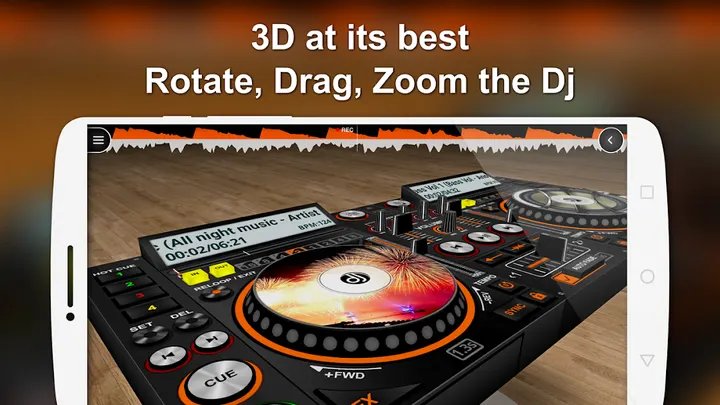
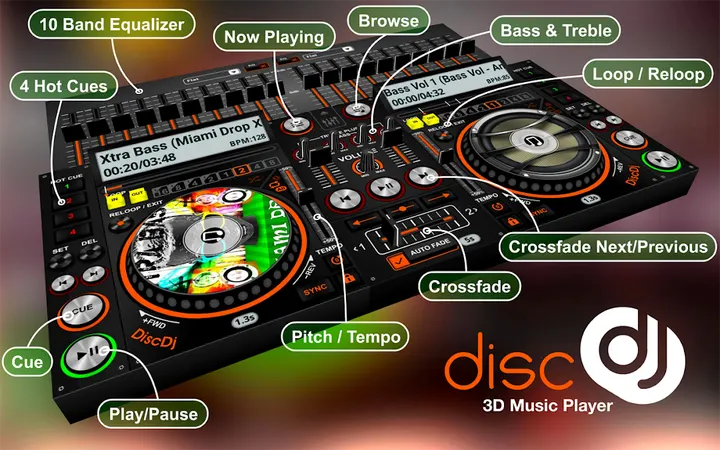
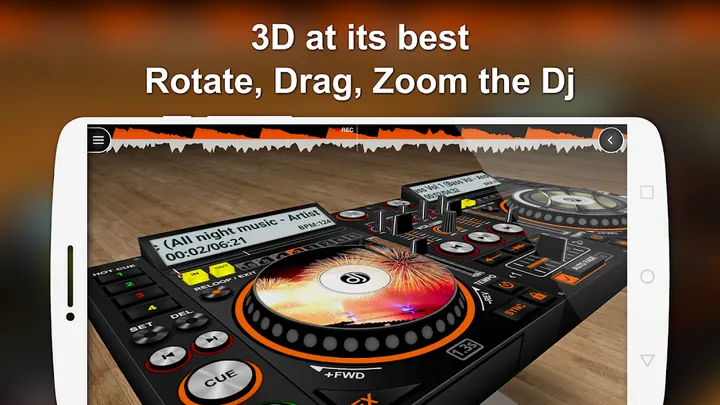
The one thing that defines this app is its interface. The two discs sit on a virtual DJ machine hovering in a 3D space, and scrolling moves you around it to see it from other angles. A lock and reset control in the top-right corner returns the view to its original position.
The discs show album art. The developer itself admits that precise control is hard on small screens, so expect some fiddling.
How a session with two decks goes
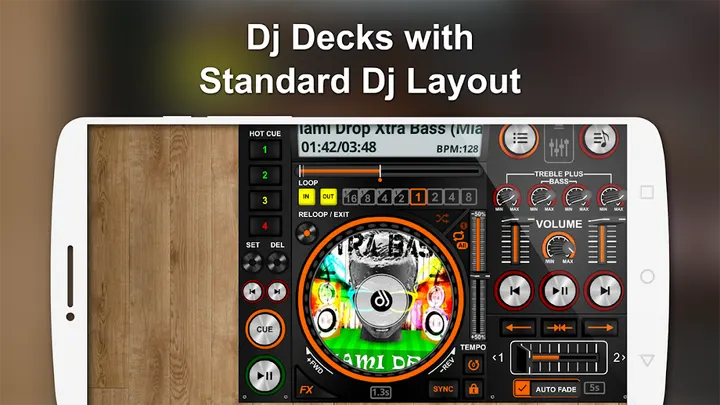
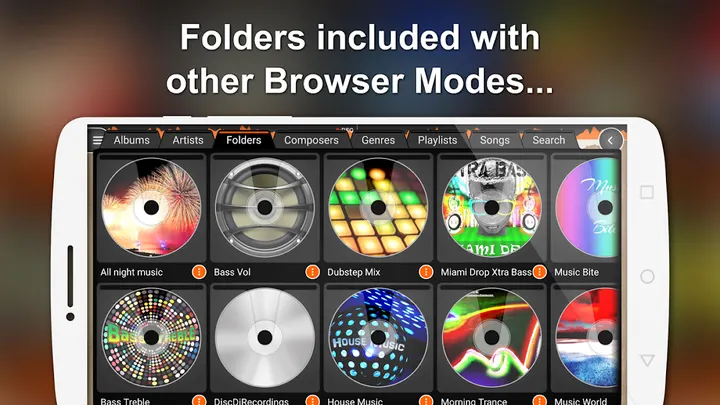
You browse your library by albums, artists, folders, composers, genres, playlists or songs, and can narrow further, for example to the albums of one artist. Each deck has its own play, pause, next and previous buttons, and a central control handles both discs at once.
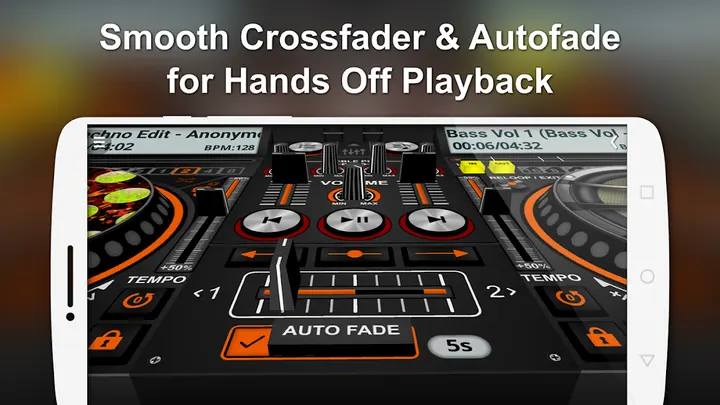
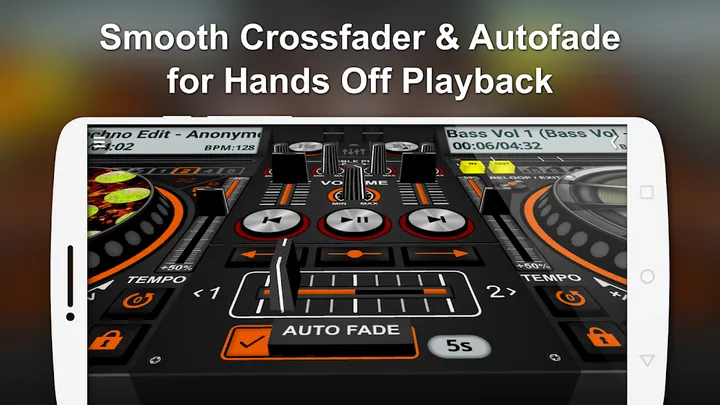
Transitions run three ways: Autofade with an adjustable timer that can be switched off, a button click fade, or the manual crossfader slider. Beyond that the app lists a pitch slider, BPM, four hot cues per deck, loops, low and high pass filters and sound effects.
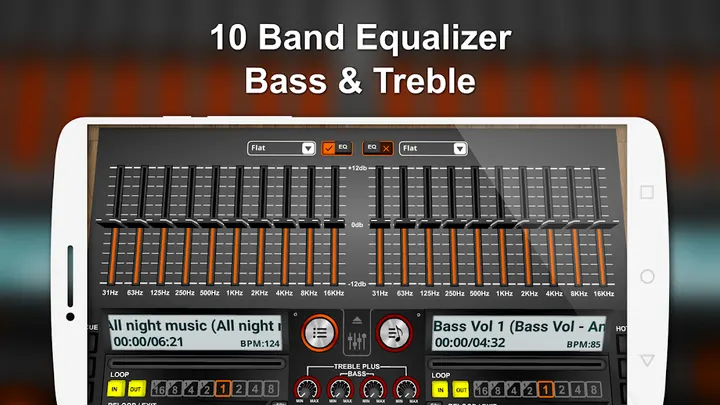
The 10 band equalizer comes with 17 presets, from Classical and Club to Techno. A sampler adds 4 sets of 6 samples each, with three play modes, and a record button captures your mixes.
Against DJ Mixer Studio, edjing Mix and others
DiscDj's niche is a 3D scene, a free price and a library-based workflow. Other apps in this space include DJ Music mixer, edjing Mix, Beat Maker Pro, DJ Mixer Studio and YouDJ Mixer.
Google Play shows a 4.6 rating from about 159.2 thousand ratings and over 10 million installs. That puts it among established apps in its category, though the numbers say nothing about how it compares in sound quality.
What's new in v12.2.1s
The current version is v12.2.1s, updated on October 30, 2026.
DiscDj 3D Music Player pros and cons
Pros
- The 3D DJ view can be rotated, with a lock and reset control
- Three ways to transition: Autofade, button fade and a crossfader
- 10 band equalizer with 17 presets
- Sampler with 4 sets of 6 sounds, plus recording
- Free to install, rated 4.6 on Google Play
Cons
- Contains ads
- Includes in-app purchases
- Small screens make precise control difficult, per the developer
- Requires Android 6.0 or newer
Is DiscDj 3D Music Player safe?
DiscDj 3D Music Player is built by GameG (gamegapps.com) and uses the package name com.oimvo.discdj. Its content rating is Everyone, and it contains ads plus in-app purchases, so expect the occasional prompt while you mix between the two virtual decks. Check the permissions listed on its store page before installing and decide whether they suit you.
How to install DiscDj 3D Music Player
- Press the Google Play button on this page.
- Check the listing in the Play Store and press Install.
- Open DiscDj 3D Music Player when the install finishes. Updates arrive through Google Play.