
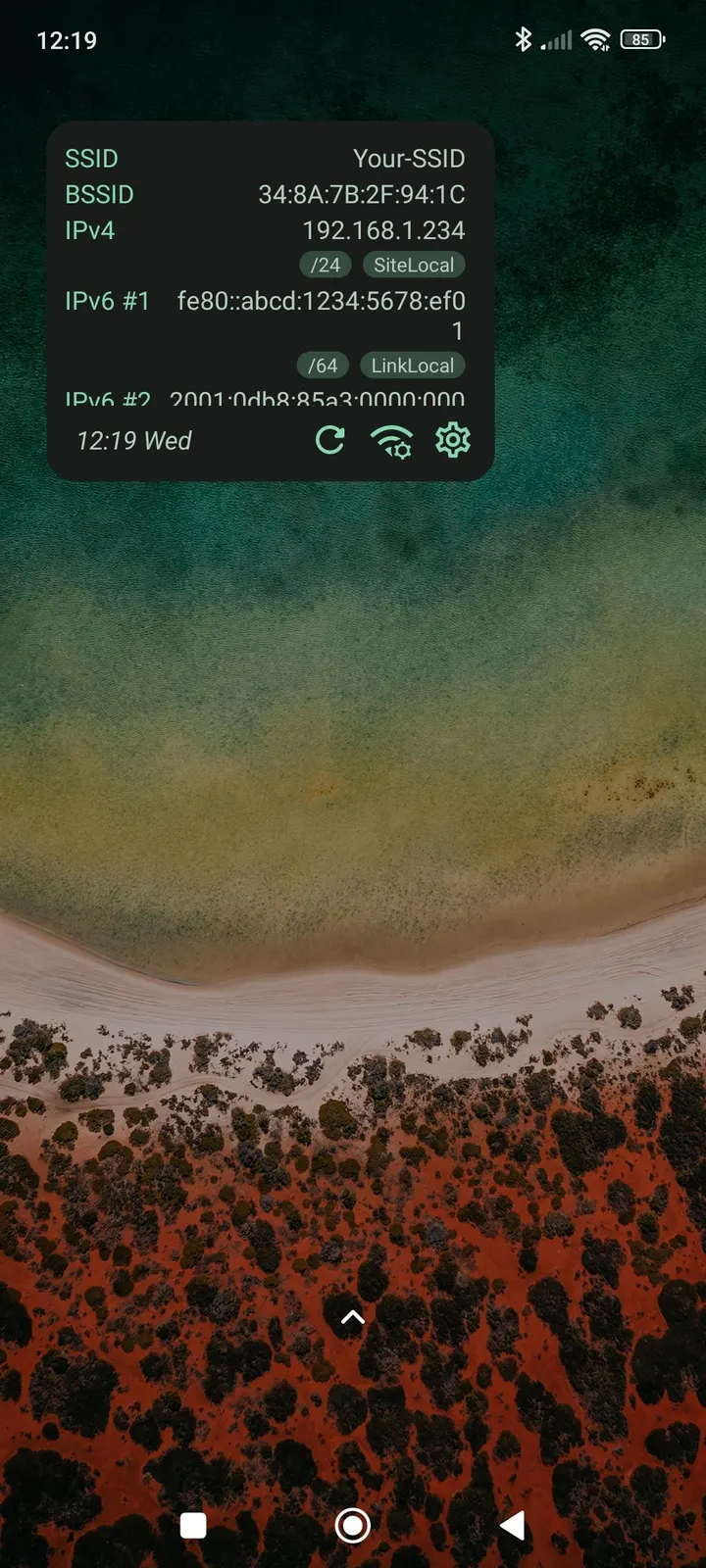
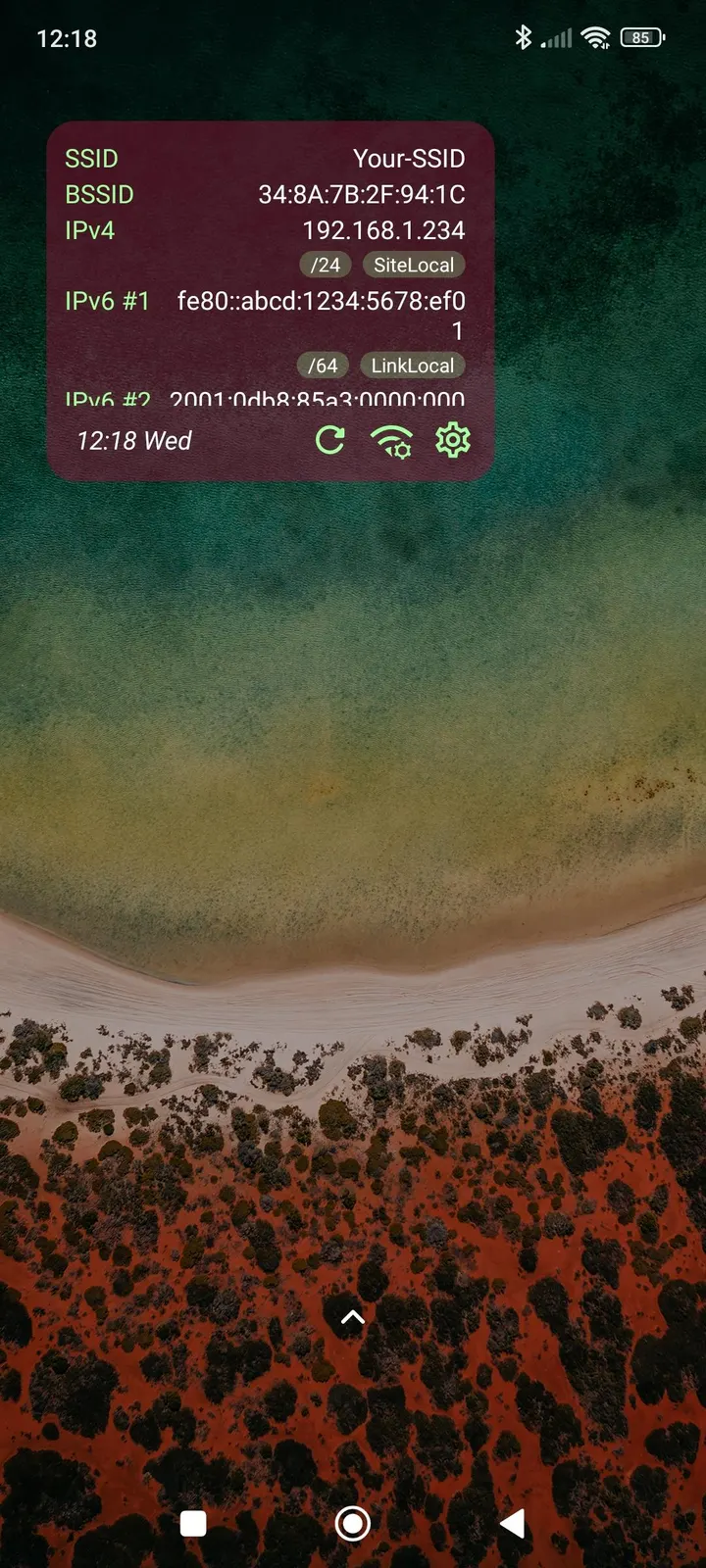
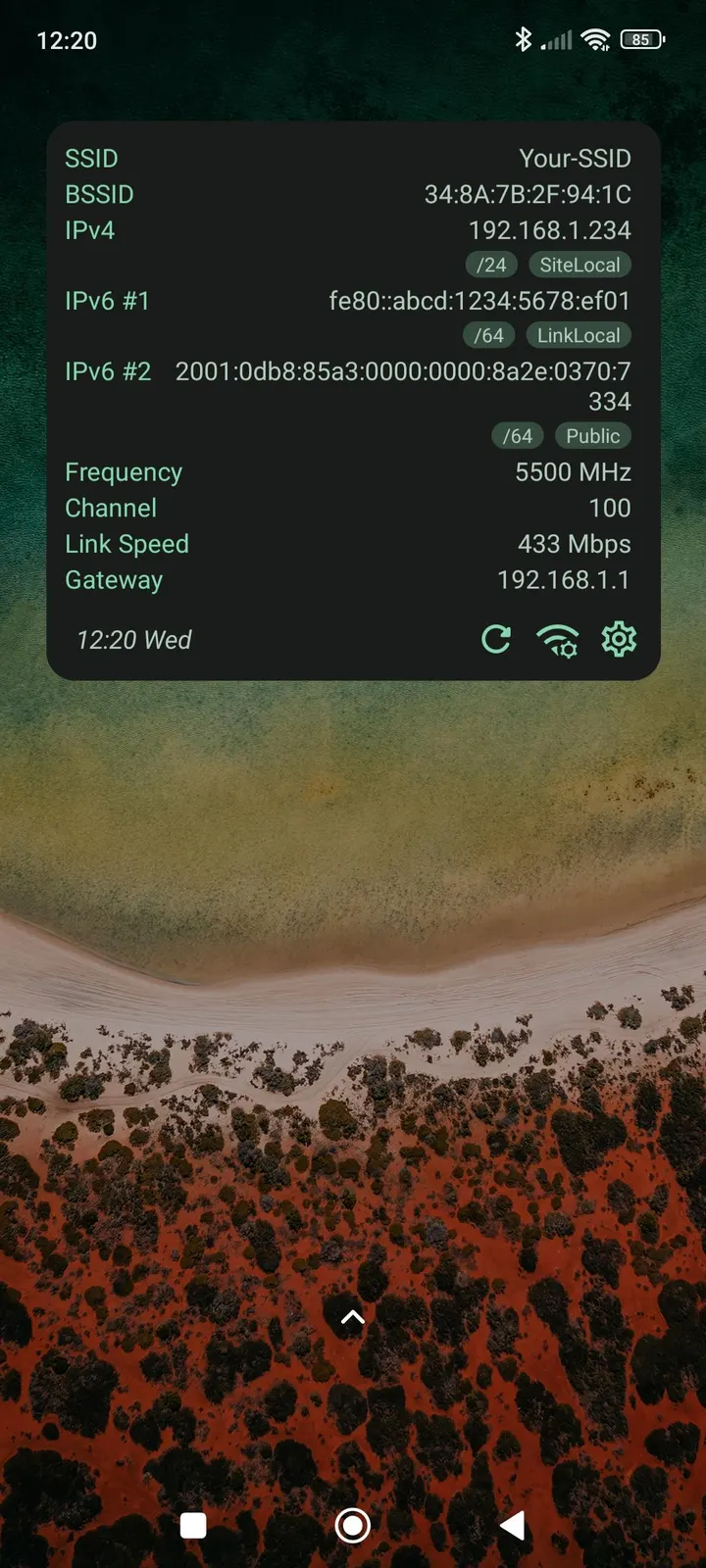
Network Scanner and PCAPdroid dig into what is on a network or what traffic an app sends, while WiFi Widget only reports on the connection your phone is using right now. It puts those details in a widget on the home screen. Developer Janek Zangenberg released it on April 6, 2023, and version 1.8.2 was updated on October 12, 2026.
A configurable widget instead of a scanner
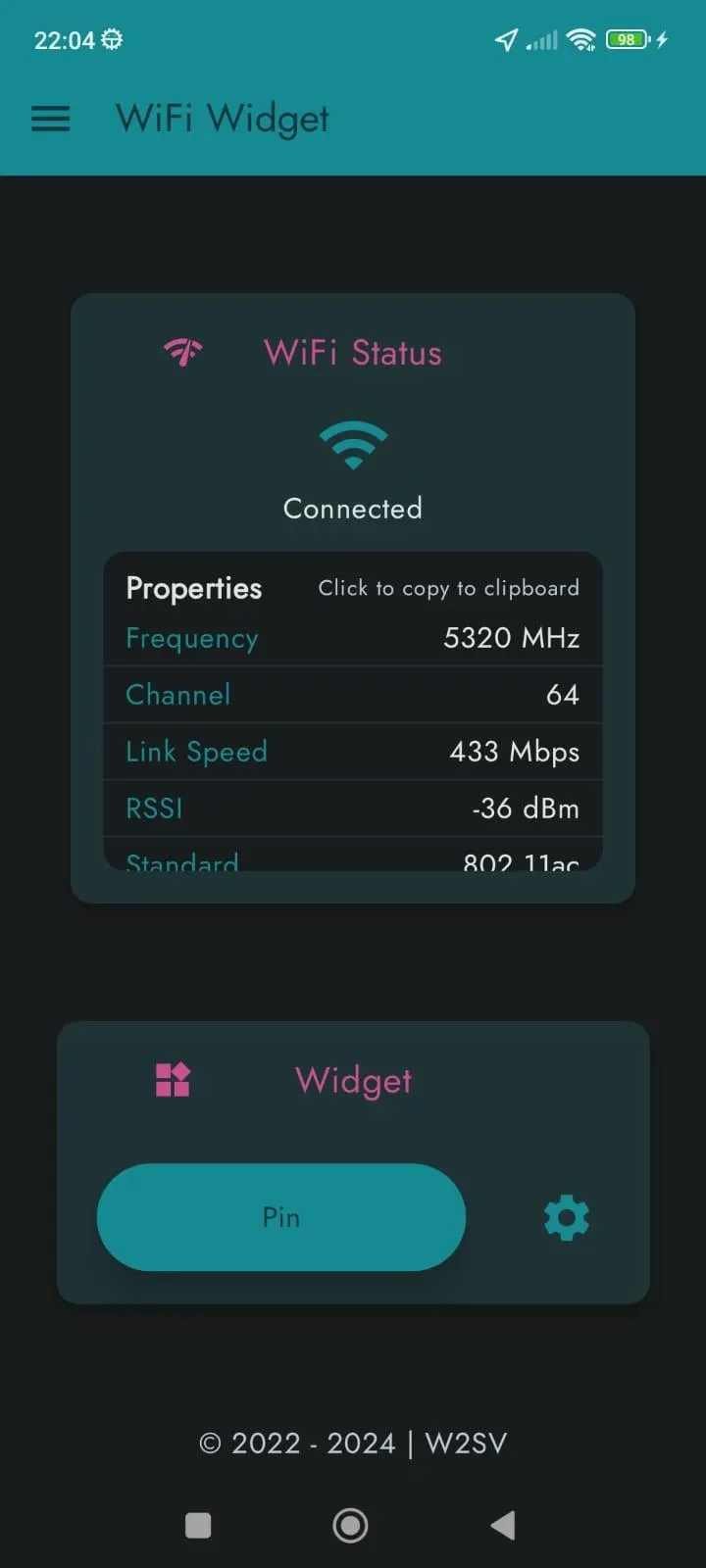
The one thing this app does is show your WiFi connection details in a widget you configure yourself. It does not scan other devices or capture traffic, so it is a viewer for your own link.
The properties it can display are SSID, BSSID, frequency, channel, link speed, RSSI, signal strength, security protocol, WiFi standard and generation. It also covers gateway, DNS and DHCP. IP addresses are split into categories such as loopback, site local, link local, ULA, multicast, global unicast and public, and each category can be switched on or off.
Setting up the widget and its refresh interval
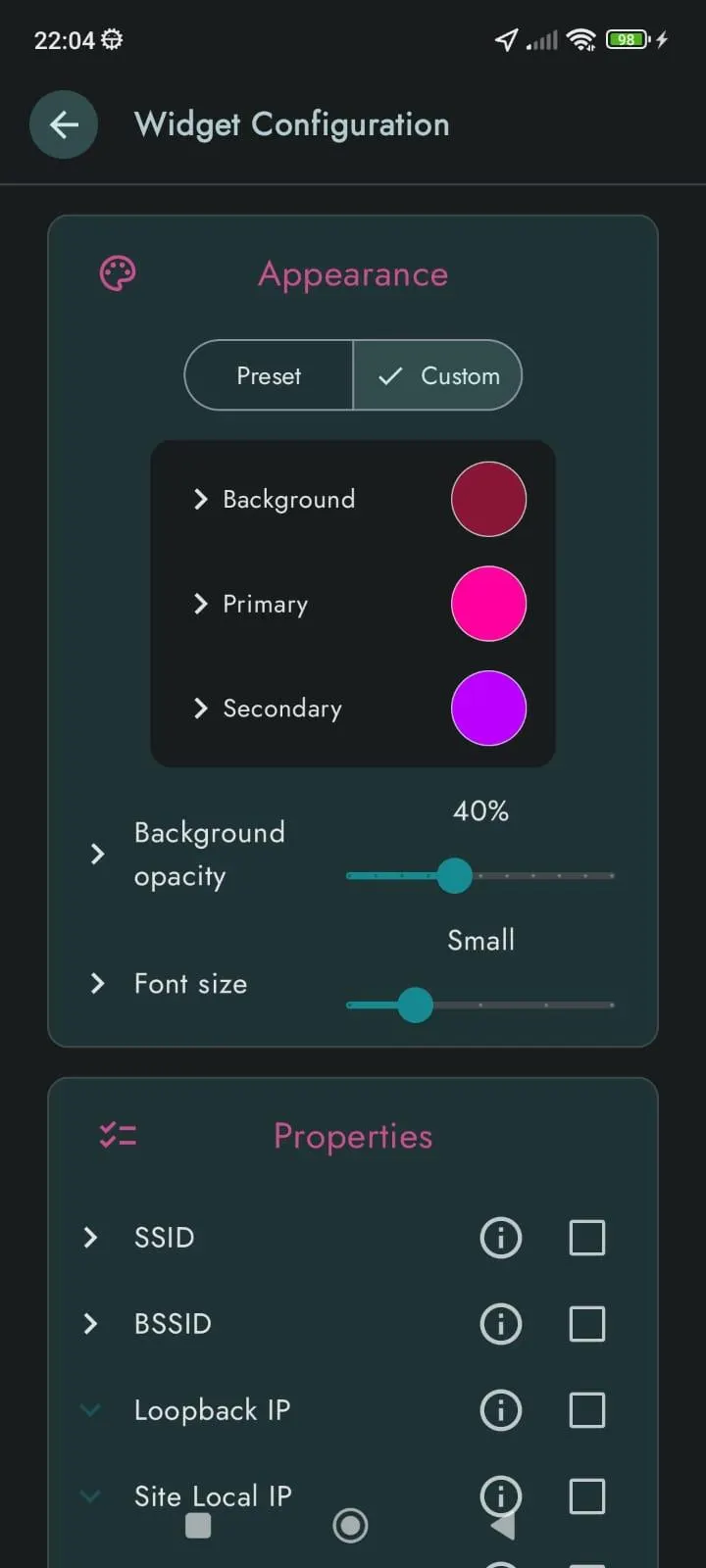
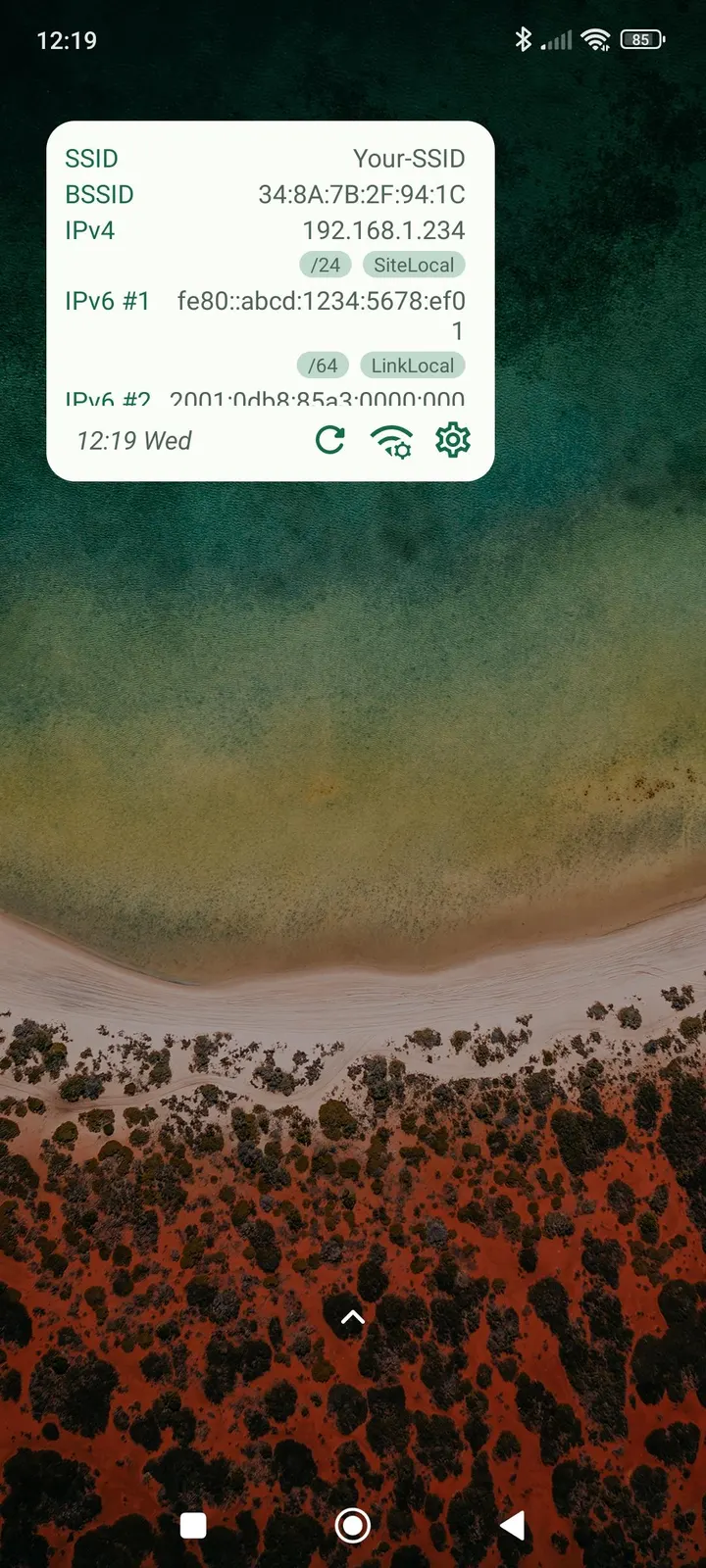
A typical session is mostly setup. You choose a light or dark theme, adjust widget colors and background opacity, and pick which buttons appear. You also set the widget size and how often the data refreshes.
After that, the details sit on the home screen and you read them without opening system settings. The app is 3.4 MB and needs Android 8.0 or newer.
How it differs from DNS Resolver, Rethink and the rest
Alternatives include DNS Resolver, Network Scanner, Network Survey, PCAPdroid, Rethink and RKNHardering. The names suggest tools for lookups, surveys, capture and filtering, so a direct feature comparison is not made here.
WiFi Widget has a narrow scope, no ads, a free price and a GPL-3.0-only licence. Its source is public at github.com/w2sv/WiFi-Widget. Choose it if you want a glanceable readout and nothing else.
WiFi Widget pros and cons
Pros
- No ads and free to use
- Open source under GPL-3.0-only, so the code is readable by anyone
- Shows many properties, from SSID and BSSID to DHCP and WiFi generation
- Each IP address category can be enabled or disabled
- Small download at 3.4 MB
Cons
- Requires Android 8.0 or newer
- Only shows your own connection; no scanning or traffic capture is listed
- Version 1.8.2 is the current release
Is WiFi Widget safe?
The APK offered here is unmodified and comes from the developer Janek Zangenberg under package ID com.w2sv.wifiwidget. To confirm your copy is intact, compare its SHA-256 checksum with 60a028d2af7f6c2aa0ca72dd6d34e20c1678f9acb4cafd7aa20c90aef8bedbe9. The GPL-3.0-only source at https://github.com/w2sv/WiFi-Widget lets anyone read what the widget does with your connection details. The app carries no ads.
How to install WiFi Widget
- Download the APK with the button on this page and wait for it to finish.
- Compare the file with the SHA-256 checksum shown here if you want to confirm it arrived intact.
- Open the file on your phone and allow installs from this source when Android asks.
- Finish the install, then open WiFi Widget from your app drawer.


