
Network Survey is a free, open-source Android app from Christian Rowlands that surveys cellular, Wi-Fi, Bluetooth and GNSS signals, then logs, streams or uploads the results. Version 2.0 weighs 69.2 MB, needs Android 8.0 or newer and was last updated on November 1, 2026. The unmodified APK is hosted here, and a SHA-256 checksum is published so you can verify the file.
First steps after installing Network Survey
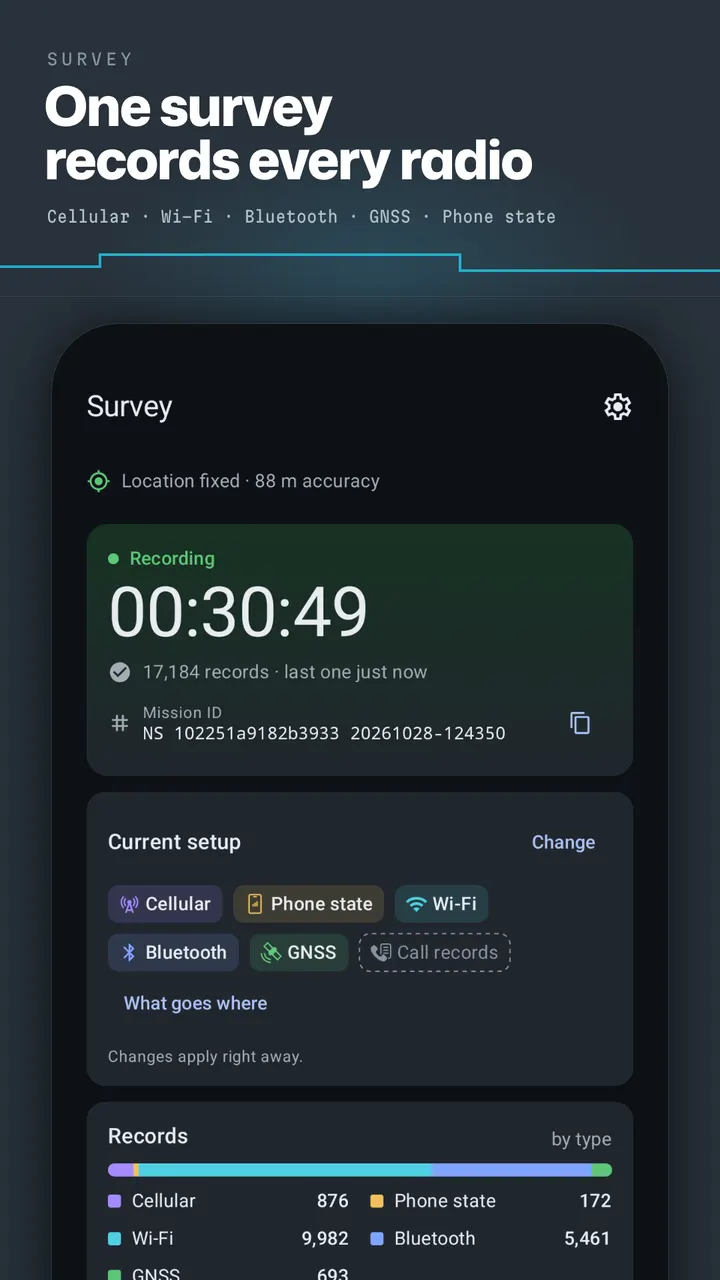
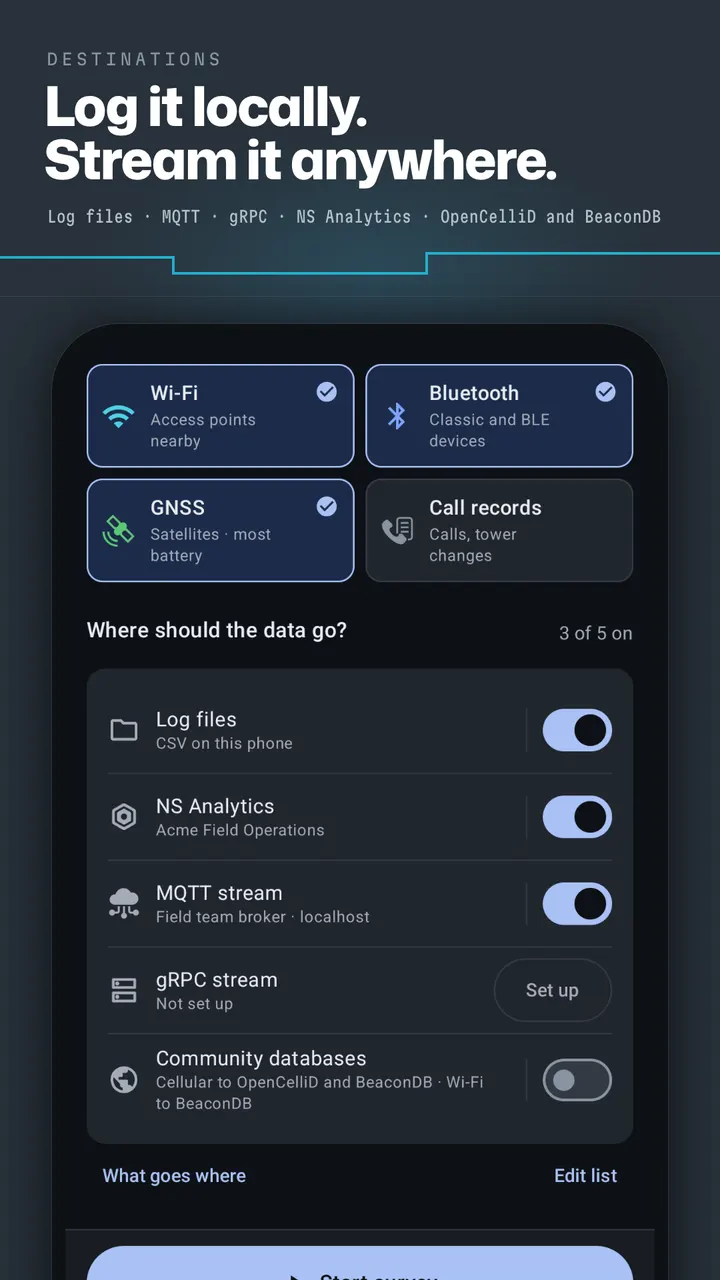
Start by choosing what to survey: cellular, Wi-Fi, Bluetooth, GNSS, or a mix. Then pick where the data goes and press Start survey. A survey has one Start and one Stop, so there is little to configure before the first run.
Expect a location permission prompt. The developer says every record needs a position, and Android requires location access to scan Wi-Fi and Bluetooth. Background location is requested only if you turn on automatic survey start.
SMS and call log permissions are asked for only when you enable Call records or a survey that records them. Those permissions cover text events and the other party's number, saved to log files. If you never use Call records, you never grant them.
What it records and where the data can go
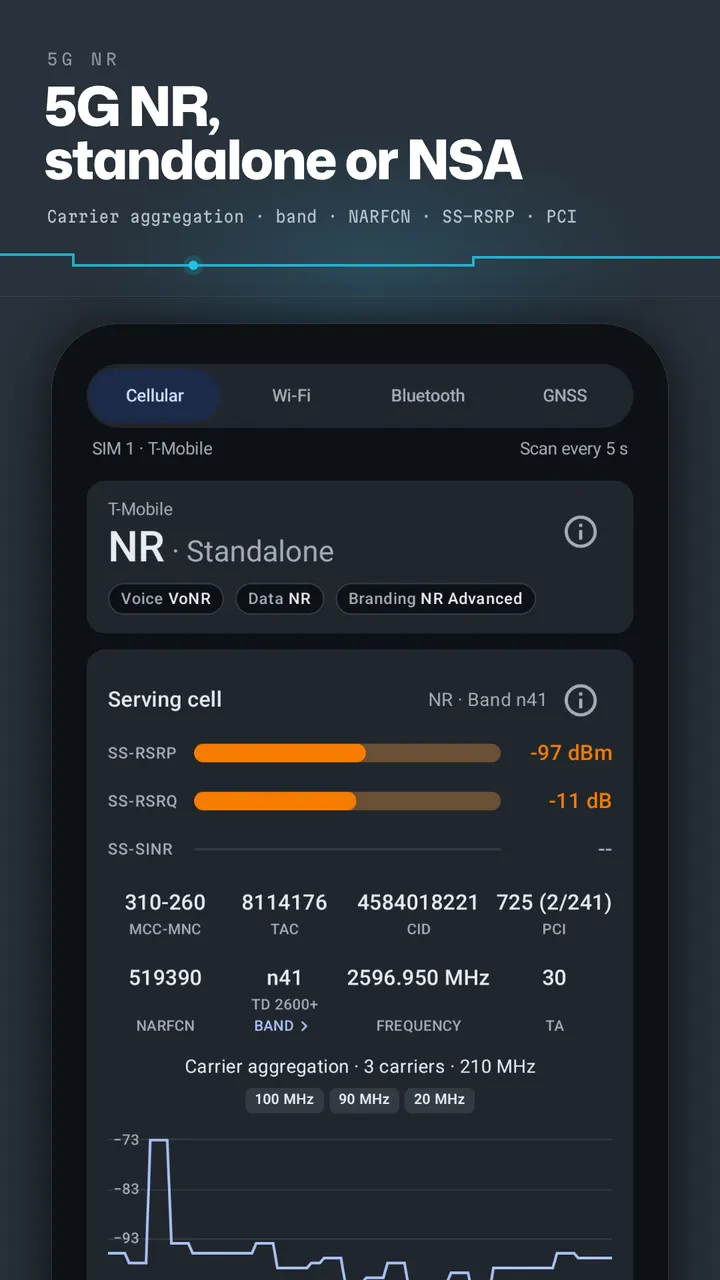
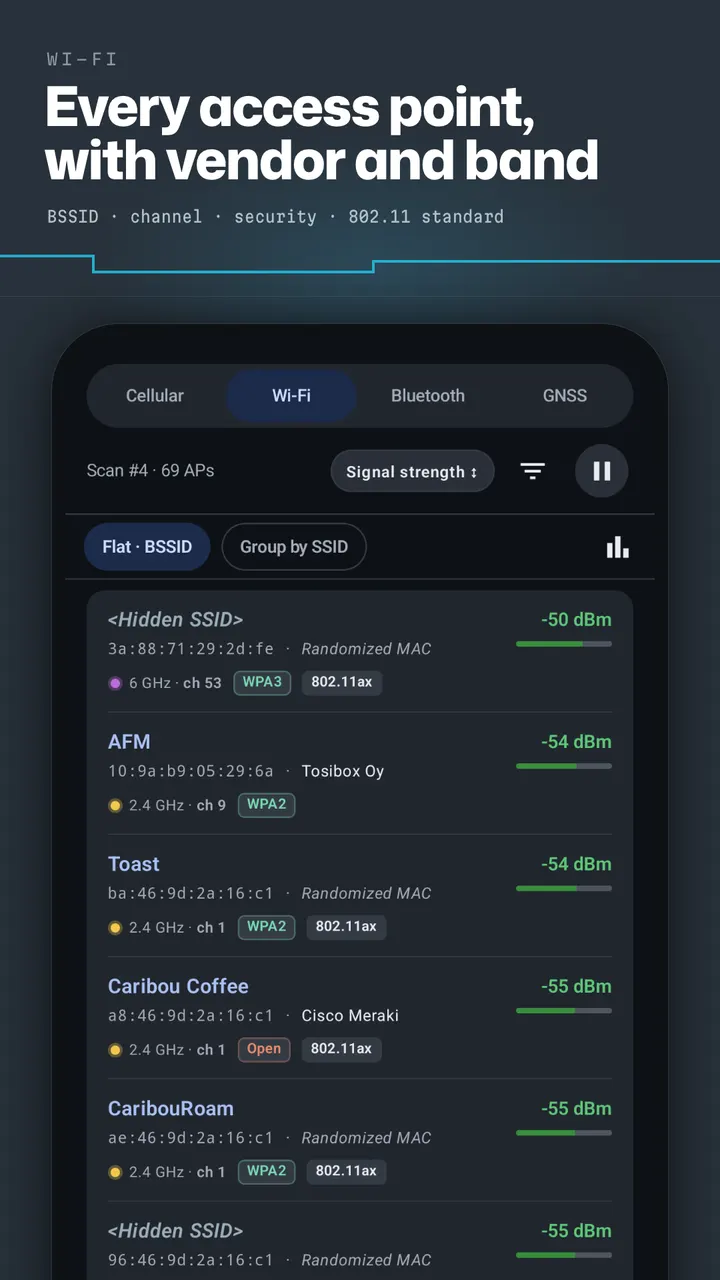
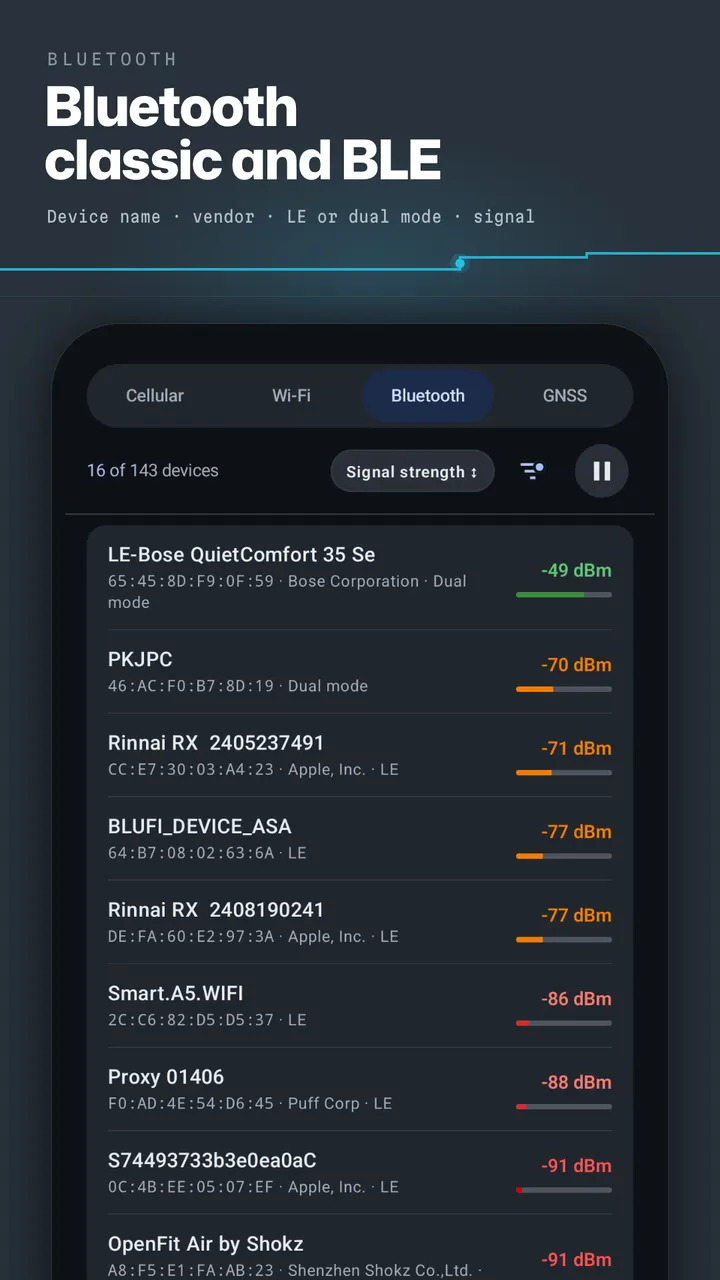
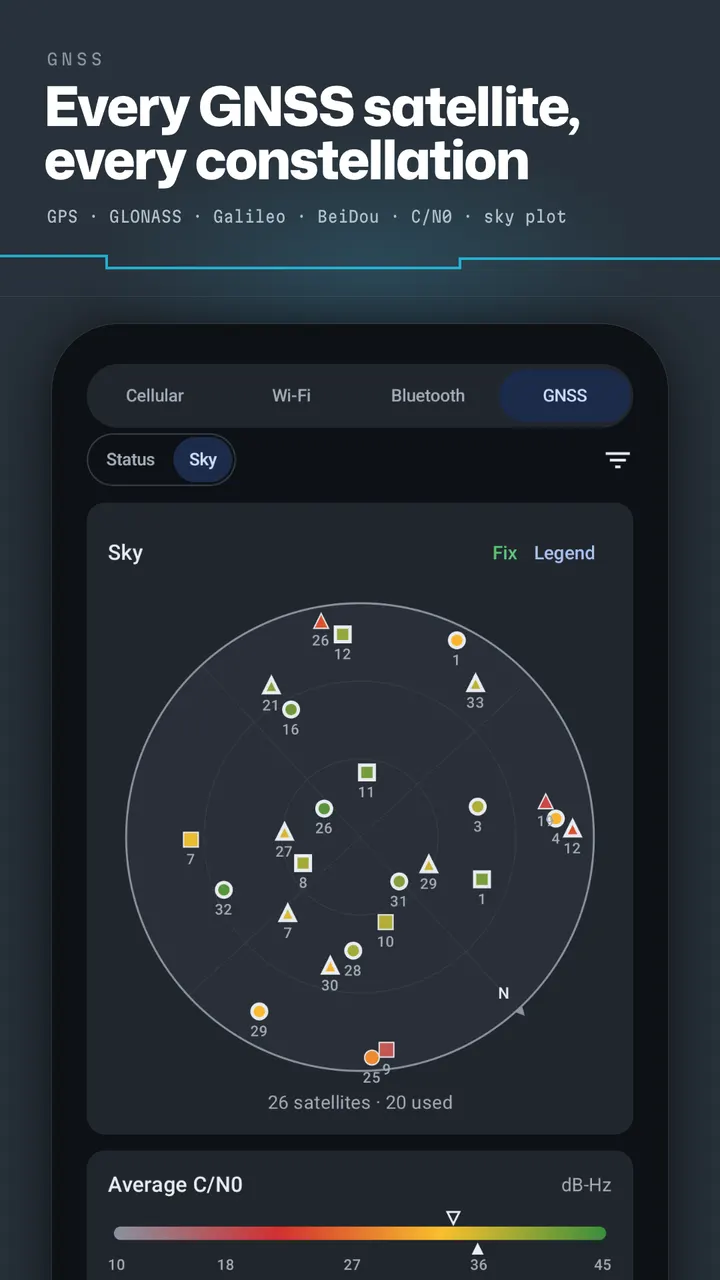
The cellular side covers serving and neighbor cells for GSM, CDMA, UMTS, LTE and 5G NR, including carrier aggregation. Wi-Fi records list access points with channel, security and 802.11 standard. Bluetooth covers Classic and BLE devices with company names and Find My trackers, and GNSS spans GPS, GLONASS, Galileo, BeiDou, QZSS, IRNSS and SBAS.
Output is the stronger half of the design. You can write CSV log files on the phone, upload to NS Analytics, stream JSON over MQTT to your own broker with TLS and QR code setup, or send records to your own gRPC server. OpenCelliD and BeaconDB are also available as community database destinations, and several destinations can run at once.
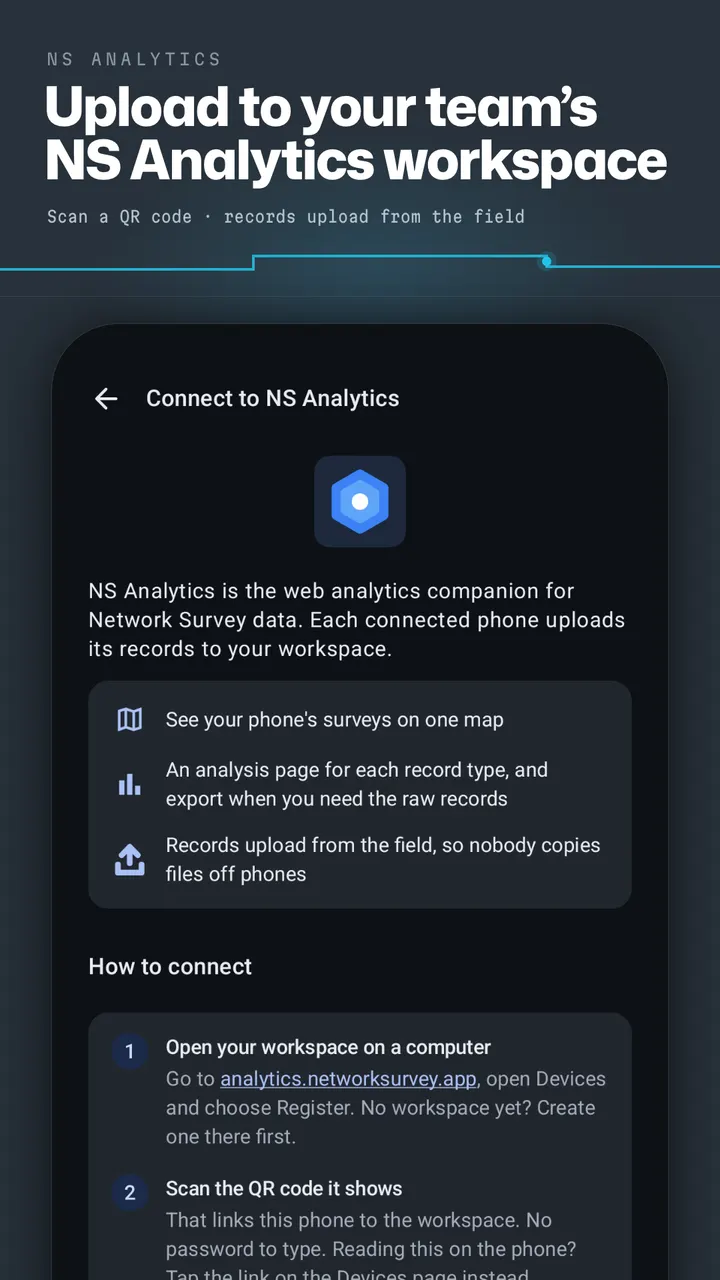
NS Analytics is a separate web service. Phones connect by scanning a QR code on the workspace Devices page, and surveys then appear on one map with an analysis page per record type and raw export.
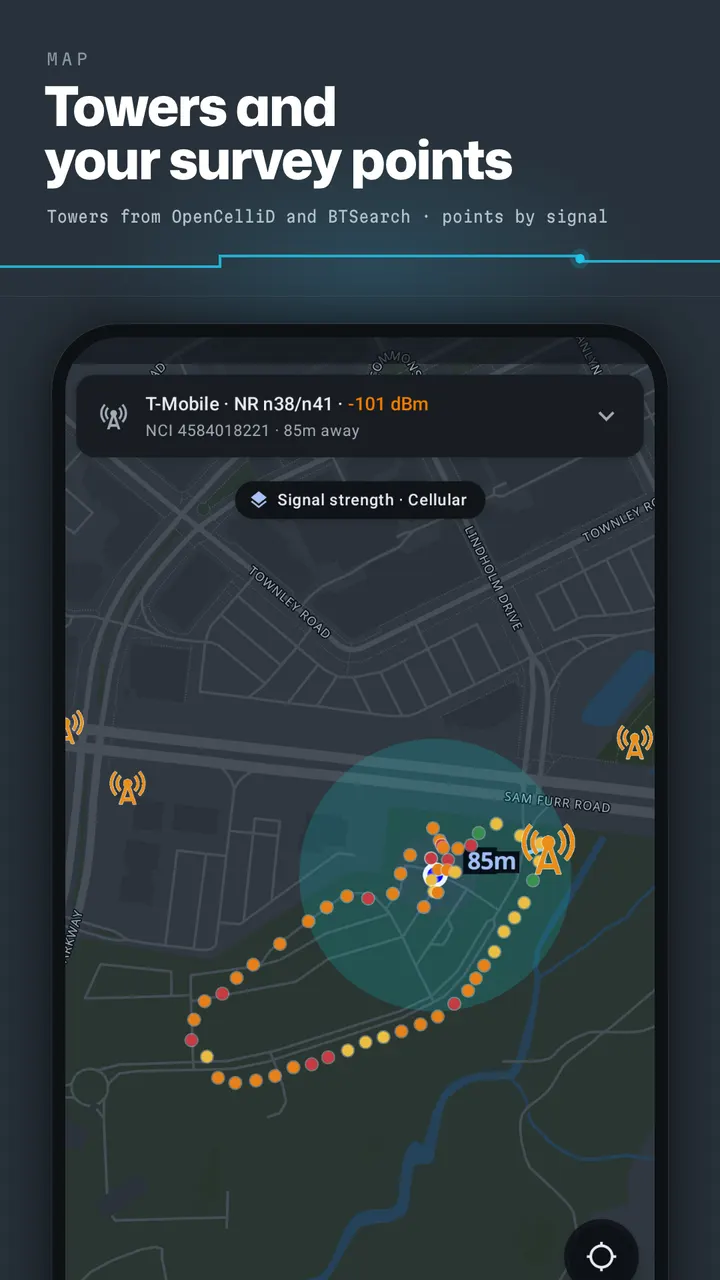
Live Signals views show AGC and C/N0 trends, and the map draws towers from OpenCelliD and BTSearch. Extras include a Wi-Fi watchlist alert, PLMN and OUI lookup, Wi-Fi spectrum, saved setups, nine accent colors, MDM configuration and an Intent API.
When PCAPdroid or Network Scanner fits better
Network Survey measures radio environments, not traffic or hosts. If you want to inspect what apps send over the network, PCAPdroid from the alternatives list is the closer match. Network Scanner and DNS Resolver are similar in that they sit in the same tools category.
People who only want a quick Wi-Fi channel check may find the full survey workflow more than they need. The app targets team and field use, with MDM and MQTT or gRPC output. For a one-off look at nearby networks, a simpler tool from the list could be quicker to start.
Network Survey pros and cons
Pros
- Free, with no ads and an Apache-2.0 open-source license
- Covers cellular, Wi-Fi, Bluetooth and GNSS in one survey
- Sends data to CSV files, MQTT, gRPC, NS Analytics or community databases
- This build has no Firebase, analytics or crash reporting, per the developer
- Includes MDM configuration and an Intent API for managed setups
Cons
- At 69.2 MB, it is a sizable download for a utility
- Needs location access, and SMS and call log permissions for Call records
- Some anti-malware apps flag it because it can read SMS, according to the developer
- NS Analytics is a separate web service with its own pricing
Is Network Survey safe?
Compare the SHA-256 of your download with df38aeb4575052831f0c77d7920a7acd25428b9a4fa607690782d074effe906e before opening it. The source is public on GitHub under Apache-2.0, so the survey logging code can be read by anyone. Network Survey is free and carries no ads. The Call records feature is the reason for the SMS permission, since it saves calls, texts and cell tower changes to log files. Security scanners may still flag that permission.
How to install Network Survey
- Download the APK with the button on this page and wait for it to finish.
- Compare the file with the SHA-256 checksum shown here if you want to confirm it arrived intact.
- Open the file on your phone and allow installs from this source when Android asks.
- Finish the install, then open Network Survey from your app drawer.


