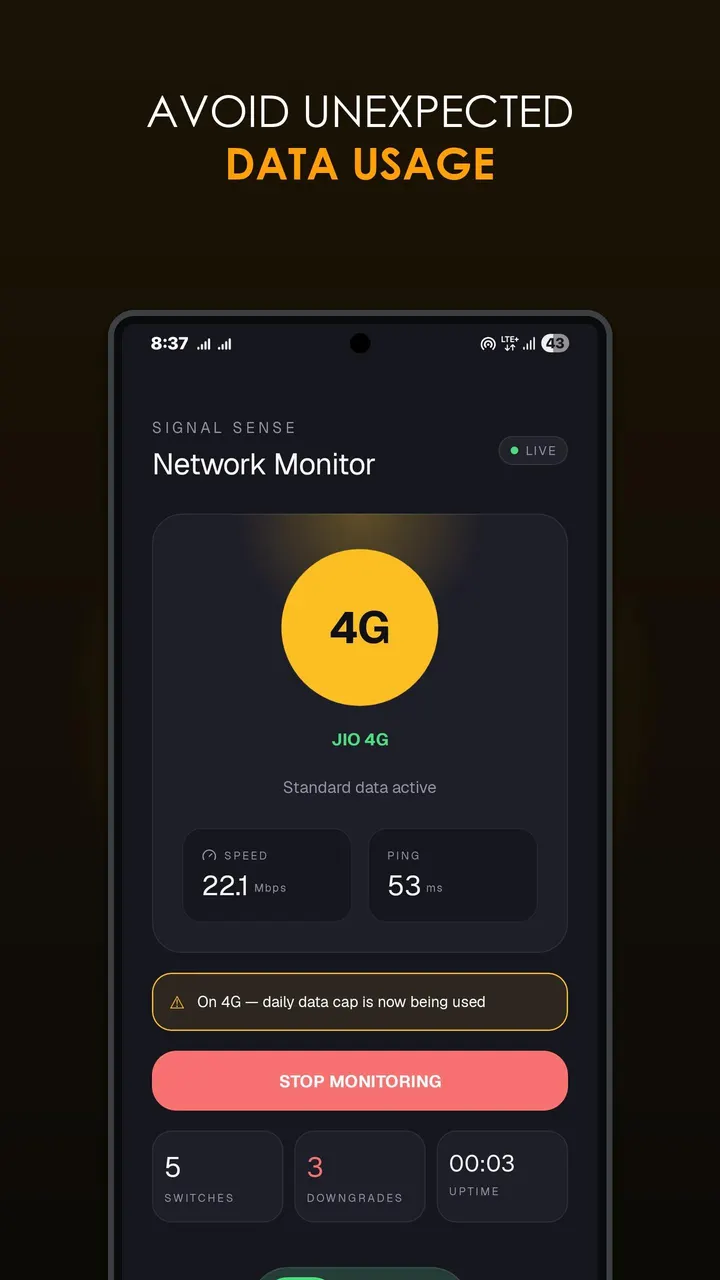
SignalSense tells you the moment your phone's mobile connection changes between 5G, 4G, 3G, or 2G. It is a free Android app from developer Adithya Mittapally, released as version 1.0.0 on June 22, 2026. It needs Android 8.0 or newer, weighs 2.2 MB, shows no ads and is licensed under GPL-3.0-only.
Telling 5G SA from 5G NSA
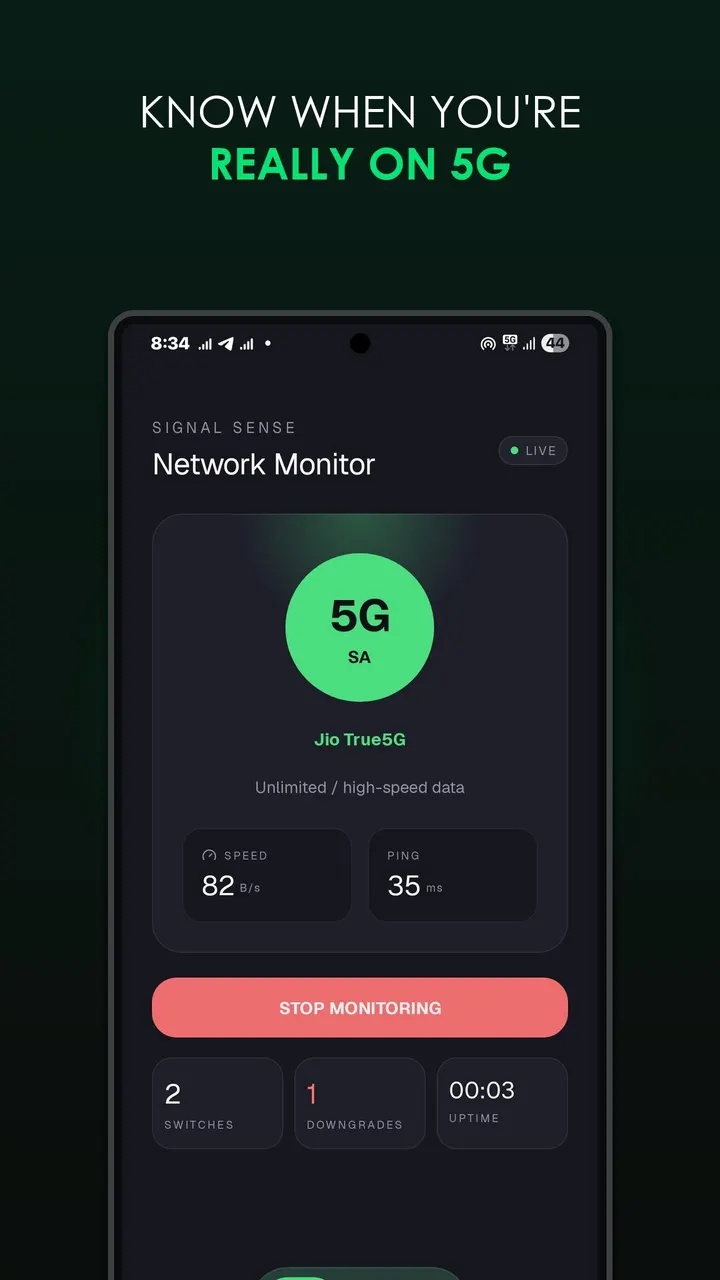
The defining trait of SignalSense is that it watches for network generation changes and raises an alert when one happens. It separates 5G Standalone from Non-Standalone connections instead of labelling both as plain 5G. That detail matters if you want to know what kind of 5G your carrier is actually giving you.
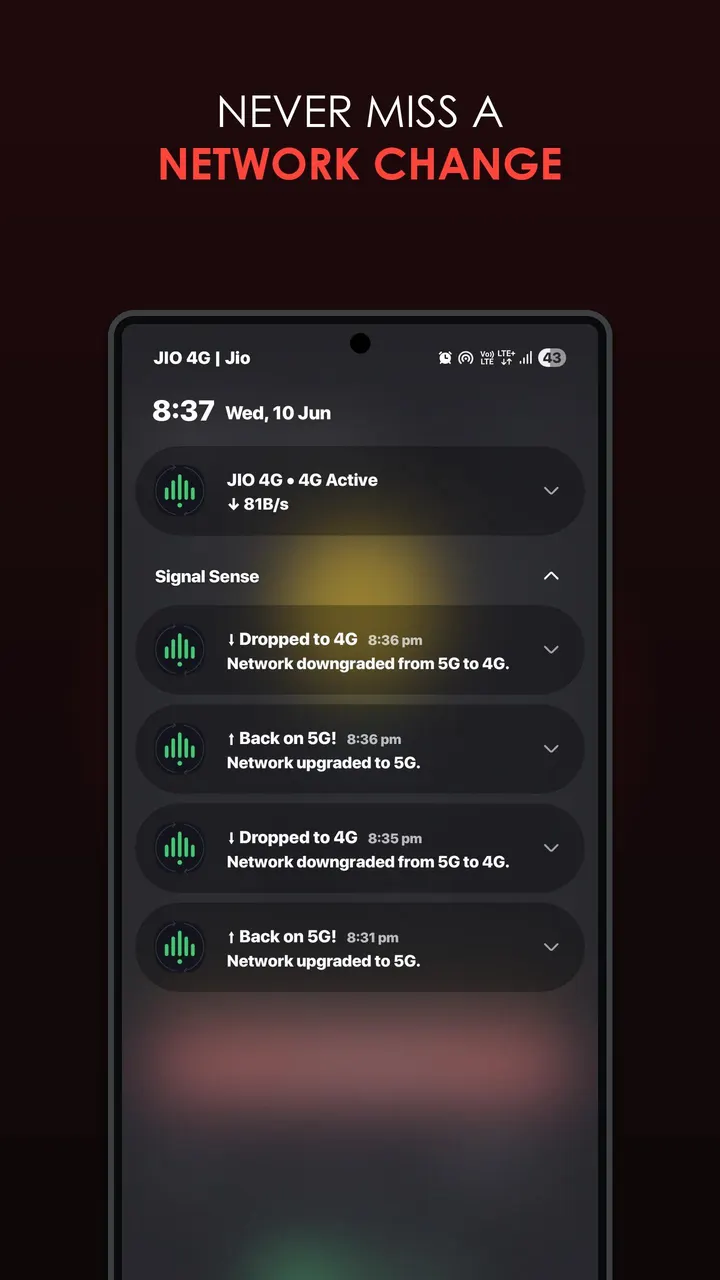
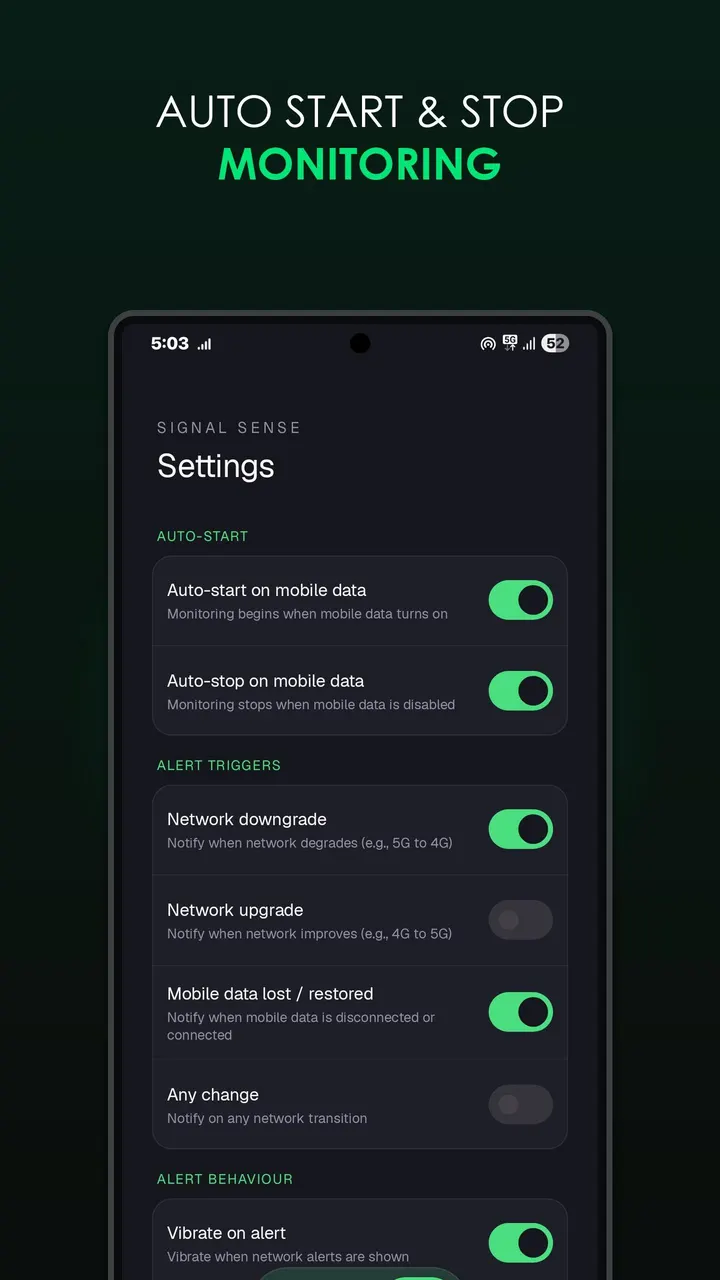
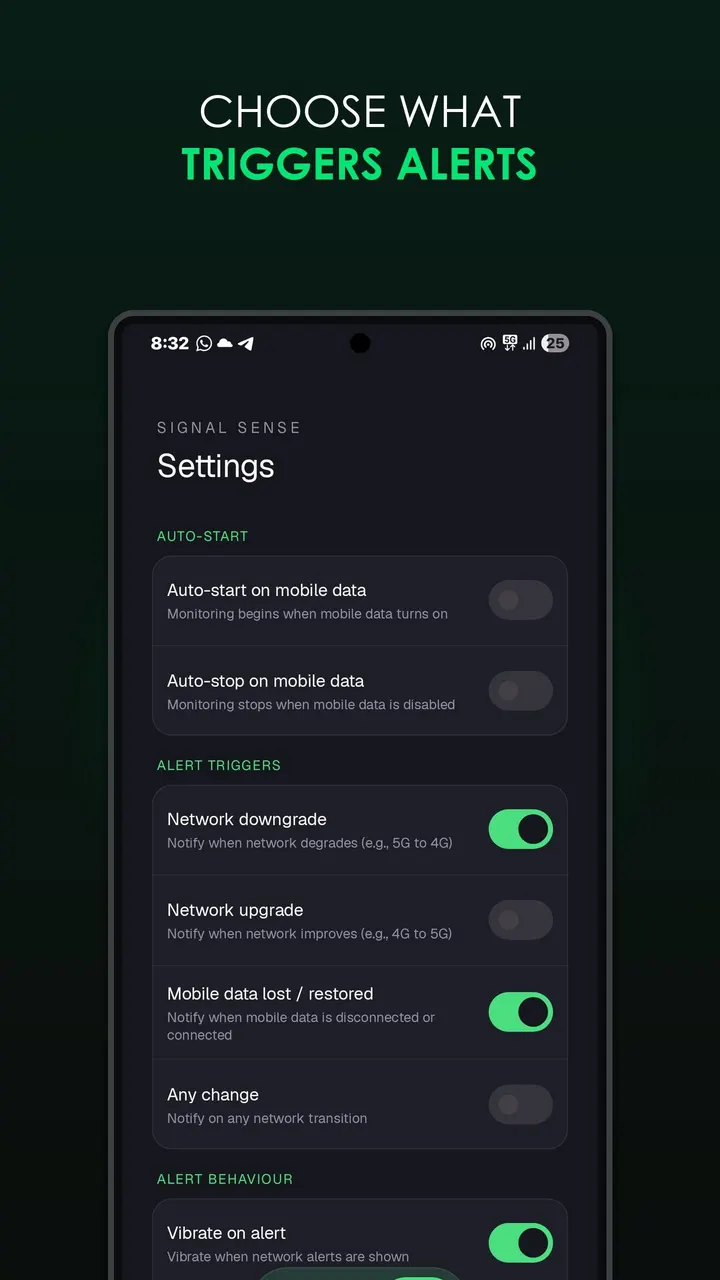
You choose which transitions trigger an alert: network upgrade, network downgrade, mobile data lost or restored, or any change at all. Alerts can use a custom ringtone, and vibration is adjustable.
A typical session with the persistent notification
Monitoring runs as a lightweight foreground service. It can start by itself when mobile data turns on, stop when data turns off, and optionally start at every boot. The persistent notification shows live download and upload speeds, while the home screen shows live ping.
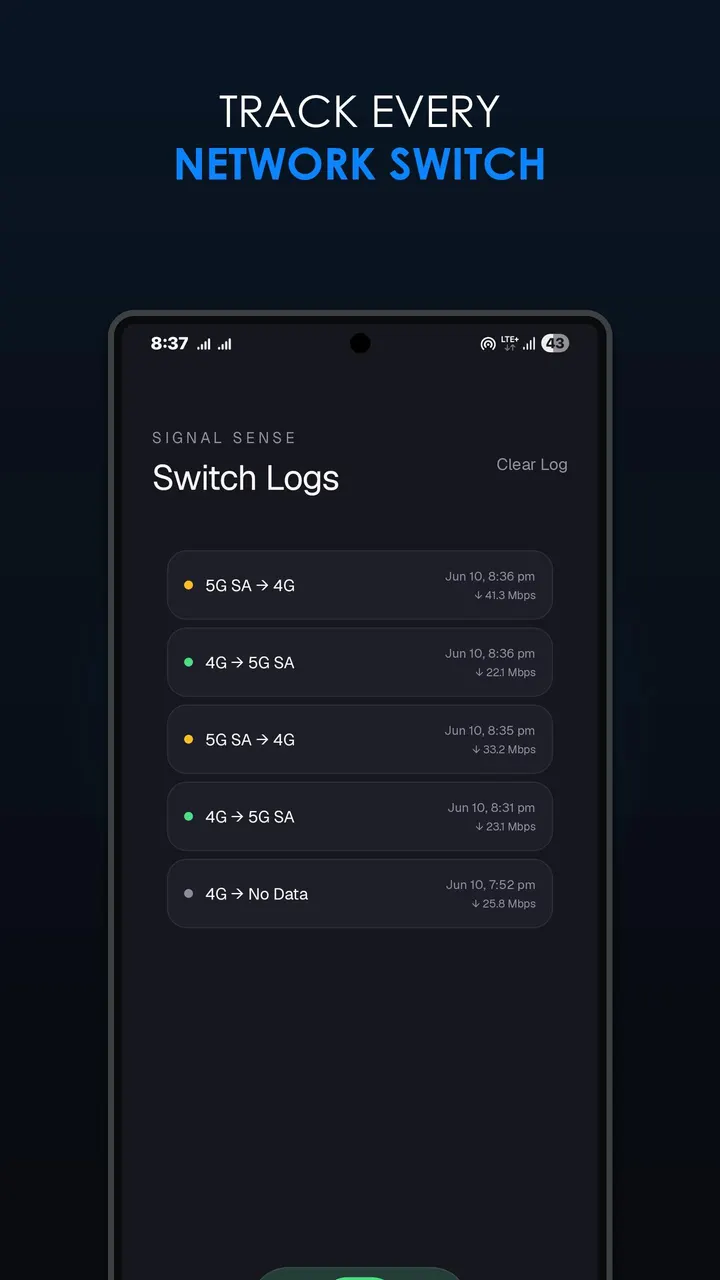
If the signal flutters, the anti-spam debouncing groups the rapid changes into one unstable signal alert rather than filling the notification shade. Alerts that arrive during a phone call are held and sent when the call ends. Every switch is written to a history log with a timestamp and network speed, so you can look back at what happened.
Dual SIM phones get a slot choice. You can pin one SIM or use Auto mode, which follows the active data SIM and switches when you change the default.
How it differs from DNS Resolver, PCAPdroid and the rest
Alternatives worth a look are DNS Resolver, Network Scanner, Network Survey, PCAPdroid, Rethink and RKNHardering. Nothing here describes what they do, so a feature-by-feature comparison would be guesswork. What is clear is that SignalSense has a narrow job: it watches for your phone moving between 5G, 4G, 3G and 2G and alerts you, rather than scanning devices or inspecting traffic.
It is filed under network tools and also appears in our best WiFi analyzer apps list. It is free, carries no ads, and offers extras such as 5G SA and NSA detection and a switch history log.
What's new in 1.0.0
Version 1.0.0 is the first release, published on June 22, 2026.
SignalSense pros and cons
Pros
- Separates 5G SA from 5G NSA instead of showing one 5G label
- Choose which transitions alert you, from upgrades to lost data
- Calls hold alerts until the call ends, and debouncing merges rapid flapping into one alert
- Switch history log with timestamps and speeds
- Free, no ads, open source under GPL-3.0-only, only 2.2 MB
Cons
- Version 1.0.0 is a first release, so there is no update history to judge
- Needs Android 8.0 or newer
- It has no Google Play rating or install count yet
Is SignalSense safe?
To check your download, compare its SHA-256 against fe6024e4f876bfaa002040531aa381f45ea126909bd7089394a1b759245ec6de. The source code is public at https://github.com/adithya-creation/SignalSense under the GPL-3.0-only license, so anyone can read how SignalSense detects network switches. The app carries no ads.
How to install SignalSense
- Download the APK with the button on this page and wait for it to finish.
- Compare the file with the SHA-256 checksum shown here if you want to confirm it arrived intact.
- Open the file on your phone and allow installs from this source when Android asks.
- Finish the install, then open SignalSense from your app drawer.


