
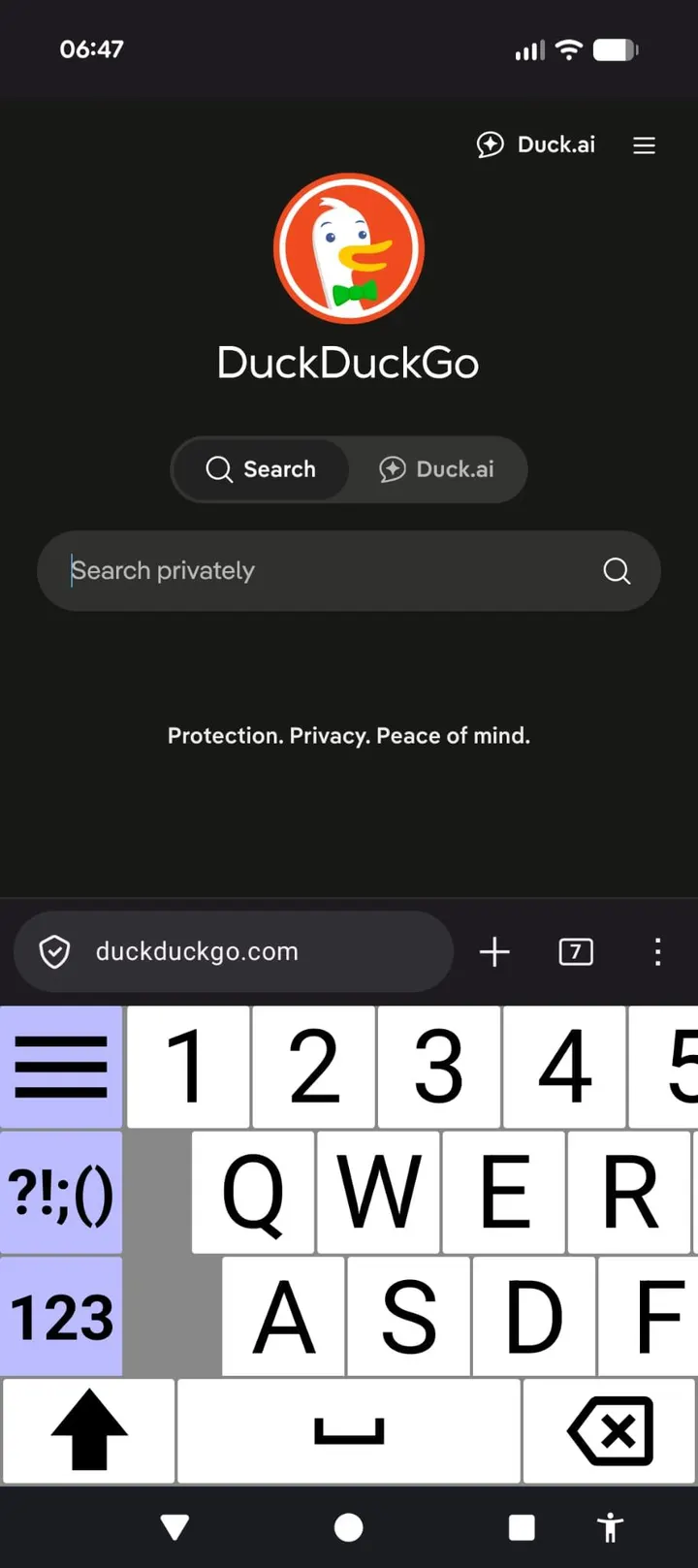
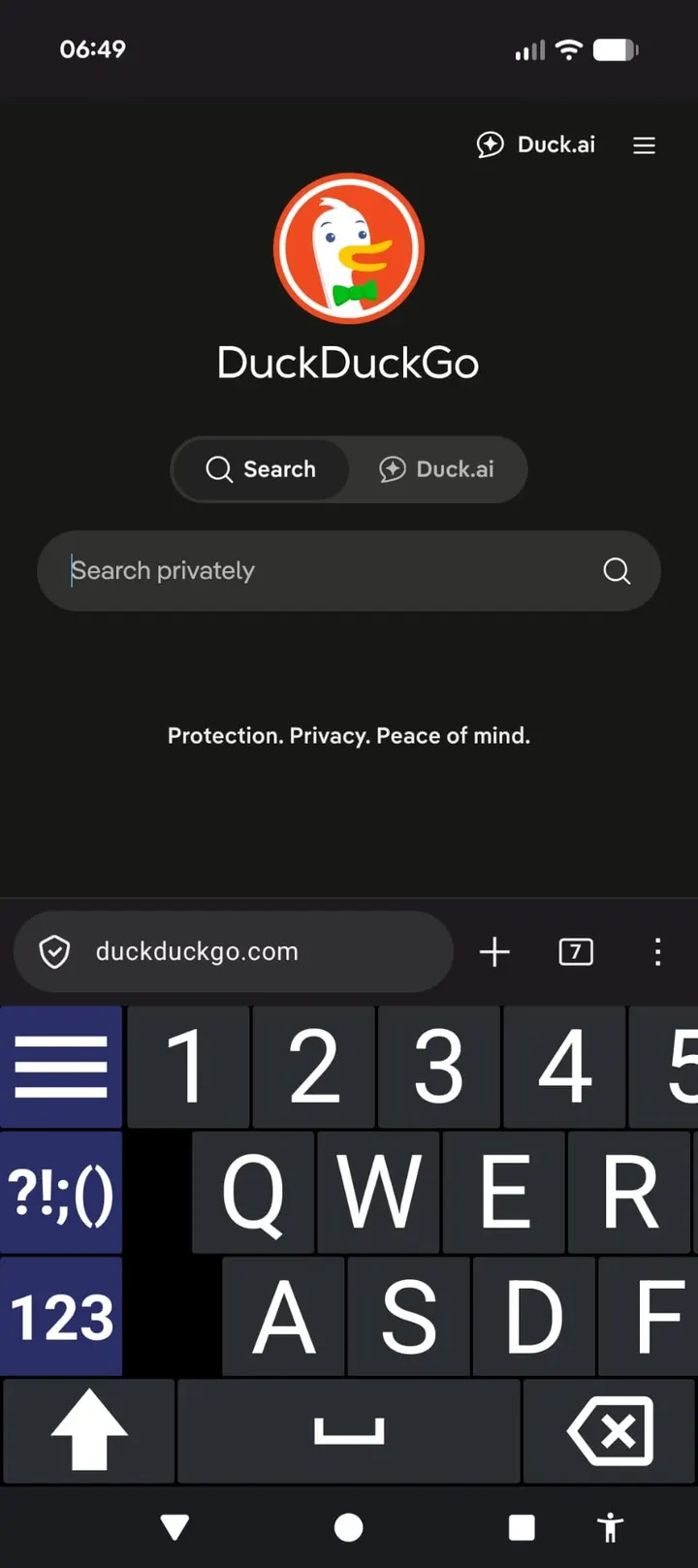
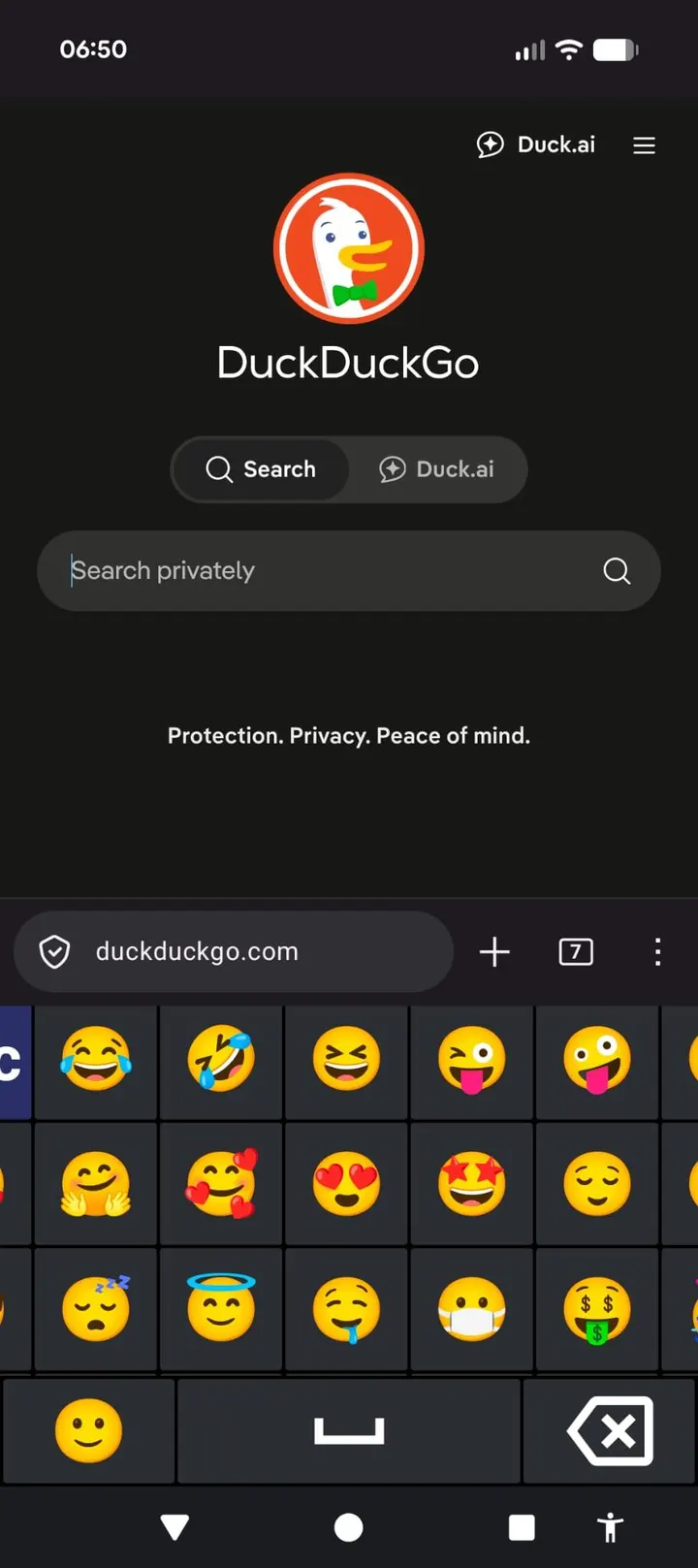
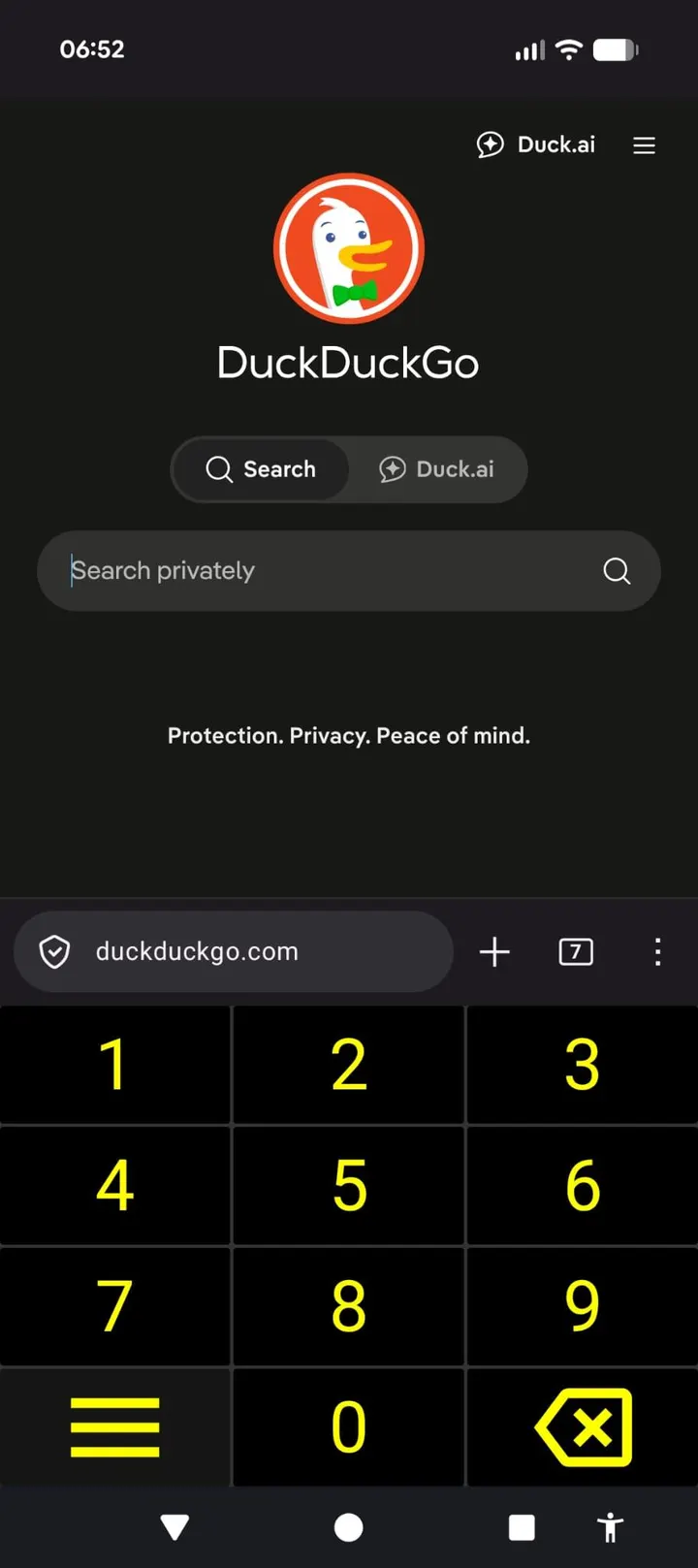
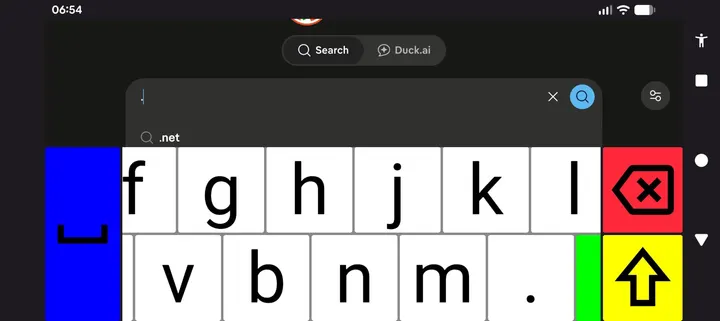
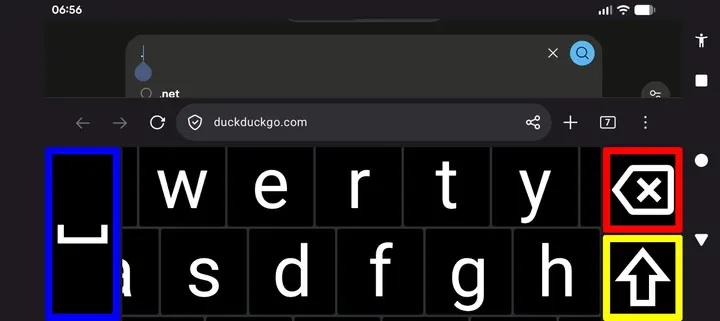
BroadBoard is a free, open-source on-screen keyboard for Android, built for people with low vision and developed by Anthony Benbrook. Version 2.2 weighs 3.9 MB and runs on Android 8.0 or newer. It contains no ads and costs nothing. The catalog hosts the unmodified APK.
Who a pan-to-reach keyboard suits
BroadBoard targets users who find standard keyboards too small to read. Most keyboards shrink the keys so the full layout fits on screen. BroadBoard keeps every key large and lets you scroll around the keyboard to reach the ones you need.
The design makes sense for people who would rather pan than squint. It has not been tested against specific vision conditions, so the fit is a matter of personal preference and need.
Themes, sizes and haptics in practice
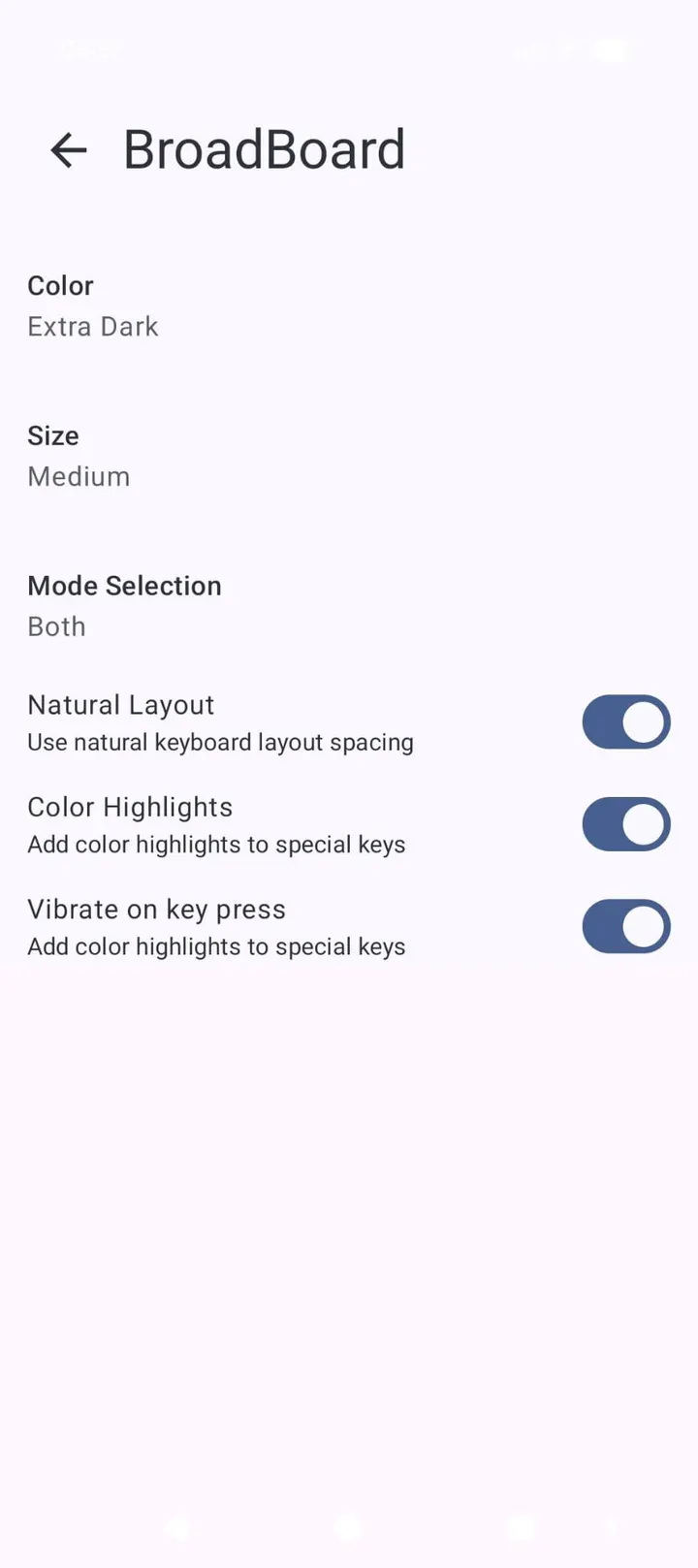
Keys are oversized and high-contrast by default. There are several color themes, including an extra dark option and a high-visibility option. Keyboard size is adjustable up to extra large.
Haptic feedback is available but optional. The keyboard is screen reader friendly, and it supports multiple locales and layouts. Check the layout options after installing to see which languages are included.
Enabling BroadBoard after install
Installing the APK is not enough. You must enable BroadBoard under Settings, System, Languages & input, On-screen keyboard, Manage keyboards. Then switch to it with the keyboard picker, which you reach from the keyboard icon in the navigation bar or by long-pressing the spacebar in most apps.
Opening BroadBoard from the app tray gives guided links to the right settings screen and the picker, which saves some searching.
Limits: panning, Android 8.0 and no ratings data
The scrolling approach means you never see the whole layout at once, and that trade-off is built into the design. The app needs Android 8.0 or newer, so older phones are excluded.
Alternatives include Gboard, Fossify Keyboard Beta, LeanType and Kinetica for those who want a conventional layout.
What's new in 2.2
Version 2.2 was updated on September 9, 2026, after an initial release on August 12, 2026.
BroadBoard pros and cons
Pros
- Oversized, high-contrast keys that stay large instead of shrinking
- Extra dark and high-visibility color themes
- Sizes adjustable up to extra large
- No ads, free, and licensed GPL-3.0-or-later
- Small download at 3.9 MB
Cons
- You must pan around the keyboard, so the full layout is never visible at once
- Requires Android 8.0 or newer
- No community rating or install count to judge it by
Is BroadBoard safe?
This is a Tier A listing, so we host the unmodified APK and the file can be checked against its SHA-256 checksum, which begins 20eb6df6. The source code is public on GitHub under GPL-3.0-or-later. The developer's description states it has no internet permission, no analytics and no third-party components. That claim comes from the publisher, and you can verify it against the source.
How to install BroadBoard
- Download the APK with the button on this page and wait for it to finish.
- Compare the file with the SHA-256 checksum shown here if you want to confirm it arrived intact.
- Open the file on your phone and allow installs from this source when Android asks.
- Finish the install, then open BroadBoard from your app drawer.


