
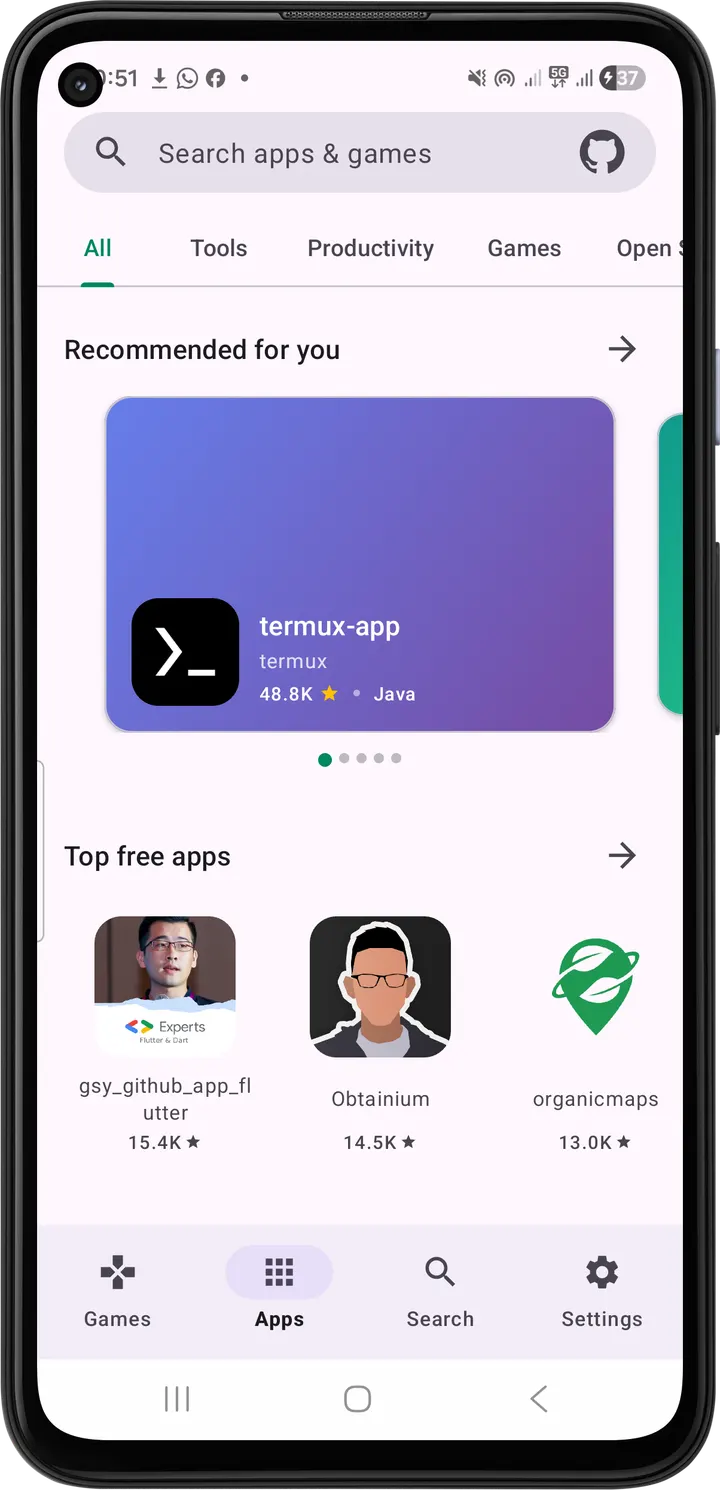
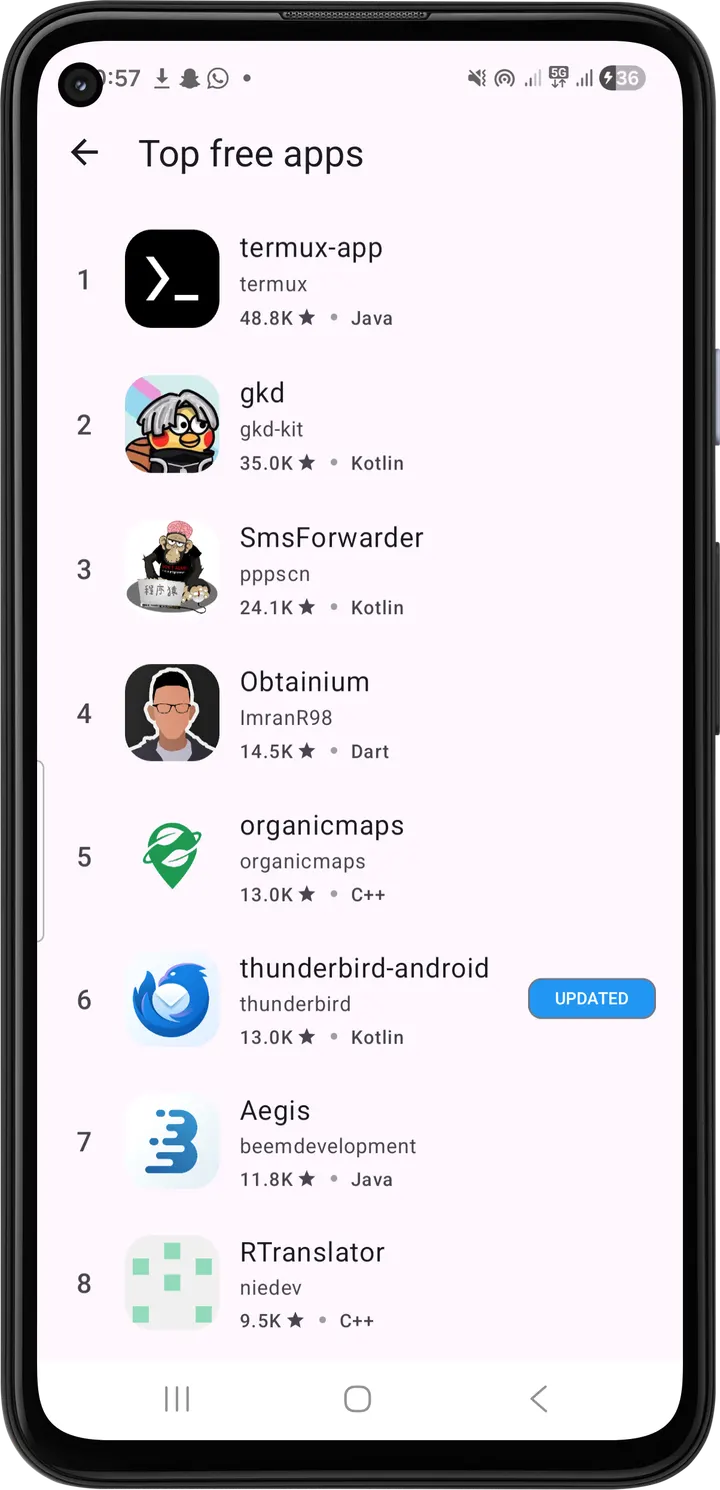
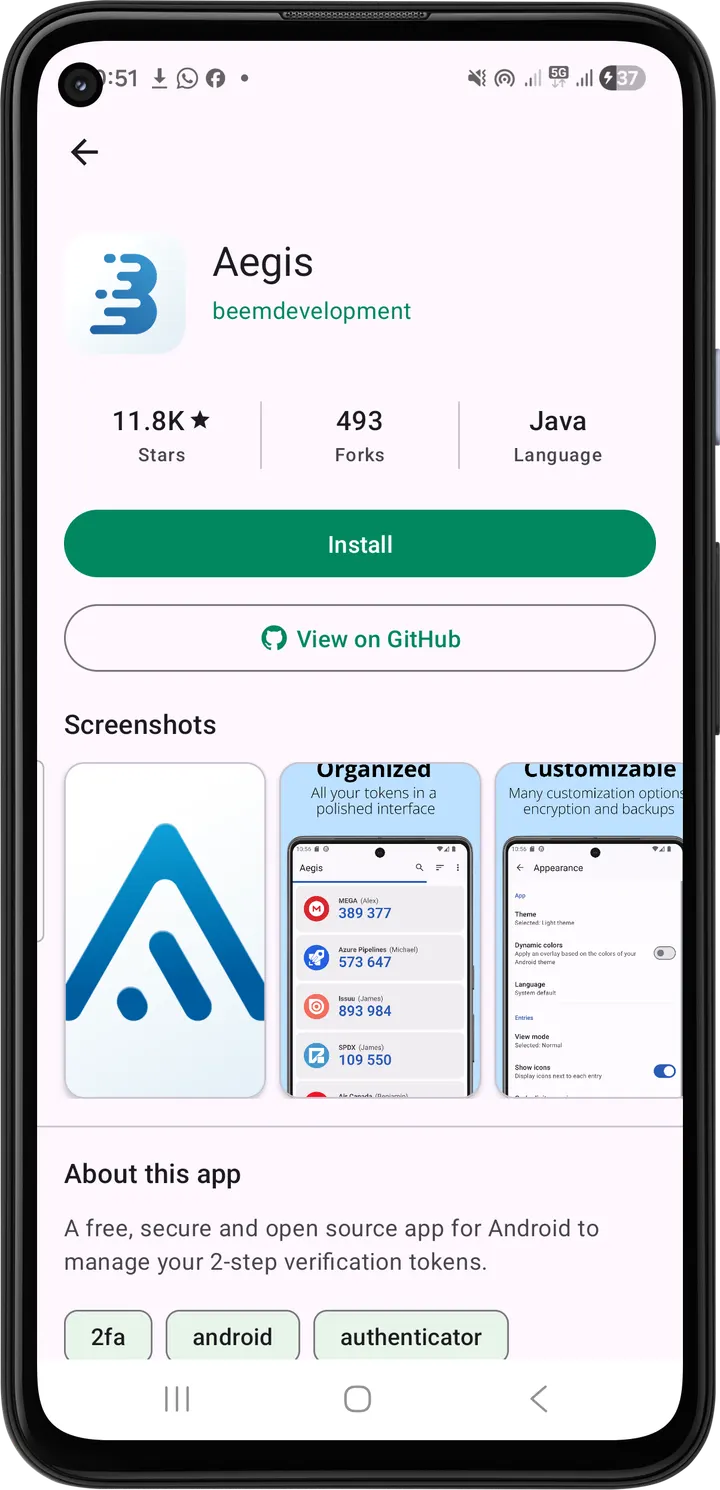
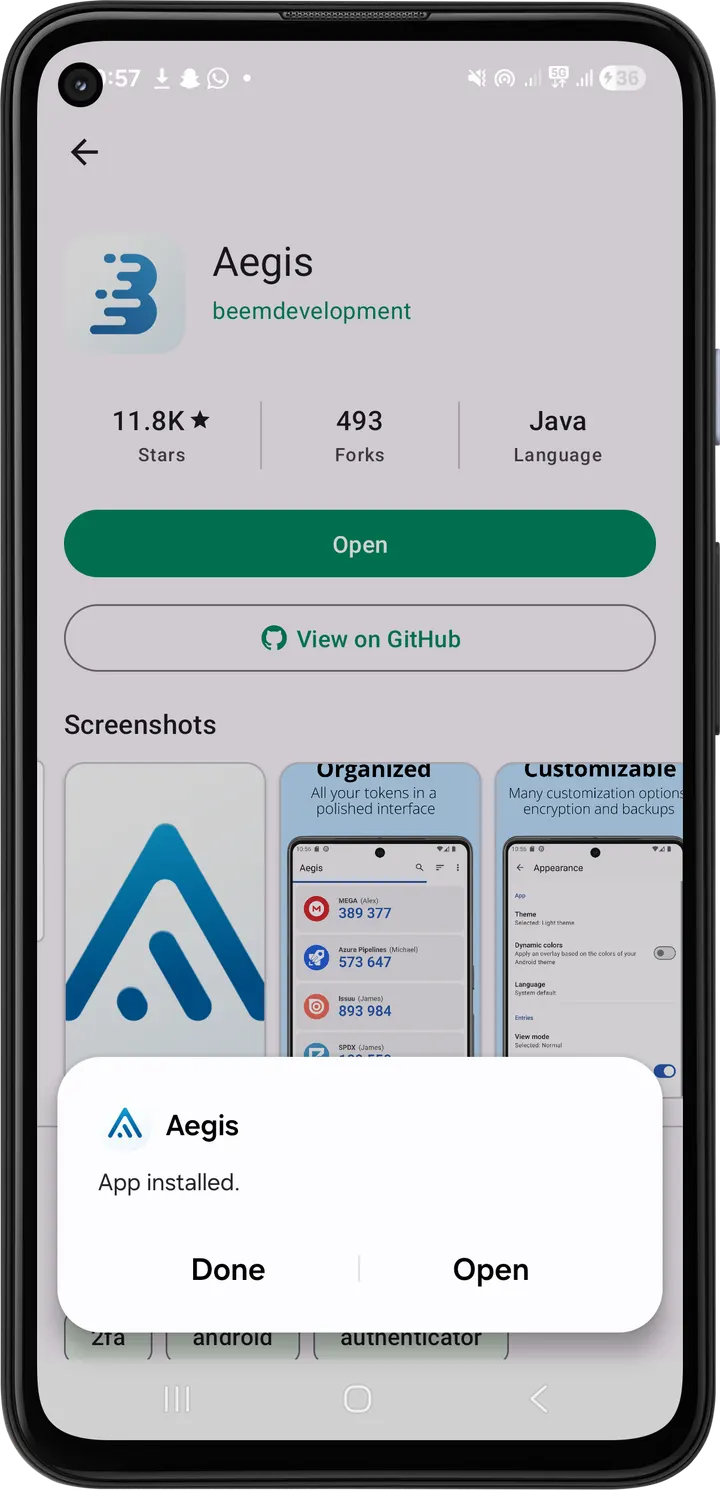
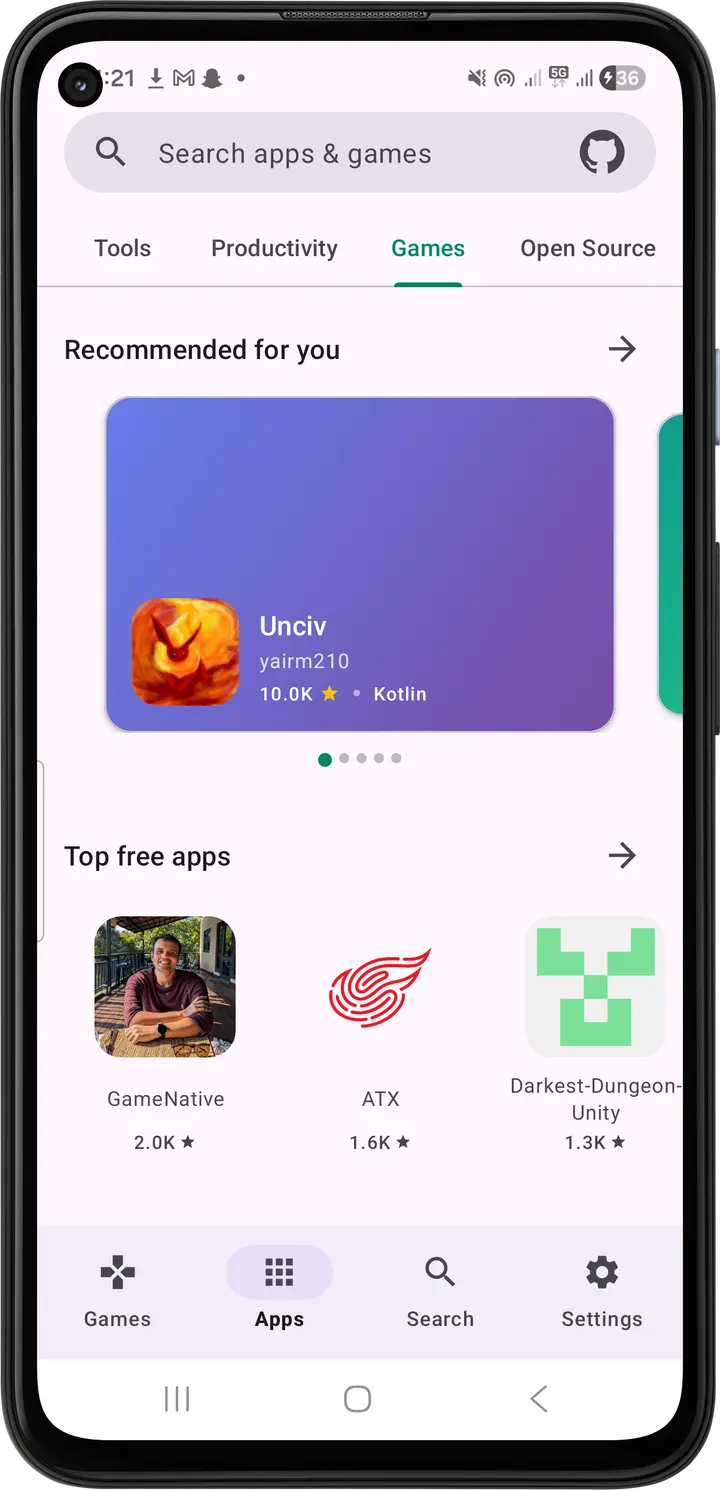
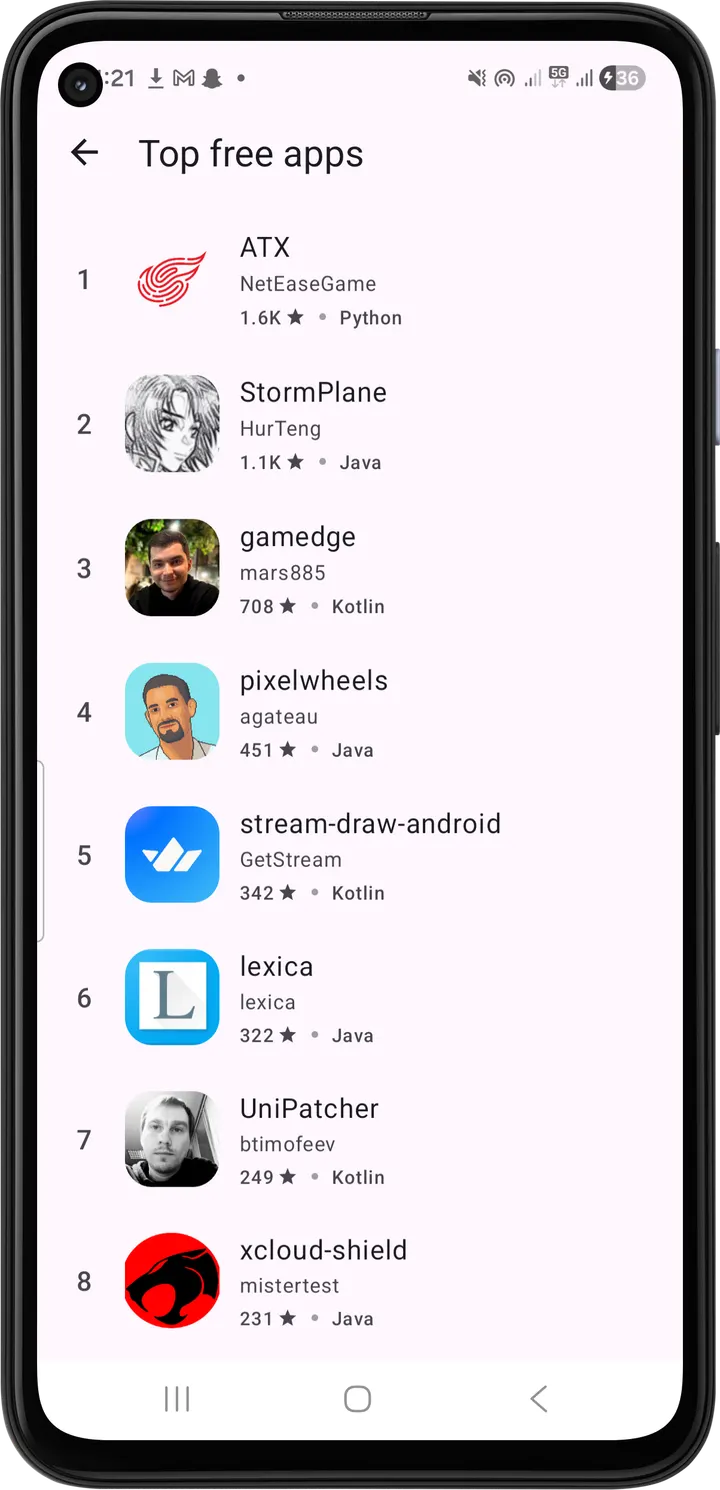
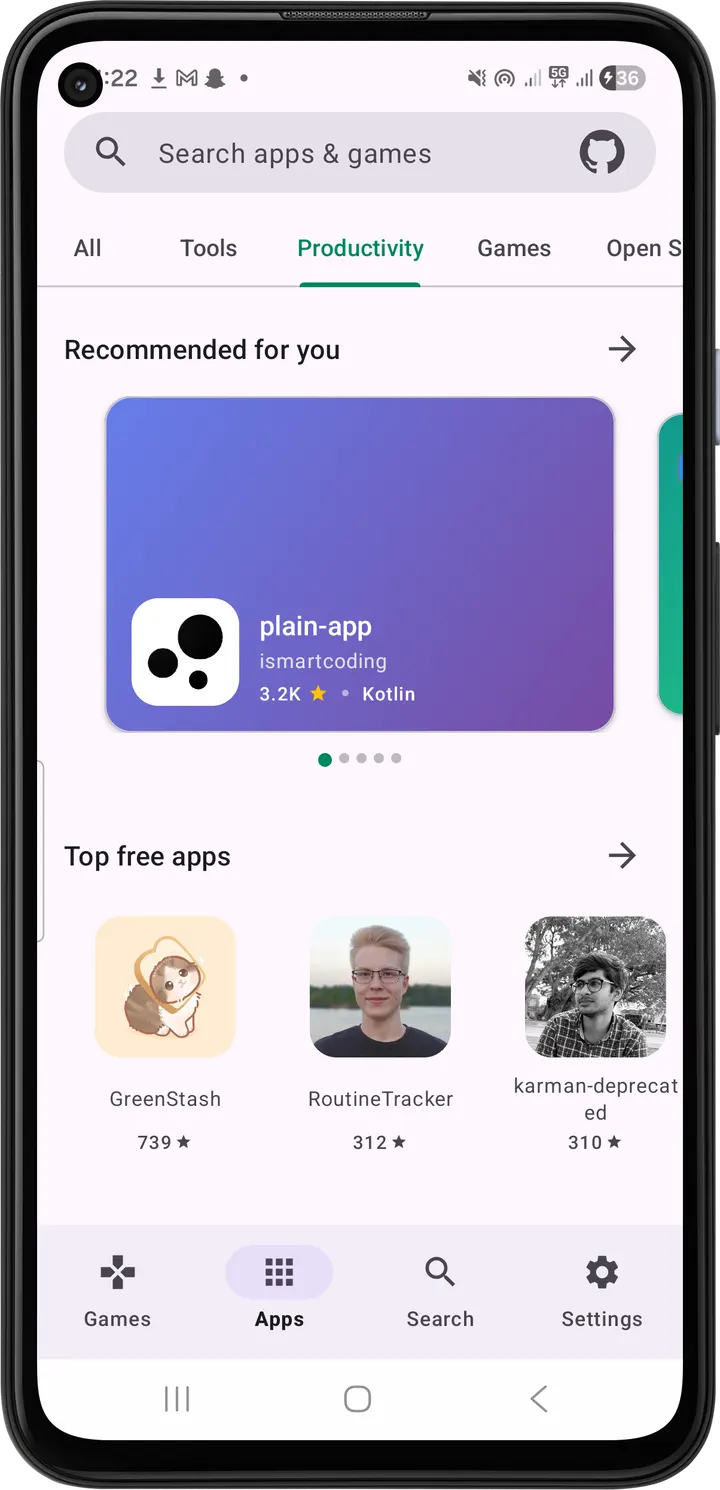
Aurora Store and F-Droid are built around their own catalogs, while RepoStore reads GitHub releases and shows what it finds in a Play Store-style layout. The app comes from developer Samyak Kamble and is free, ad-free and open source under the MIT license. TopDown APK hosts the unmodified file, version 1.0.22, at 13.3 MB.
GitHub releases as the only catalog
The single idea behind RepoStore is that GitHub is the source. It uses GitHub's public API to search Android repositories, then keeps only those whose releases contain real APK files. A repository without a downloadable APK never appears in the lists.
For each repository it fetches the latest release and shows only the assets from that newest release, with one Install action. That removes the usual guesswork of picking the right file from a long list of old builds.
What a session looks like, from Trending to Open
The home screen is split into Trending, Recently Updated and Featured sections. Tapping a project opens a details screen with the app name, version, stars, forks, language stats, the rendered README, release notes with markdown formatting and a screenshot gallery.
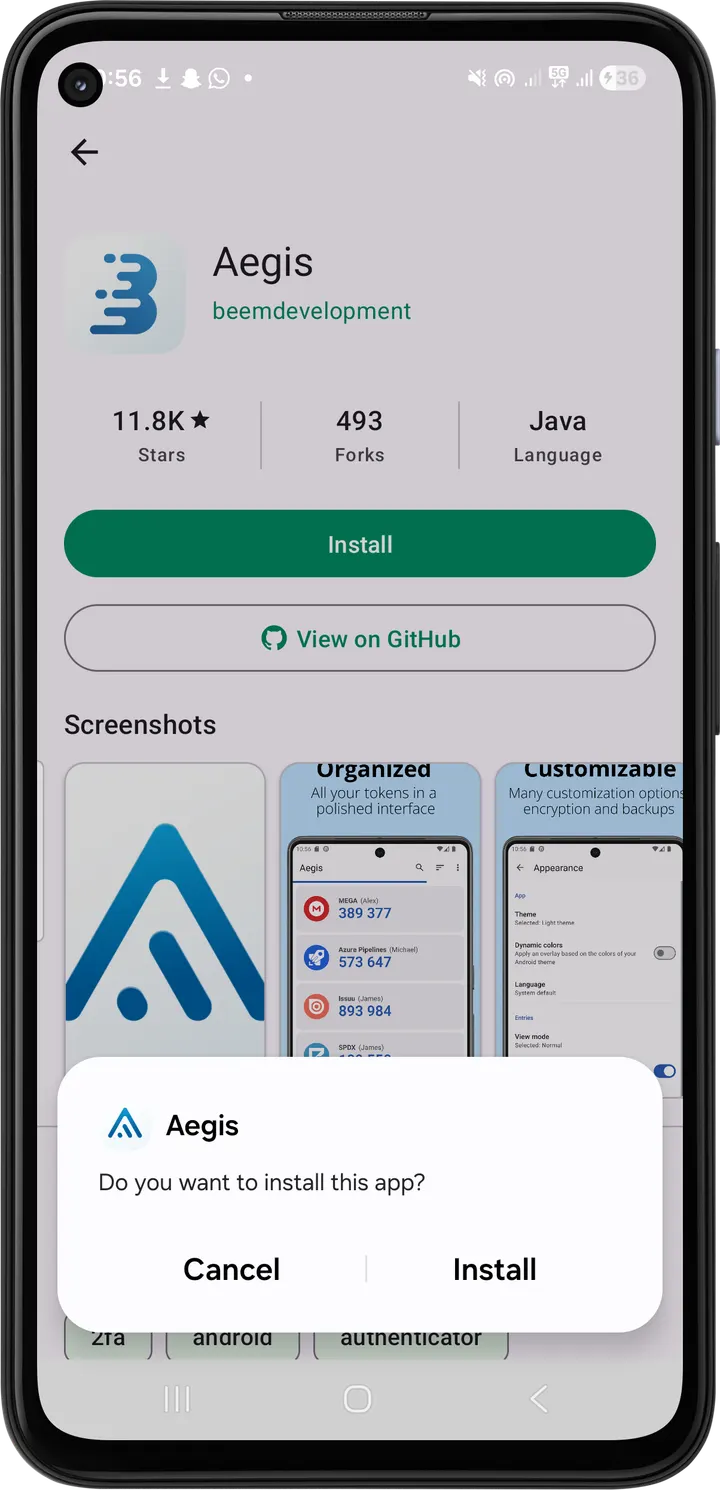
After you tap Install, the app tracks the installation. It flags when an update is available and switches the button to Open for apps already on the device. The interface follows Material 3 with dynamic theming and dark mode, and the language dialog is searchable, covering English, Hindi, Hinglish and Marathi.
Signing in to GitHub is optional. It raises the API rate limit from 60 to 5,000 requests per hour, which matters if you browse a lot.
Against Aurora Store, F-Droid and ObtainX
Aurora Store, F-Droid, Droid-ify, Aurora Droid, Neo Store and ObtainX are the other apps people weigh against it. What sets RepoStore apart is its narrow focus: the home sections for Trending, Recently Updated and Featured projects list only repositories whose GitHub releases include a valid APK.
It needs Android 8.0 or newer and an internet connection to browse and fetch releases. Signing in to GitHub is optional and raises the API limit from 60 to 5,000 requests per hour.
What's new in 1.0.22
Version 1.0.22 was last updated on November 1, 2026.
RepoStore pros and cons
Pros
- Lists only repositories that have valid APK files in their releases
- Shows one Install action tied to the newest release
- Tracks installs and flags available updates
- Free, ad-free and MIT licensed, with source on GitHub
- Optional GitHub sign-in raises the limit from 60 to 5,000 requests per hour
Cons
- Depends entirely on GitHub, so apps published elsewhere are not listed
- Without sign-in, the 60 requests per hour limit can restrict heavy browsing
- Requires Android 8.0 or higher
- Only four interface languages are listed
Is RepoStore safe?
The APK on this page is stored unmodified, with its checksum and signature details. Its SHA-256 is a6b725914ea99d87b3a8cdf5b6db7e786dfb369b9f107a586018e1a7778919fe, so you can compare it with your own download. RepoStore is open source under the MIT license and contains no ads. The apps you install through it come from other GitHub developers, and nothing here says how they are vetted.
How to install RepoStore
- Download the APK with the button on this page and wait for it to finish.
- Compare the file with the SHA-256 checksum shown here if you want to confirm it arrived intact.
- Open the file on your phone and allow installs from this source when Android asks.
- Finish the install, then open RepoStore from your app drawer.


