
You set an alarm for the first light of day, or want to know when the golden hour starts before heading out with a camera. A standard clock app cannot say either. Suntimes is a free, open-source Android app that calculates sun and moon times and builds alarms around them. This page covers what it does and what to check before installing version 0.17.6.
Sunrise, sunset and moon times on one clock
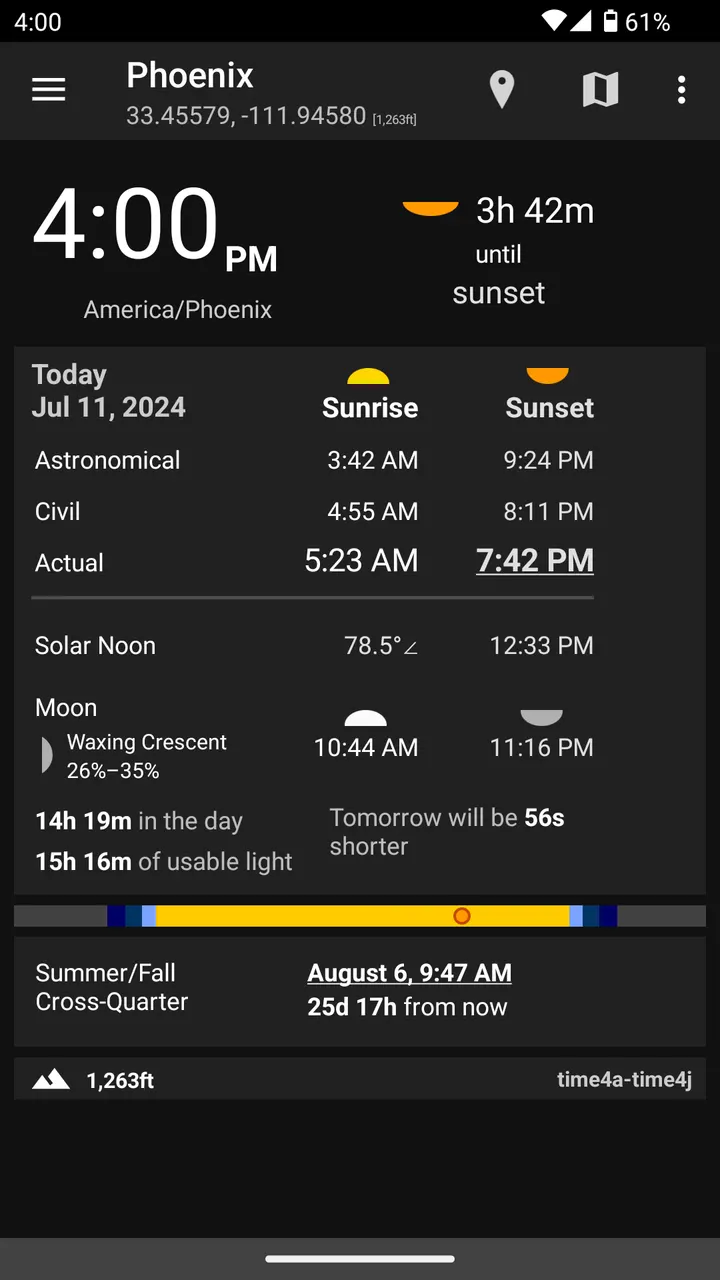
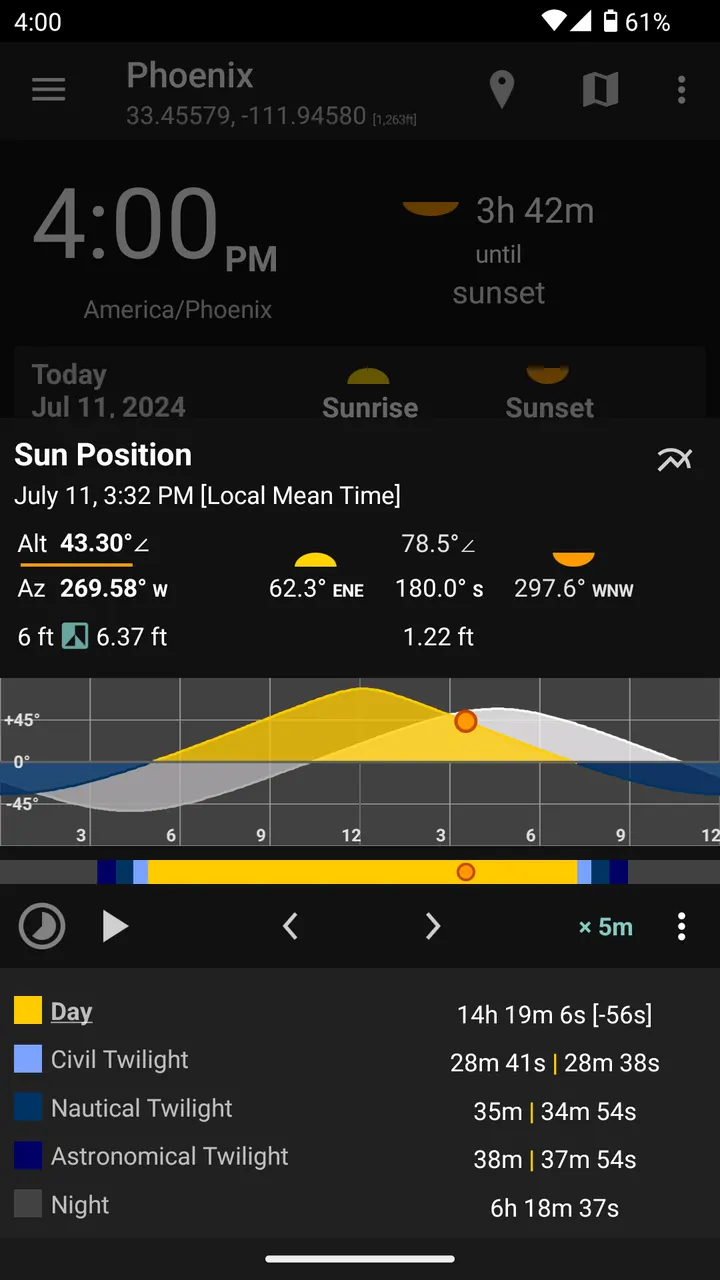
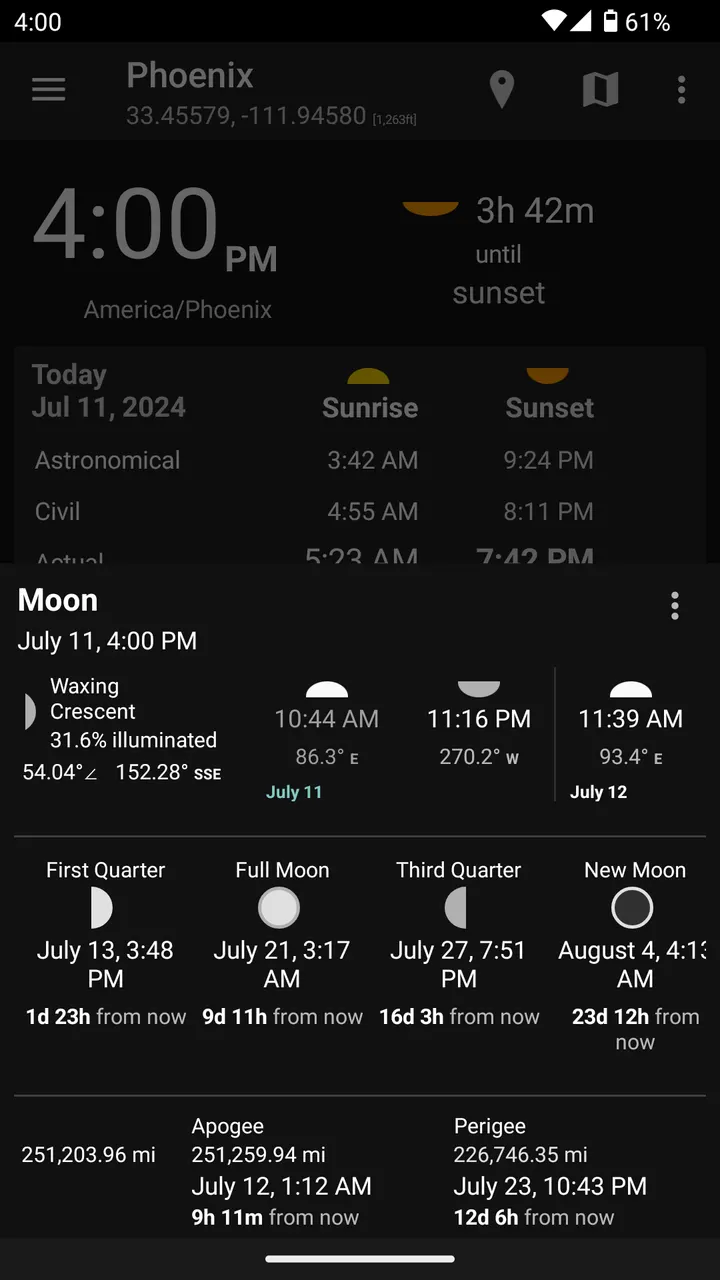
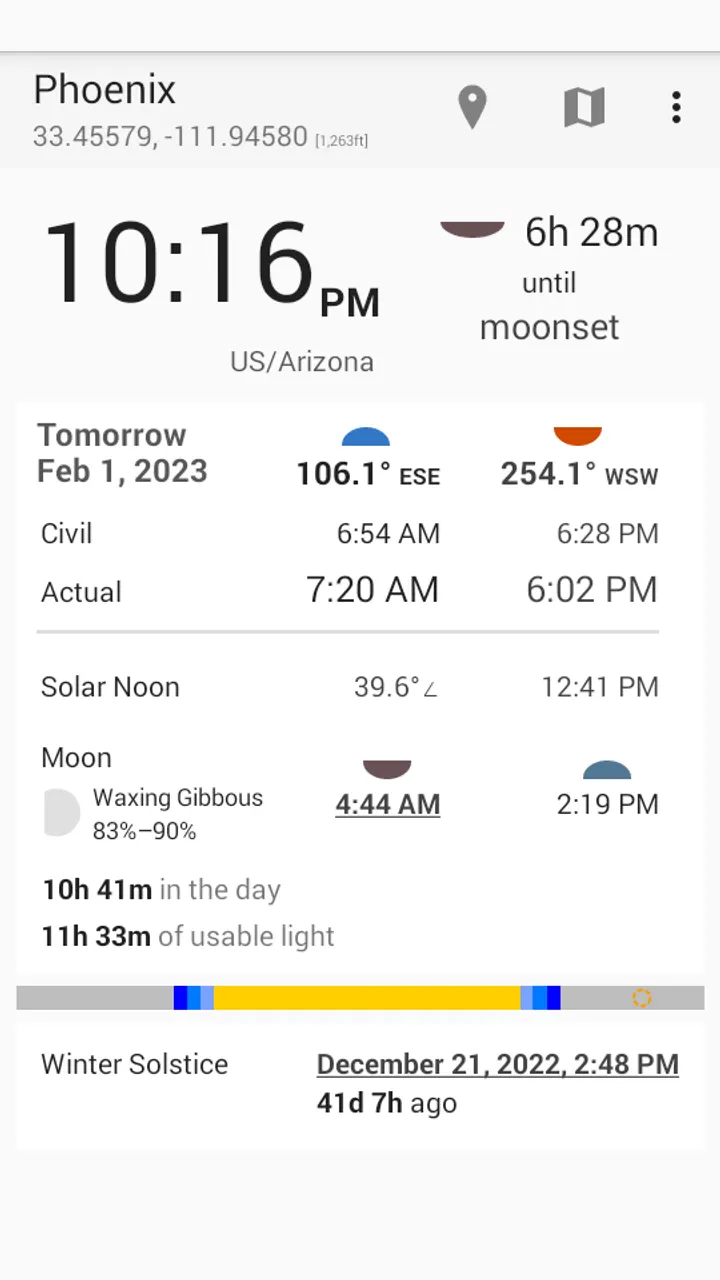
Ordinary clocks show the hour but not where the sun or moon sits in the day. Suntimes fills that gap with sunrise, sunset, civil, nautical and astronomical twilight, and blue and golden hour. It also lists moonrise, moonset, apogee and perigee, moon phases and illumination.
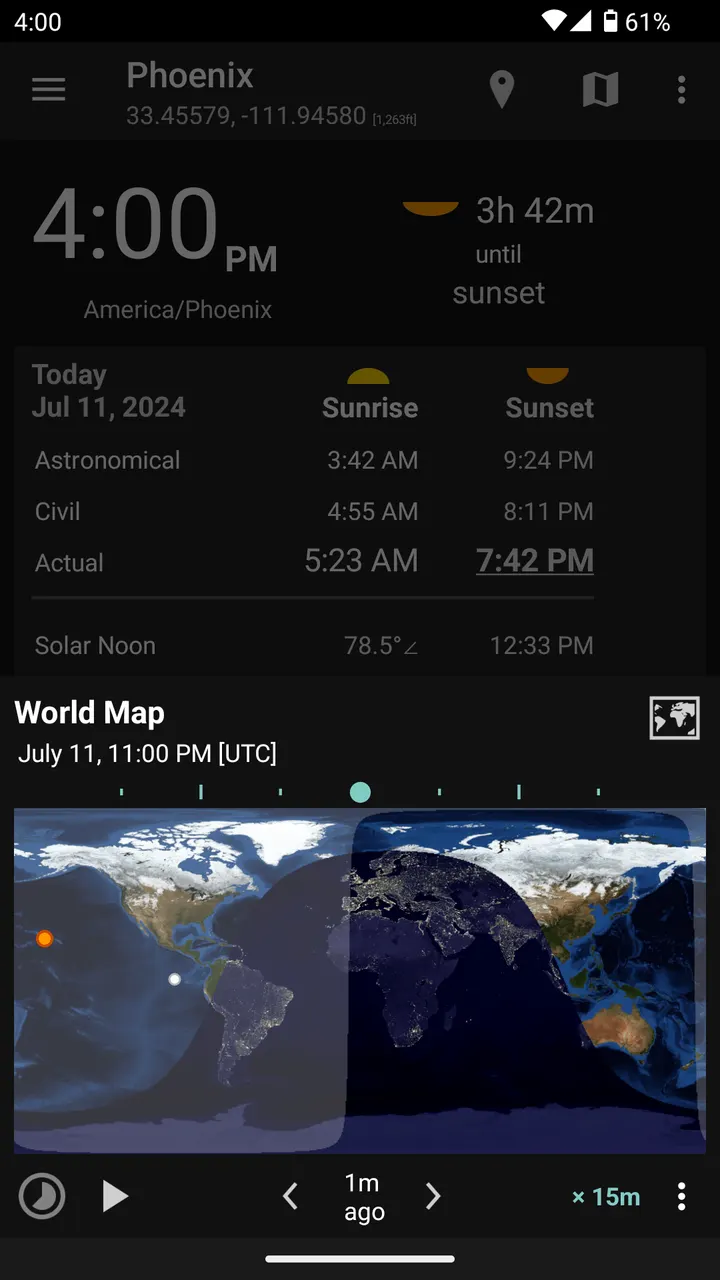
The clock can show System, Apparent Solar, Local Mean, UTC or Sidereal time. Solstices, equinoxes and cross-quarter days are covered too. A day/night world map, yearly sunlight graphs and sun altitude graphs round out the data views, and the information is also available as tiles and widgets.
The developer says the reported times are approximate. The developer also says the app does not need a network connection and that GPS is optional.
Alarms that follow sunrise, sunset and sleep cycles
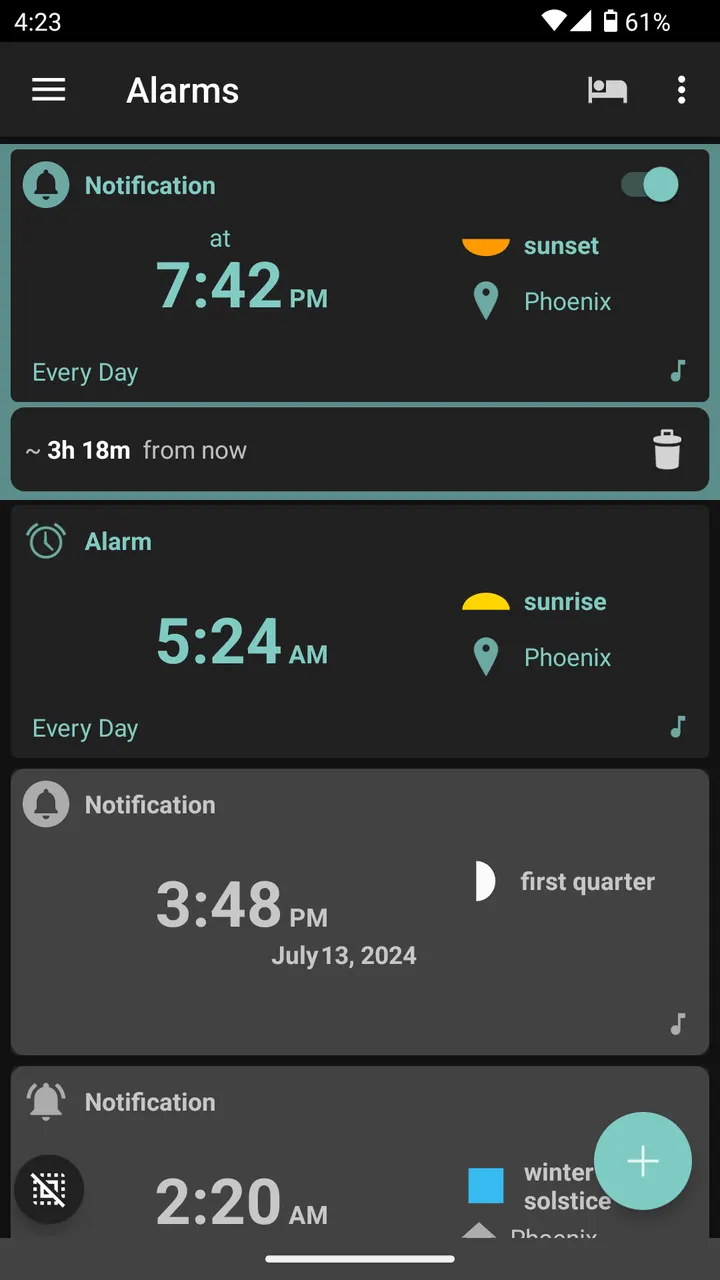
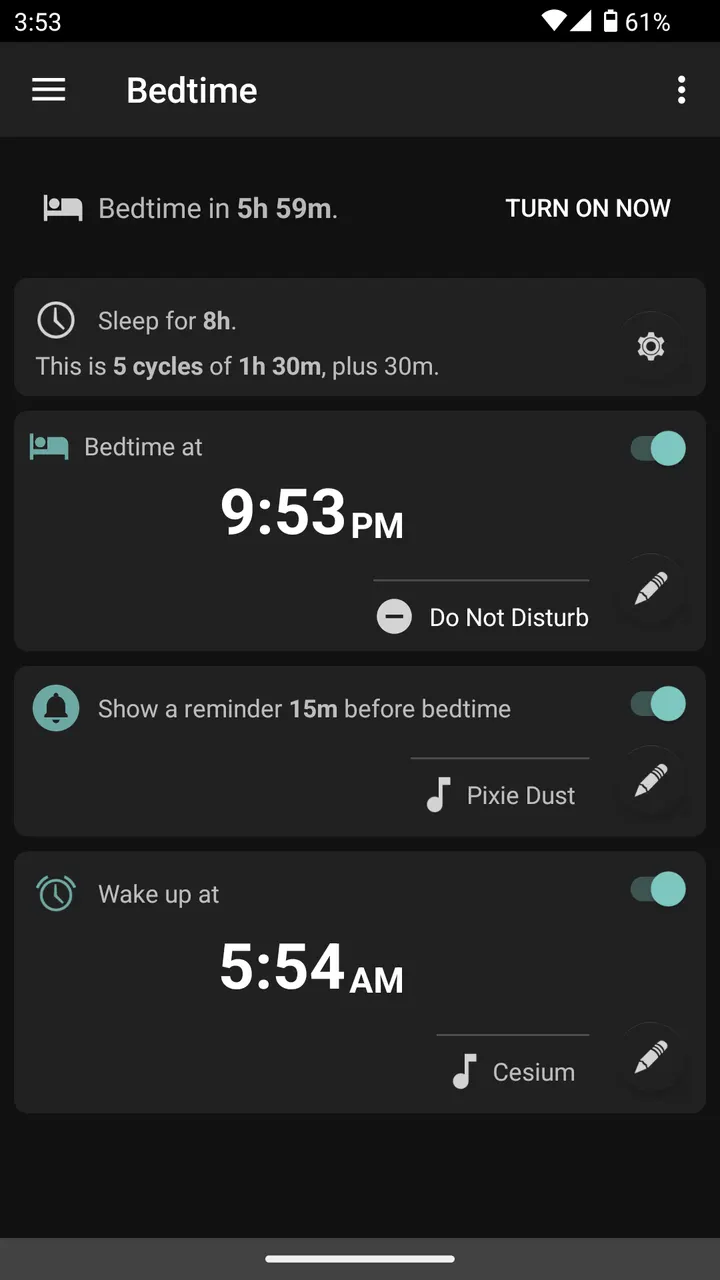
Beyond general purpose alarms, Suntimes supports daily repeating alarms tied to sunrise, sunset or other recurring events. Alarms can appear as full screen alerts, notifications or quick notifications. The description also lists bedtime alarms with sleep cycle and do-not-disturb support.
Several options target heavy sleepers: math problems, snooze limits, and NFC tags, which require the separate SuntimesNFC app. Gentle alarms raise screen brightness, colors and volume gradually. Less common types include "roman time" alarms using the Natural Hour and midpoint alarms using Interval Midpoints. Users can also define intents that run when an alarm fires or is dismissed.
Permissions to check before installing
The permission list is long because alarms need to be reliable. Exact alarm scheduling, foreground service, full screen intent and notifications deliver the alarm. A boot permission restores active alarms after a restart, and a battery optimization exemption request helps with delivery.
Location access gets latitude, longitude and altitude. Notification policy access lets Bedtime change do-not-disturb settings. QUERY_ALL_PACKAGES is used to configure and launch user-defined actions. On devices at API 18 or older, storage permissions play alarm sounds from the SD card and back up data such as places and themes.
The file is 11.2 MB. The Calendar Integration feature added in v0.9.0 was removed in v0.10.0 and now lives in a separate add-on.
Suntimes pros and cons
Pros
- Free, with no ads and a GPL-3.0-or-later licence
- Works without network connectivity; GPS is optional
- Sunrise and sunset alarms that repeat daily
- Covers sun and moon data, twilights, solstices and graphs
- Small 11.2 MB download with public source code
Cons
- Times are approximate, according to the developer
- Long permission list, including QUERY_ALL_PACKAGES and exact alarm scheduling
- NFC alarm dismissal needs the separate SuntimesNFC app
- Developer name is not shown
Is Suntimes safe?
Suntimes 0.17.6 is kept here as the unmodified APK for com.forrestguice.suntimeswidget. Its SHA-256 checksum is e740195eb74ff087e258660e0dab4430cb4fe5e4895c86c0c0a305e7e6073a69, so you can compare it against your downloaded file. The code is GPL-3.0-or-later and public on GitHub, which lets anyone read how the sun and moon calculations work. The app has no ads and the developer is not named. Check the permissions it requests before you grant them.
How to install Suntimes
- Download the APK with the button on this page and wait for it to finish.
- Compare the file with the SHA-256 checksum shown here if you want to confirm it arrived intact.
- Open the file on your phone and allow installs from this source when Android asks.
- Finish the install, then open Suntimes from your app drawer.


