
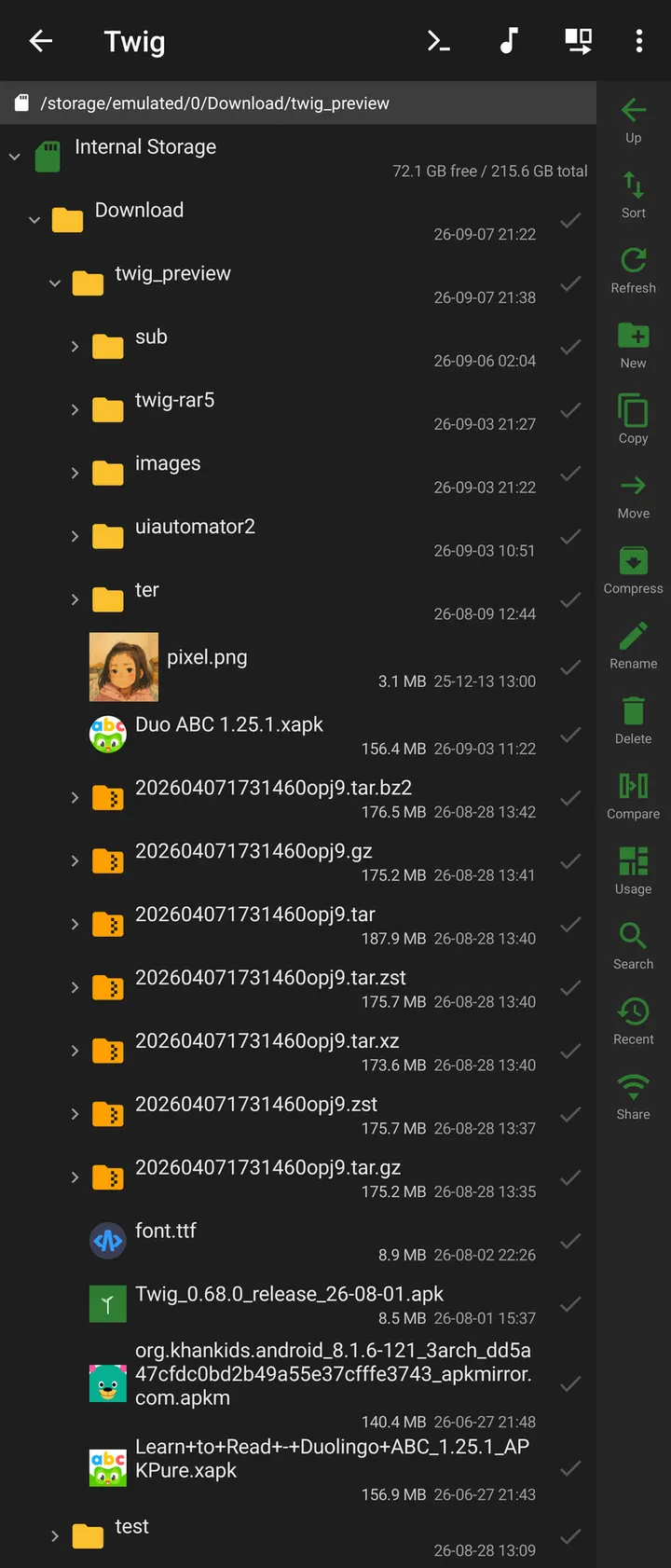
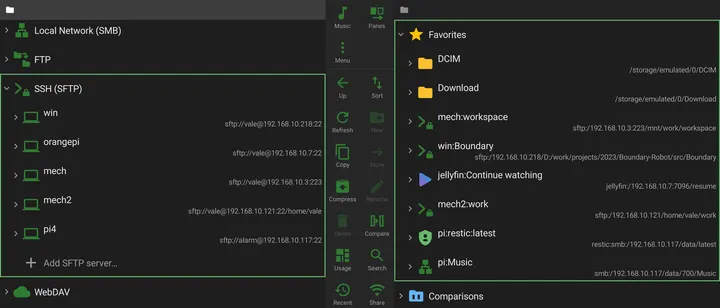
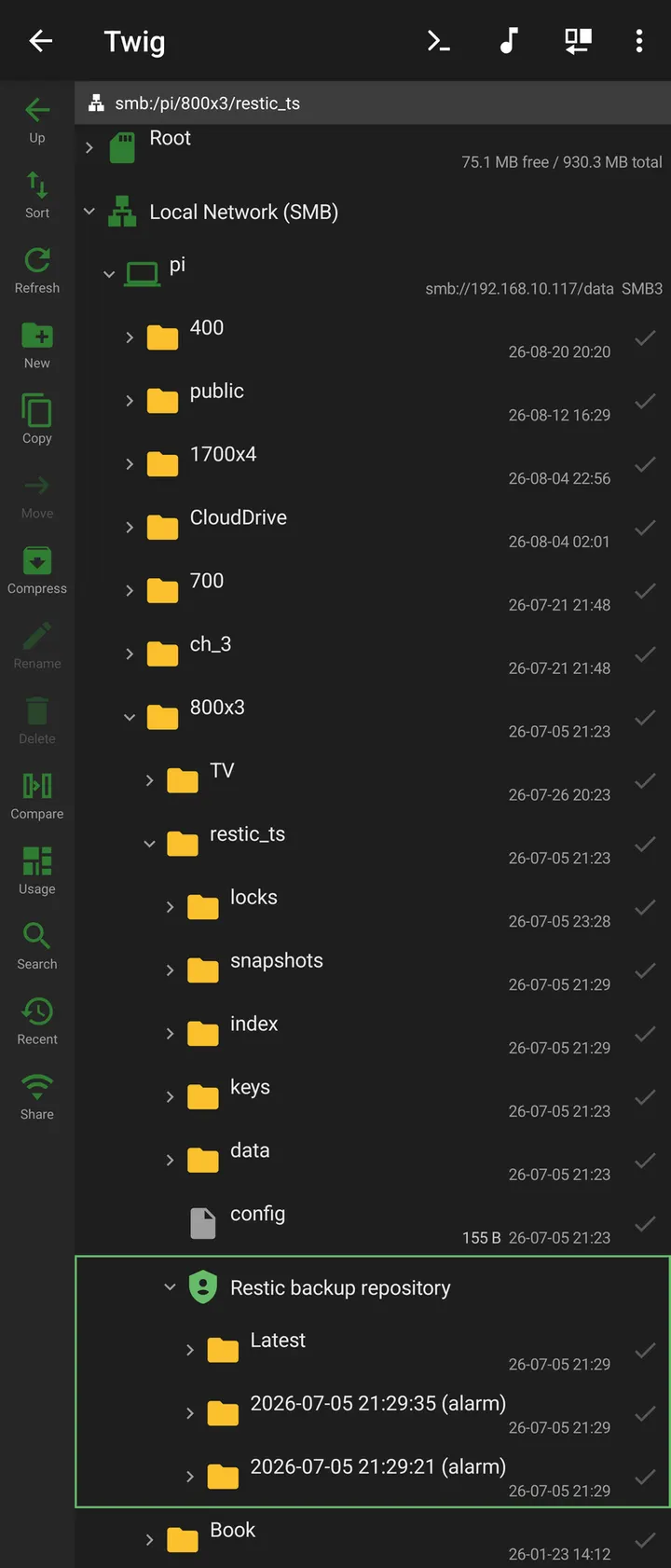
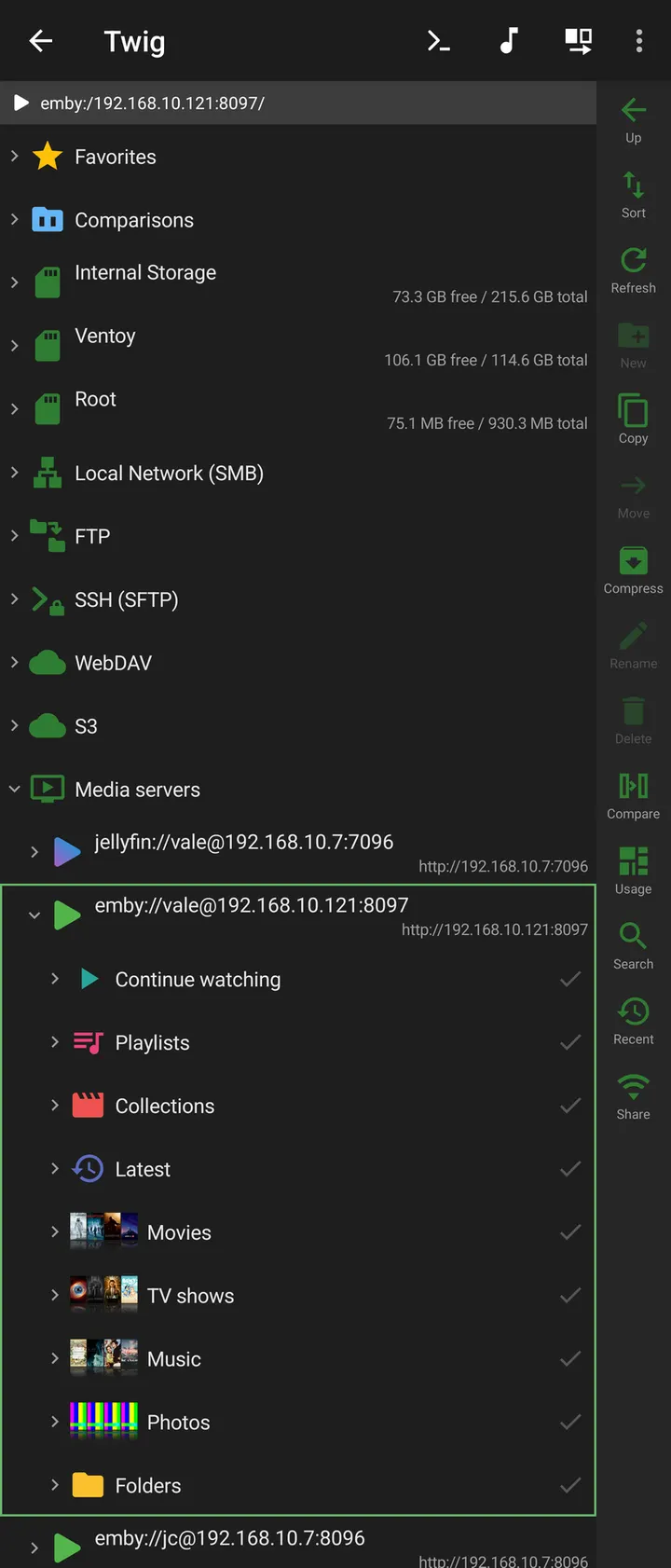
Twig is a free, open-source file manager from dev2ex that puts local storage, archives and remote servers into a single dual-pane tree. Version 1.17.0 runs on Android 7.0 or newer, takes up 10.7 MB and shows no ads.
Who a dual-pane tree with SFTP and S3 suits
Twig is aimed at people who move files between more than one place. The tree covers local storage, archives, FTP, SFTP, SMB, WebDAV, S3, restic and Jellyfin/Emby, so a phone can act as a hub between a NAS, a server and a cloud bucket.
The dual-pane layout works in either orientation, and copy or move targets can be picked in the opposite pane. Users who only need to browse downloads and photos will find much of this unused, which is worth knowing before installing.
Transfers, archives and the built-in terminal in practice
Copying and compressing work across sources, and archives expand in place. Transfers run in the background, and an interrupted one can be retried, resumed where the write supports it, or skipped item by item. A local trash allows batch restore or purge.
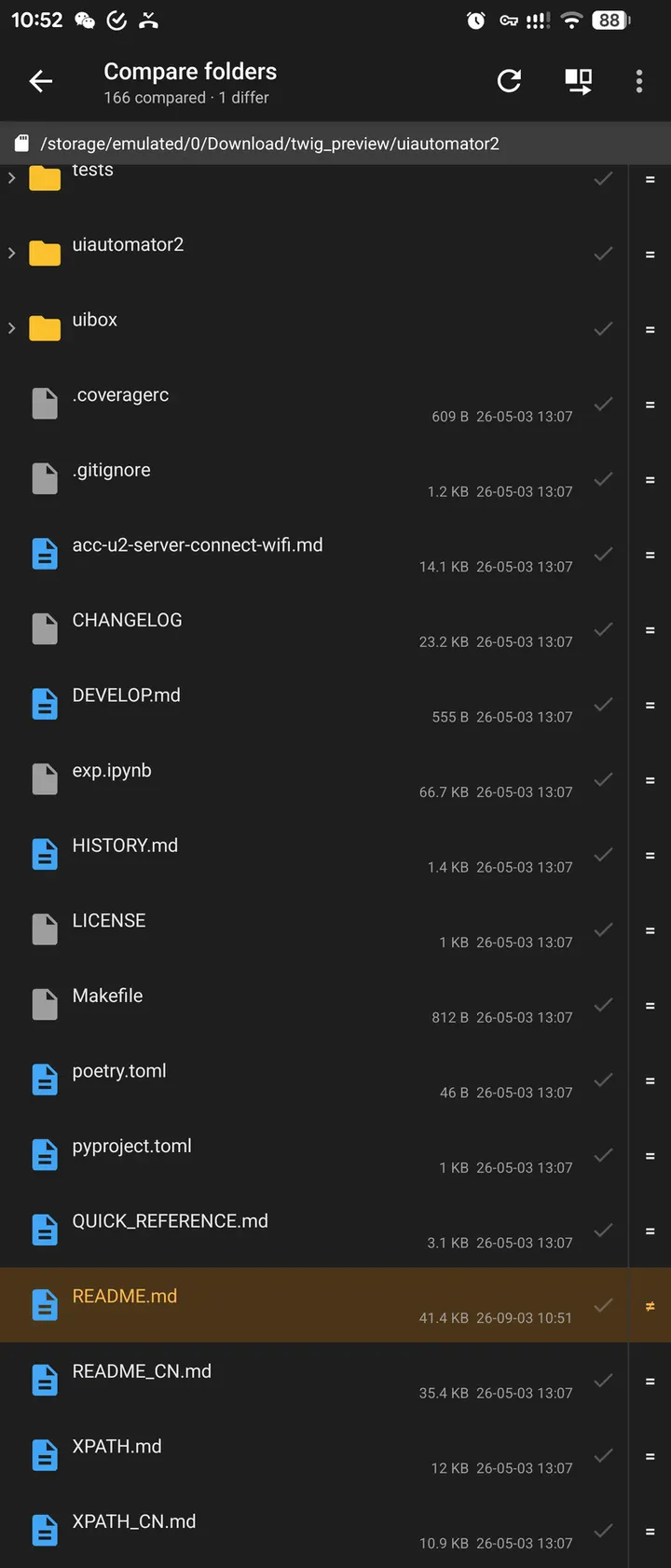
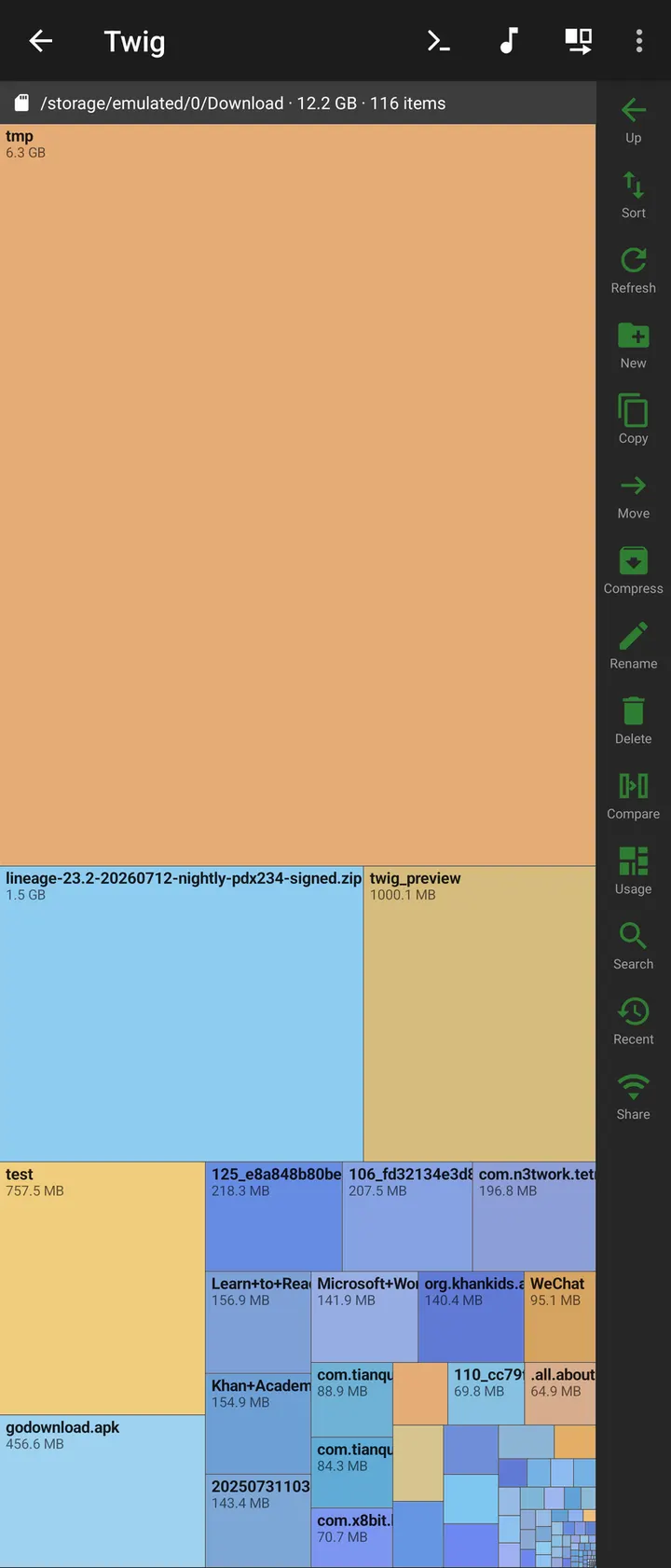
Twig reads and creates encrypted ZIP and 7z files, and it browses tar plus gz, xz, bz2 and zst. Other tools include batch rename with regex and previews, folder compare and sync between any two sources, and a disk usage treemap with pinch zoom.
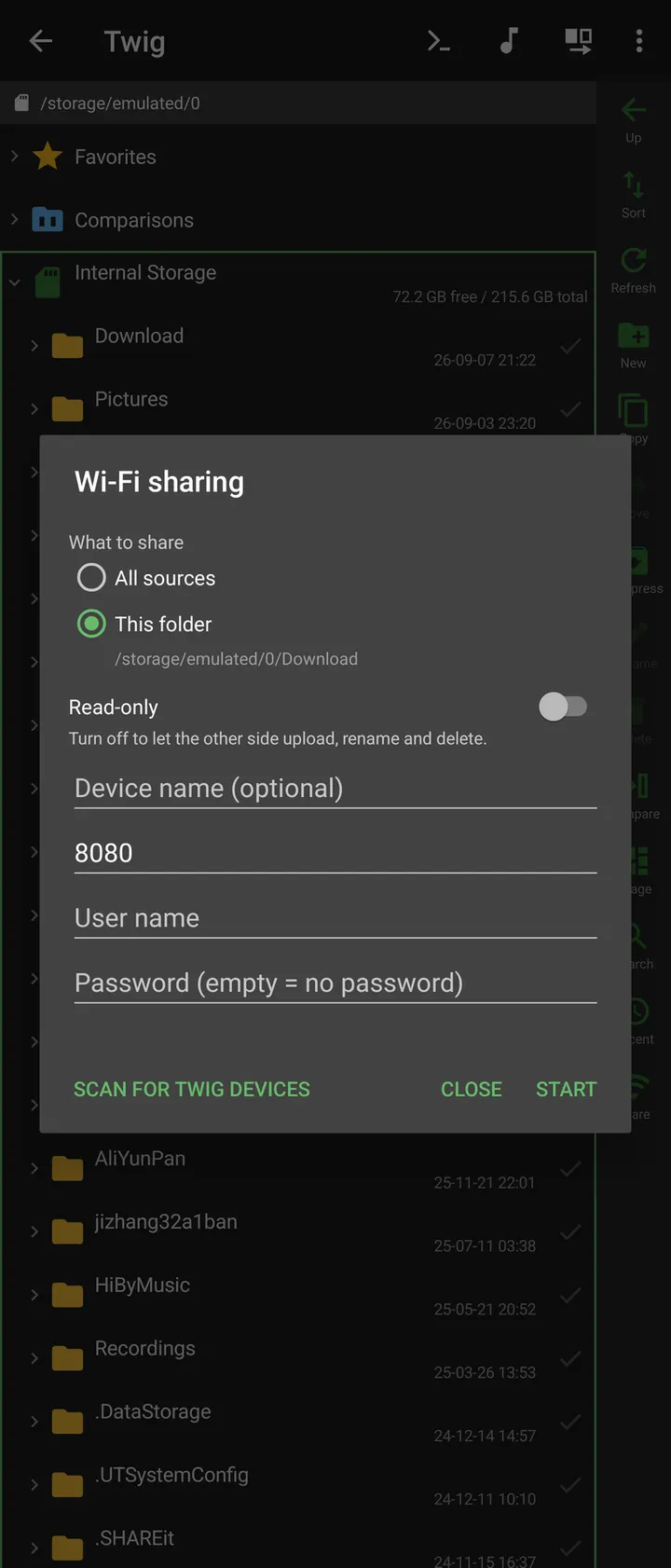
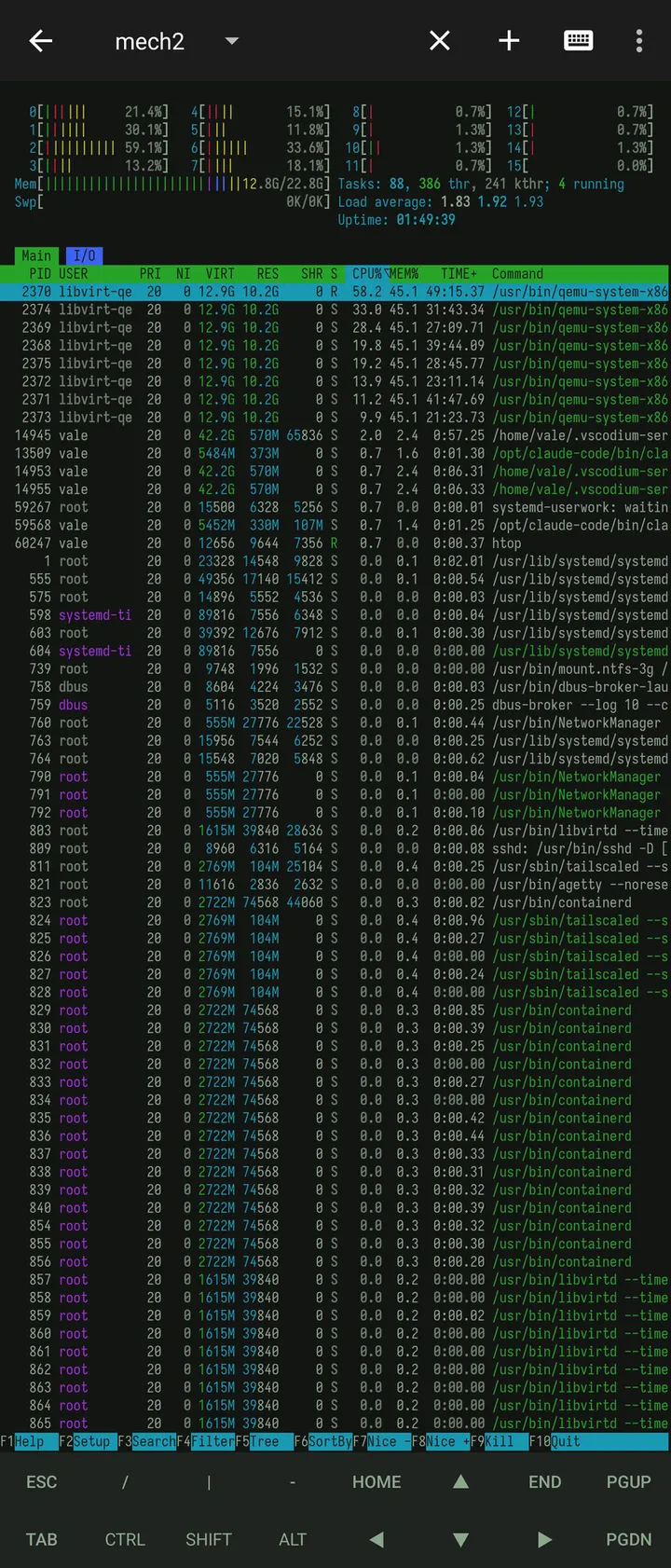
The app also bundles local, SSH and privileged terminals, Git status and side-by-side diff, and a music player with M3U imports and synced lyrics. Wi-Fi sharing turns the phone into an HTTP and WebDAV server that a desktop can mount.
Root access, app lock and where the limits sit
Root or Shizuku access works inside the local tree. Android/data can be opened through saved SAF grants, but only where Android permits it. PDF passwords are supported on Android 15 and later.
Saved credentials are encrypted, and you can lock the app with a master password or unlock it with a fingerprint. Private space is left out of backups and configuration exports, and its files are deleted if Twig is uninstalled.
What's new in 1.17.0
Version 1.17.0 was released October 16, 2026 and updated November 4, 2026.
Twig pros and cons
Pros
- No ads and no price, with source code under GPL-3.0-only
- Small at 10.7 MB, including the terminal and media player
- Reaches SFTP, SMB, WebDAV, S3, restic and Jellyfin/Emby from one tree
- Encrypted ZIP/7z support and a master-password app lock
- Wi-Fi sharing as an HTTP and WebDAV server
Cons
- Requires Android 7.0 or newer
- Feature depth may overwhelm anyone who only needs basic browsing
- Android/data access depends on what Android permits
- No Google Play rating or install count is available yet
Is Twig safe?
The unmodified APK is stored here together with its checksum and signature details. The SHA-256 is d16f5a8b1fbe7caac31ffd9b7e05208aa484df4cf1a2fe846d2532fef79fafa6. The source code is public at github.com/dev2ex/twig under GPL-3.0-only. Root, terminal and file-access features are powerful, so grant them only when you need them.
How to install Twig
- Download the APK with the button on this page and wait for it to finish.
- Compare the file with the SHA-256 checksum shown here if you want to confirm it arrived intact.
- Open the file on your phone and allow installs from this source when Android asks.
- Finish the install, then open Twig from your app drawer.


